Sales and invoicing · Article 07
Returns, credit notes and cancellations
Applies to Odoo 19 · 20
The customer sends back part or all of the goods, you grant a discount after delivery, or you issued a wrong invoice. In all cases the correction is made with a credit note started from the original invoice; if the goods physically come back, also record the goods return. In Romania the credit note is recorded by reversal in red: the same accounts as the invoice, with negative amounts.
When to use
- The customer returns defective, non-compliant or over-delivered products.
- You grant a discount after delivery, without the goods coming back.
- The invoice has a mistake (price, quantity, customer) and must be cancelled or corrected.
Before you start
- The original invoice is posted; for a goods return, the delivery is validated.
- The Storno accounting option is ticked in the Accounting settings (default for Romanian companies).
Steps in Odoo
1. Record the goods return
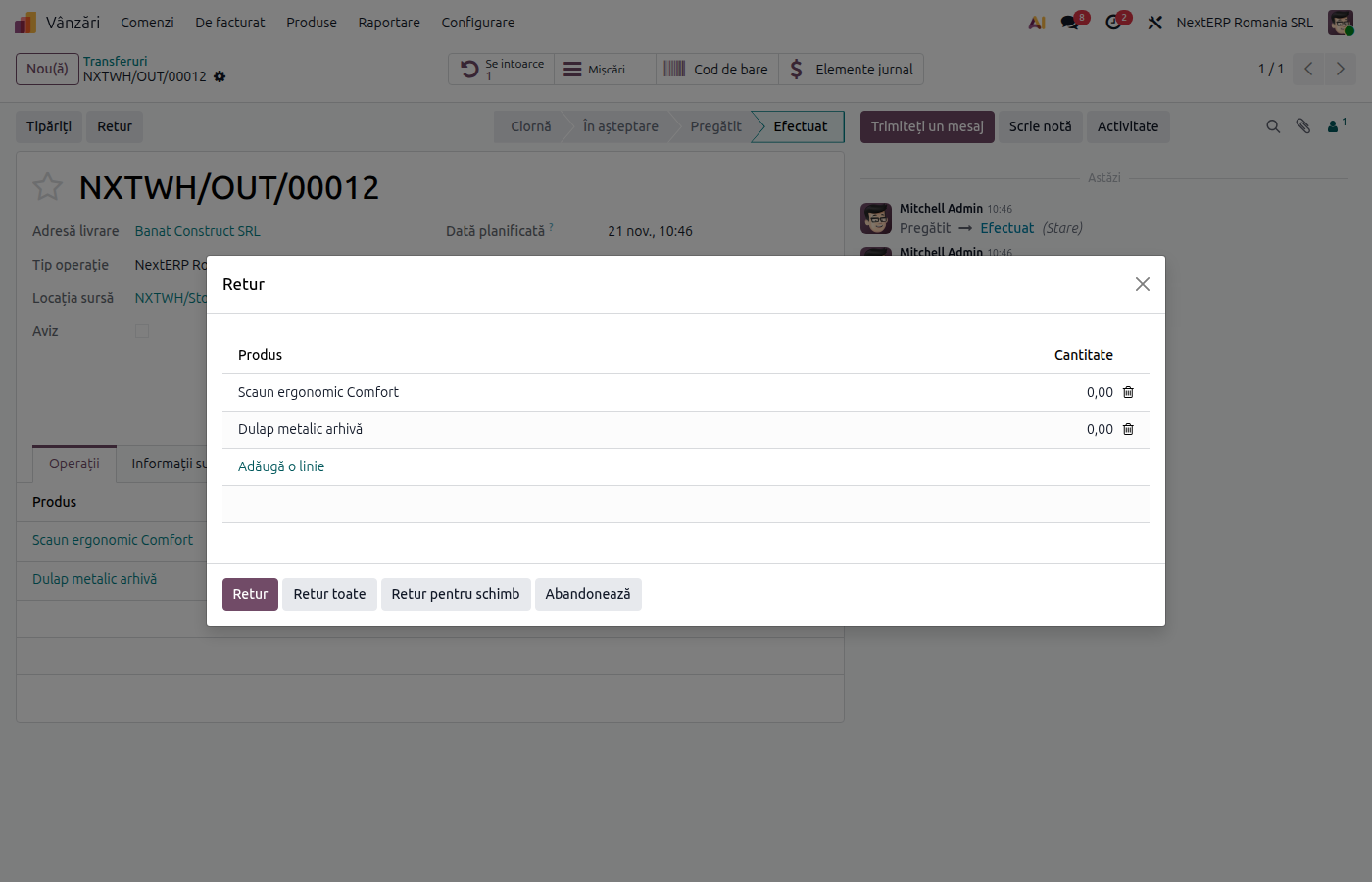
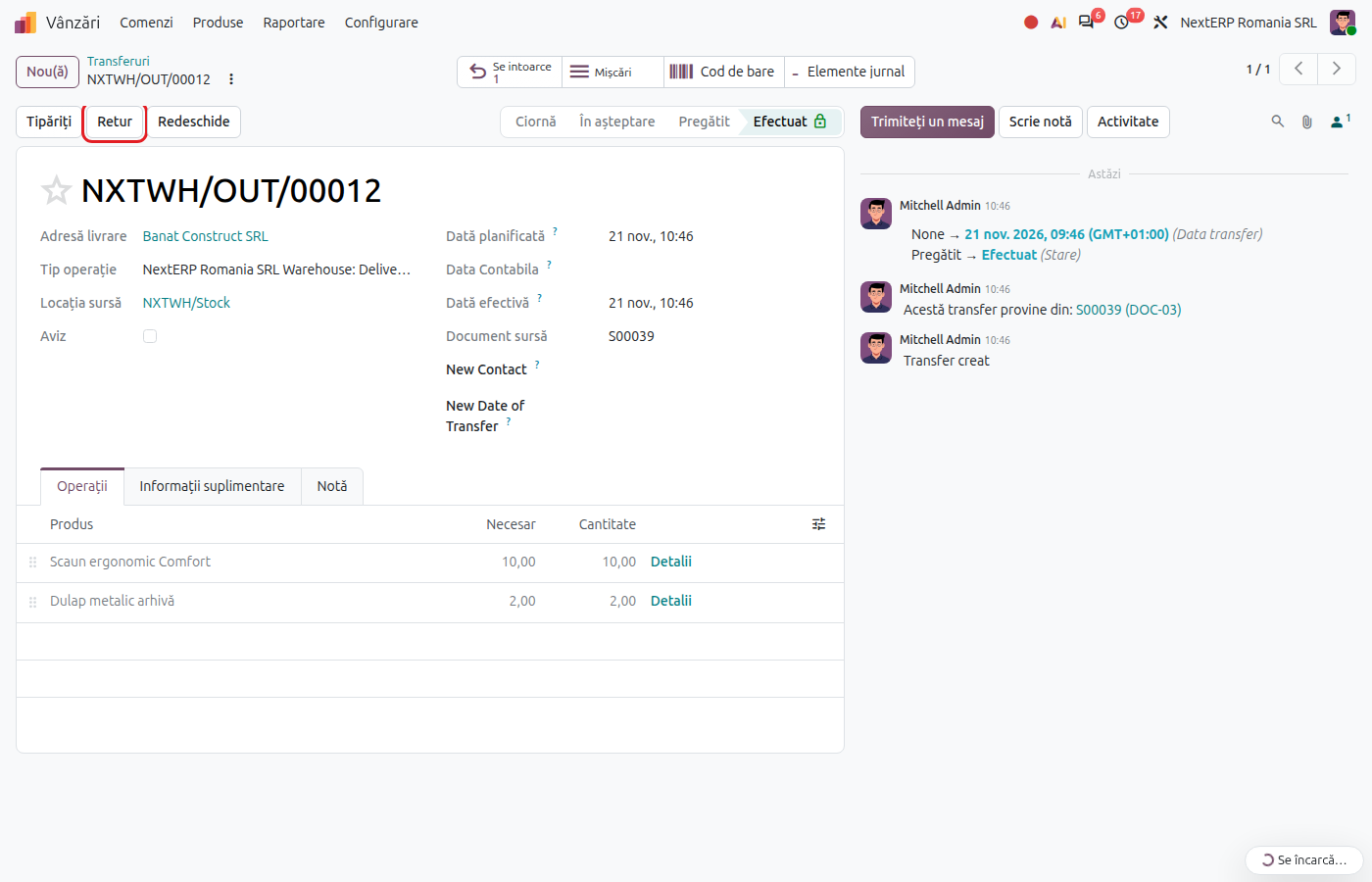
Open the original delivery (the Delivery button on the order) and click Return.
Odoo 19
The return window opens. Keep only the returned products and quantities, then confirm.
Odoo 20
Odoo creates the return delivery directly, with all the products. In the new delivery, keep only the returned products and quantities.
2. Validate the return
An incoming transfer from the customer to stock is created. Check the quantities and click Validate. The goods come back into stock, and Odoo reverses the cost of goods sold recorded at delivery, at the same cost.
3. Start the credit note from the invoice
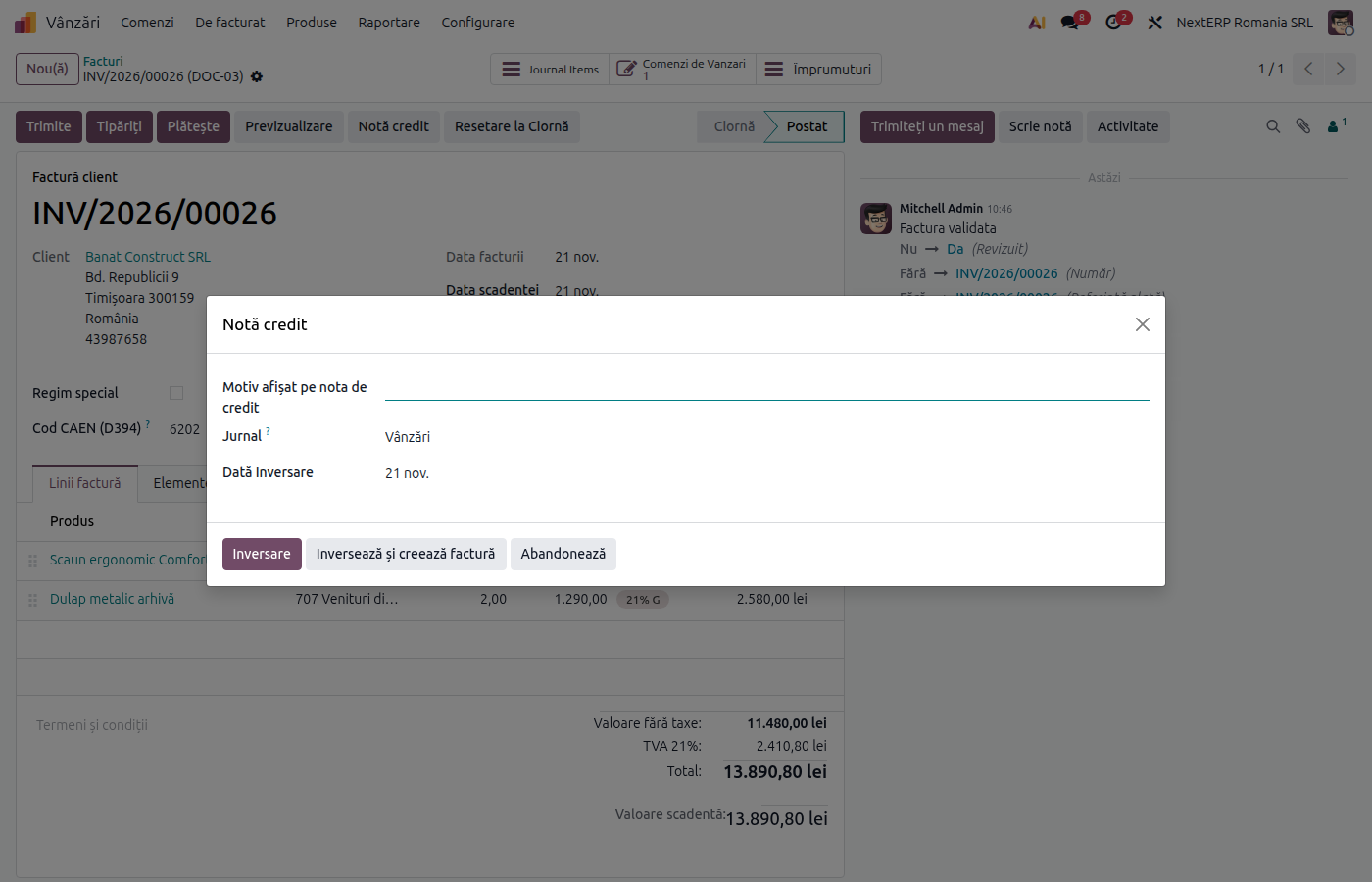
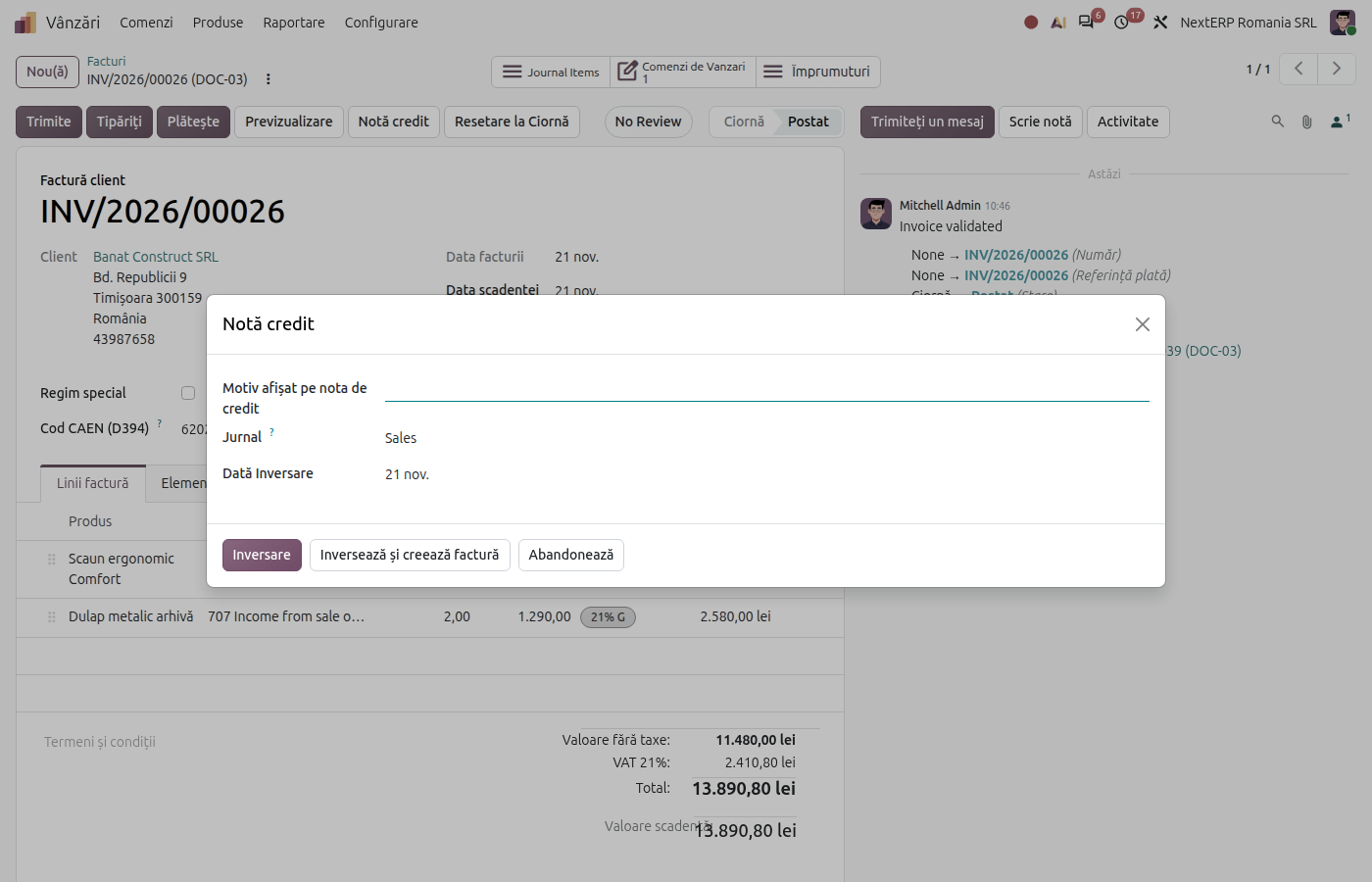
Open the original invoice from Accounting › Customers › Invoices, click Credit Note, fill in the reason and click Reverse. Odoo creates the credit note with all the lines of the invoice.
4. Adjust the quantities
For a partial return or a discount, keep on the credit note only the lines and amounts being corrected. VAT is recalculated per line.
5. Post and send the credit note
Click Post, then Send. A credit note to a Romanian company is also sent to e-Factura (the ANAF electronic invoicing system).
6. Clear the customer balance
The credit note is offset against the original invoice: if the invoice was not paid, the amount to collect decreases by the value of the credit note. If the customer had already paid, an amount remains to be refunded or offset against a future invoice.
Variants
Discount after delivery, without goods return
Skip steps 1 and 2. Issue only the credit note for the discount amount; stock stays untouched.
Goods the customer does not send back
If you agree not to receive the goods back (for example they are destroyed), issue only the credit note. The goods already left stock at delivery.
Wrong invoice
Issue the credit note for the whole invoice (steps 3 and 5, without adjustments), then issue the correct invoice from the order. A posted invoice is not deleted: its number stays in the series.
Customer in the EU or outside the EU
The flow is the same; the credit note takes the tax from the original invoice. For a return from export, the goods re-enter the country with an import customs declaration.
Common mistakes
- Credit note without goods return. The revenue is reversed, but the goods do not come back into stock and the cost stays in expenses. If the products physically came back, also validate the return.
- Goods return without a credit note. Stock comes back, but the customer still has the full invoice to pay. Issue the credit note in the same month.
- Full credit note for a partial return. Correct the quantities on the credit note before posting.
- Credit note created from scratch. Start it from the original invoice with Credit Note, so that it stays linked to it and takes the same taxes and accounts.
- Storno accounting unticked. The credit note is recorded on the opposite side of the accounts instead of in red, and the turnover in the trial balance is inflated. Check the setting before the first returns.
For the accountant: legal framework, journal entries, returns
Legal framework
- OMFP 1802/2014 (the Romanian accounting regulations) — correcting entries by reversal in red.
- Codul fiscal (Legea 227/2015) (the Romanian Fiscal Code), art. 287 — adjusting the taxable base for returned goods and discounts; art. 330 — the corrective invoice.
Journal entries
Example: goods with a cost of 800 lei, sold for 1,000 lei + VAT 21%, fully returned.
When the goods return is validated — reversal of the cost of goods sold:
| DEBIT | CREDIT |
|---|---|
| 607 — −800 | 371 — −800 |
When the credit note is posted — reversal of the revenue and the VAT:
| DEBIT | CREDIT |
|---|---|
| 4111 — −1,210 | 707 — −1,000 4427 — −210 |
Partial return 30%:
| DEBIT | CREDIT |
|---|---|
| 607 — −240 | 371 — −240 |
| DEBIT | CREDIT |
|---|---|
| 4111 — −363 | 707 — −300 4427 — −63 |
Link with the ANAF returns
| Return | What it takes |
|---|---|
| D300 (Decont de TVA, the VAT return) | reversed output VAT, in the month of the credit note |
| D394 (the domestic sales and purchases statement) | the credit note, per customer CUI, with a minus sign |
| D390 (the EU recapitulative statement) | for an EU customer: the credit note, with a minus sign, in the month of the return |
| D406 (SAF-T) (the Romanian SAF-T file) | the credit note and the reversal of the cost of goods sold |
| e-Factura | the credit note, mandatory for business customers |