Sales and invoicing · Article 04
Invoicing
Applies to Odoo 19 · 20
The invoice is issued from the sales order and takes the products, prices and taxes from it. The flow is the same for goods and for services, and for customers in Romania, in the EU or outside the EU: only the tax differs, chosen by the fiscal position. When posted, the invoice gets the number from the legal series and records the revenue and the VAT.
When to use
- You invoice goods delivered to a customer.
- You invoice a service with a fixed price, hours worked or a subscription.
- You invoice a customer in the EU or outside the EU, without Romanian VAT.
Before you start
- The order is confirmed: see Quotation and sales order.
- Products have an Invoicing Policy set: see Configuration.
- For products invoiced on delivered quantities, the delivery is validated: see Delivering goods.
What is invoiced: the invoicing policy
| Policy | What goes on the invoice | Suitable for |
|---|---|---|
| Ordered quantities | the whole quantity of the order, right after confirmation | fixed-price services, subscriptions, goods invoiced before delivery |
| Delivered quantities | only the delivered quantity or, for services, the quantity entered as performed on the order | goods delivered in batches, hours worked |
For services on Delivered quantities, enter the performed quantity on the order line (or record the hours in timesheets, if you use the Timesheets app).
Steps in Odoo
1. Create the invoice from the order
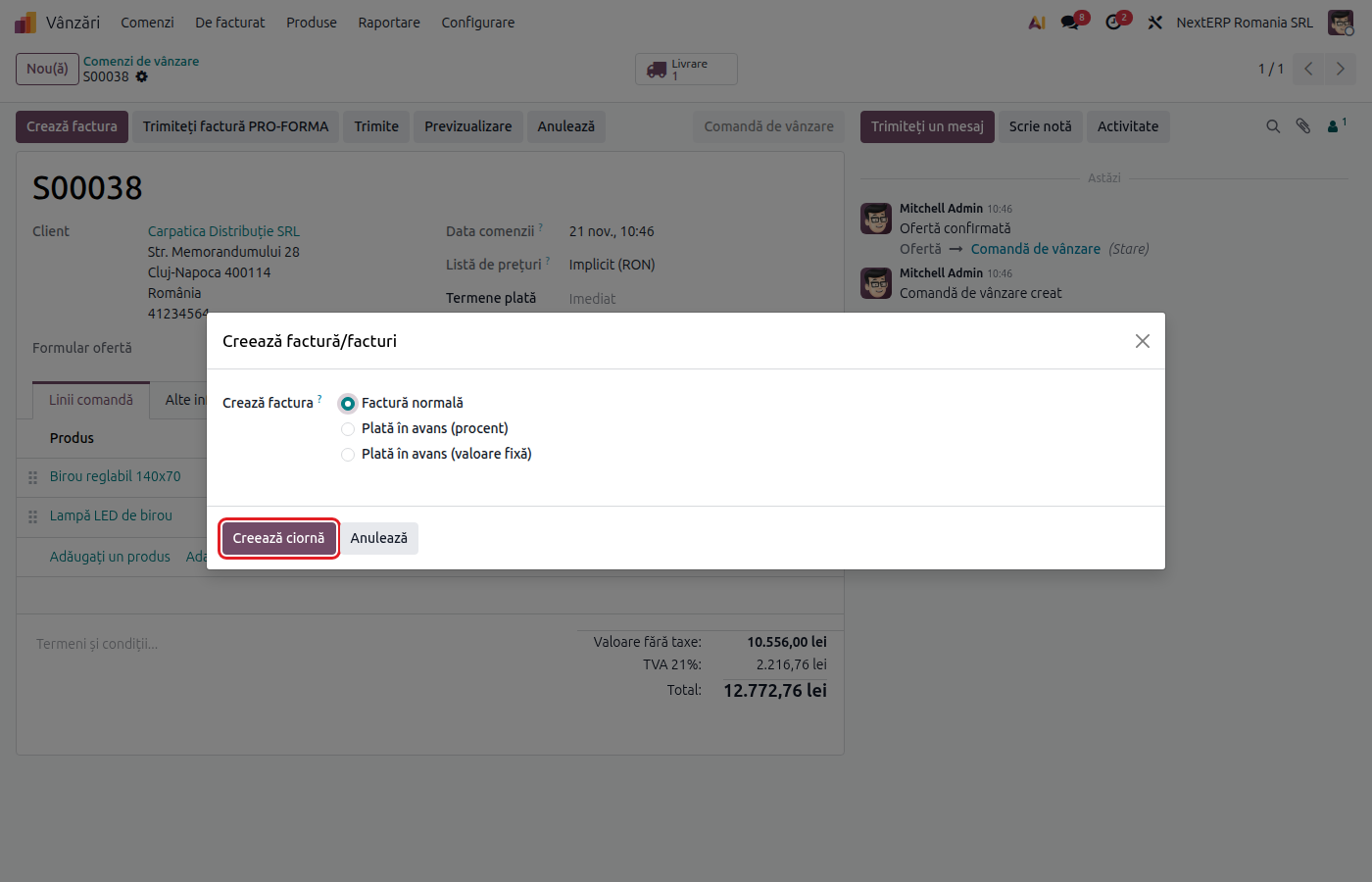
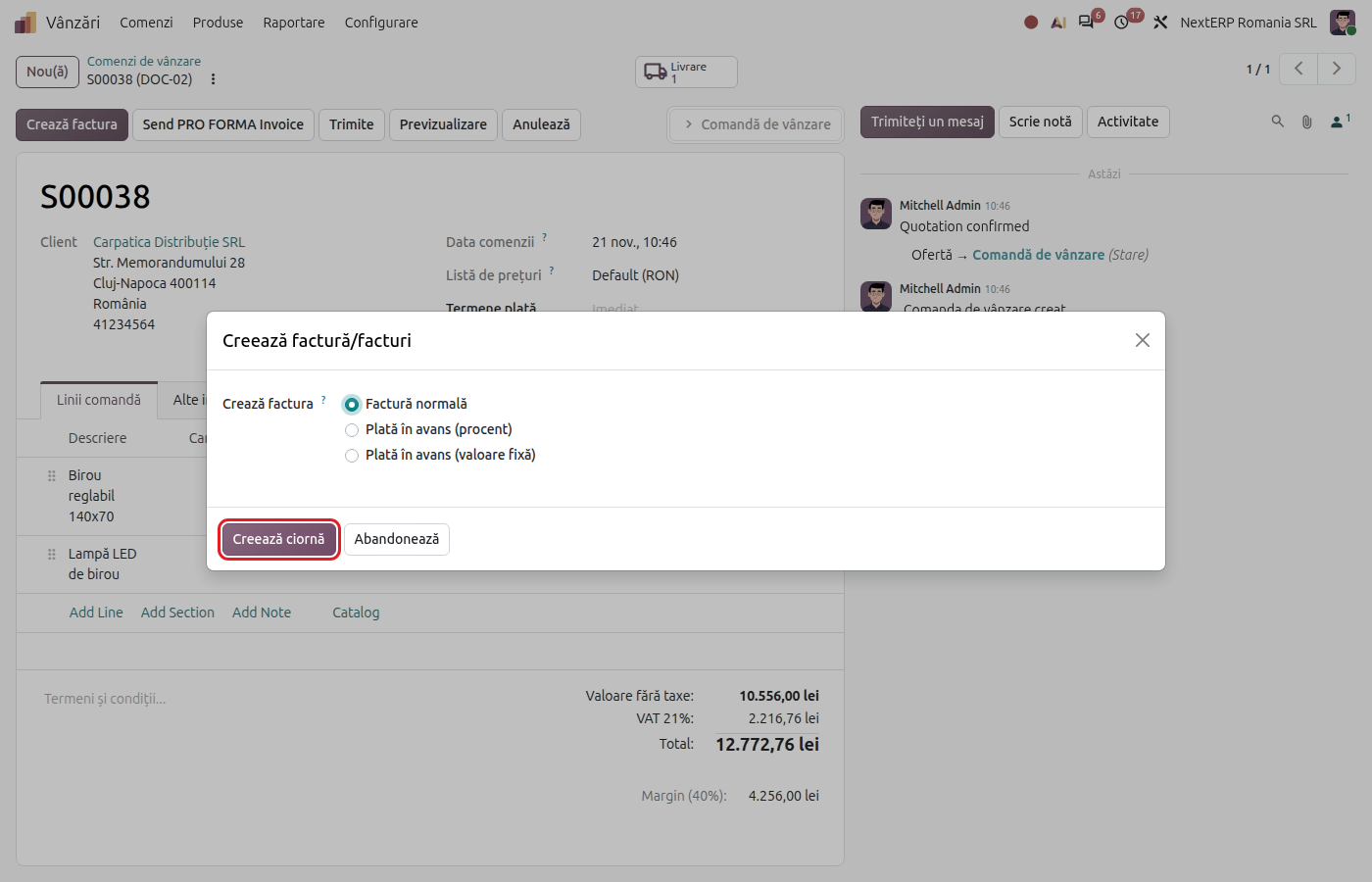
On the order, click Create Invoice, choose Regular invoice and click Create Draft. The invoice opens with the lines to invoice from the order.
2. Check the invoice
Check the customer, the invoice date, the currency, and the accounts and tax on each line. For customers in the EU and outside the EU, the tax must be the one in Tax treatment by customer.
3. Post the invoice
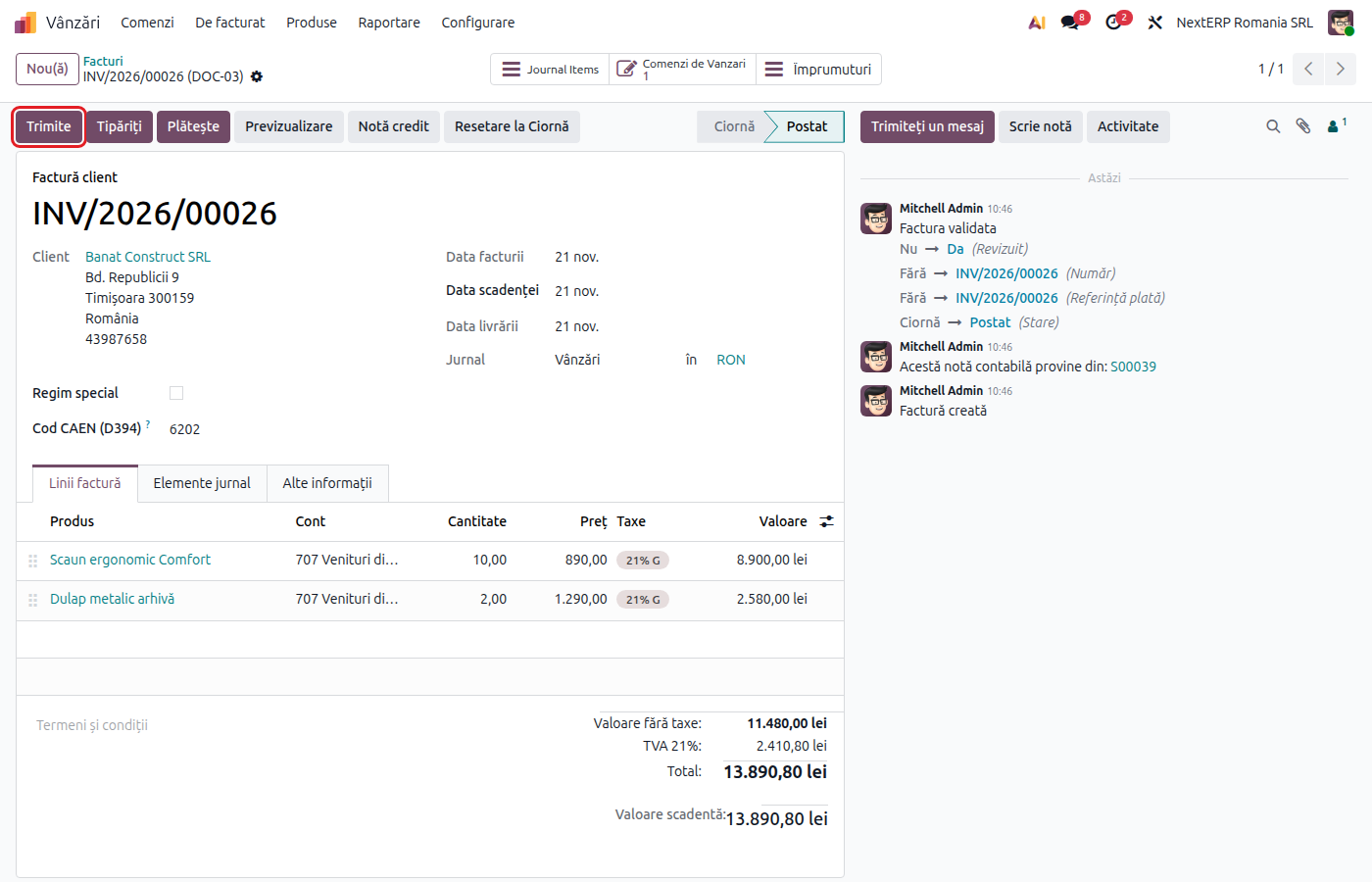
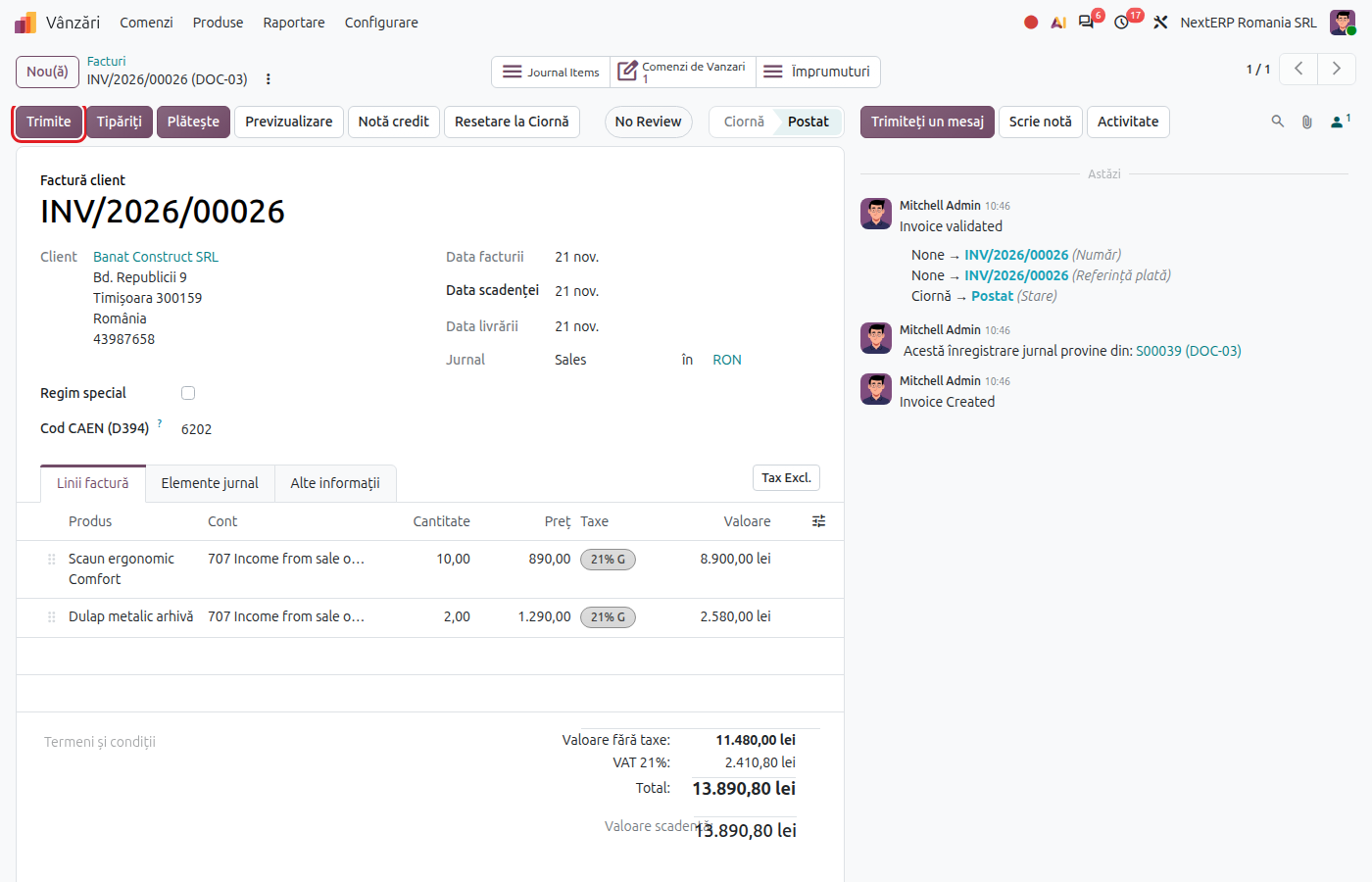
Click Post. The invoice gets the number from the sales journal series and appears in Accounting › Customers › Invoices.
4. Send the invoice
Click Send, choose the sending method and confirm. Invoices to Romanian companies are also sent to e-Factura (the ANAF electronic invoicing system); setup and sending are in the e-Factura chapter.
Variants
One invoice for several orders
In Sales › Orders › Orders, select the orders of the same customer and use the invoice creation action. Odoo makes a single invoice for all of them.
Invoice in foreign currency
The invoice is issued in the order currency and recorded at the exchange rate of the invoice date. For a different rate, use Romania - Invoice Edit Currency Rate.
Down payment, delivery note, return
The down payment invoice is in Down payment invoice, the invoice after a delivery note in Delivery with a delivery note and later invoice, and the credit note in Returns, credit notes and cancellations.
Common mistakes
- Invoice issued manually, without an order. An invoice created directly in Accounting is not linked to the order: the order stays "to invoice", and down payments and delivery notes are no longer deducted. Issue the invoice from the order.
- Nothing to invoice. With Delivered quantities, without a validated delivery (or without a performed quantity for services) there is nothing to invoice.
- Cash discount put on the invoice. A discount for early payment does not reduce the VAT base. It is recorded separately, as cash discounts granted (667).
- Goods tax on a service. Use the "S" taxes for services; otherwise the transaction appears on a different line in the returns.
- Company with VAT on payment. The VAT on the invoice goes to 4428 until payment is collected. Check that the regime is set on the company (module Romania - VAT on Payment).
For the accountant: legal framework, journal entries, returns
Legal framework
- OMFP 1802/2014 (the Romanian accounting regulations) — revenue from sales (class 70).
- Codul fiscal (Legea 227/2015) (the Romanian Fiscal Code), art. 286–287 — the taxable base; art. 319 — issuing the invoice, at the latest on the 15th of the month following the chargeable event.
Journal entries
Example: 1,000 lei + VAT 21%.
When the goods invoice is posted:
| DEBIT | CREDIT |
|---|---|
| 4111 — 1,210 | 707 — 1,000 4427 — 210 |
When the services invoice is posted:
| DEBIT | CREDIT |
|---|---|
| 4111 — 1,210 | 704 — 1,000 4427 — 210 |
For customers in the EU and outside the EU, the invoice has no VAT (4111 = 707 or 704). Exchange differences on collection go to 665 / 765, and foreign currency balances are revalued at month end.
Link with the ANAF returns
| Return | What it takes |
|---|---|
| D300 (Decont de TVA, the VAT return) | output VAT, per rate; for the EU and export, the exempt base |
| D394 (the domestic sales and purchases statement) | the invoice to Romanian partners, per CUI: base and VAT |
| D390 (the EU recapitulative statement) | the invoice to EU companies |
| D406 (SAF-T) (the Romanian SAF-T file) | the invoice |
| e-Factura | the invoice, mandatory for Romanian business customers |
The details per customer type are in Tax treatment by customer.