Sales and invoicing · Article 06
Delivery with a delivery note and later invoice
Applies to Odoo 19 · 20
The goods leave for the customer today with a delivery note (aviz de însoțire), and the invoice is issued later, for example at month end for all deliveries. In Odoo, tick Aviz on the delivery: on validation, the goods leave stock and the revenue is recorded provisionally on 418 (customers – invoices to be issued). The invoice issued later clears 418 and records the VAT.
When to use
- You deliver regularly to the same customer and issue a single invoice per month for several delivery notes.
- The goods must leave immediately, and the invoice is issued within the legal deadline (by the 15th of the following month).
- The delivery takes place at month end and the invoice is issued in the following month, but the revenue must appear in the month of delivery.
If you deliver and invoice right away, use Delivering goods and Invoicing.
Before you start
- The Romania - Stock Accounting module is installed: it adds the Aviz checkbox on the delivery.
- The account for delivery notes (usually 418) is configured on the company.
- For the printed delivery note with prices, install Romania - Stock Picking Valued Report.
- To record the delivery on a date other than the validation day (for example the last day of the previous month), install Romania - Stock Accounting Date.
Steps in Odoo
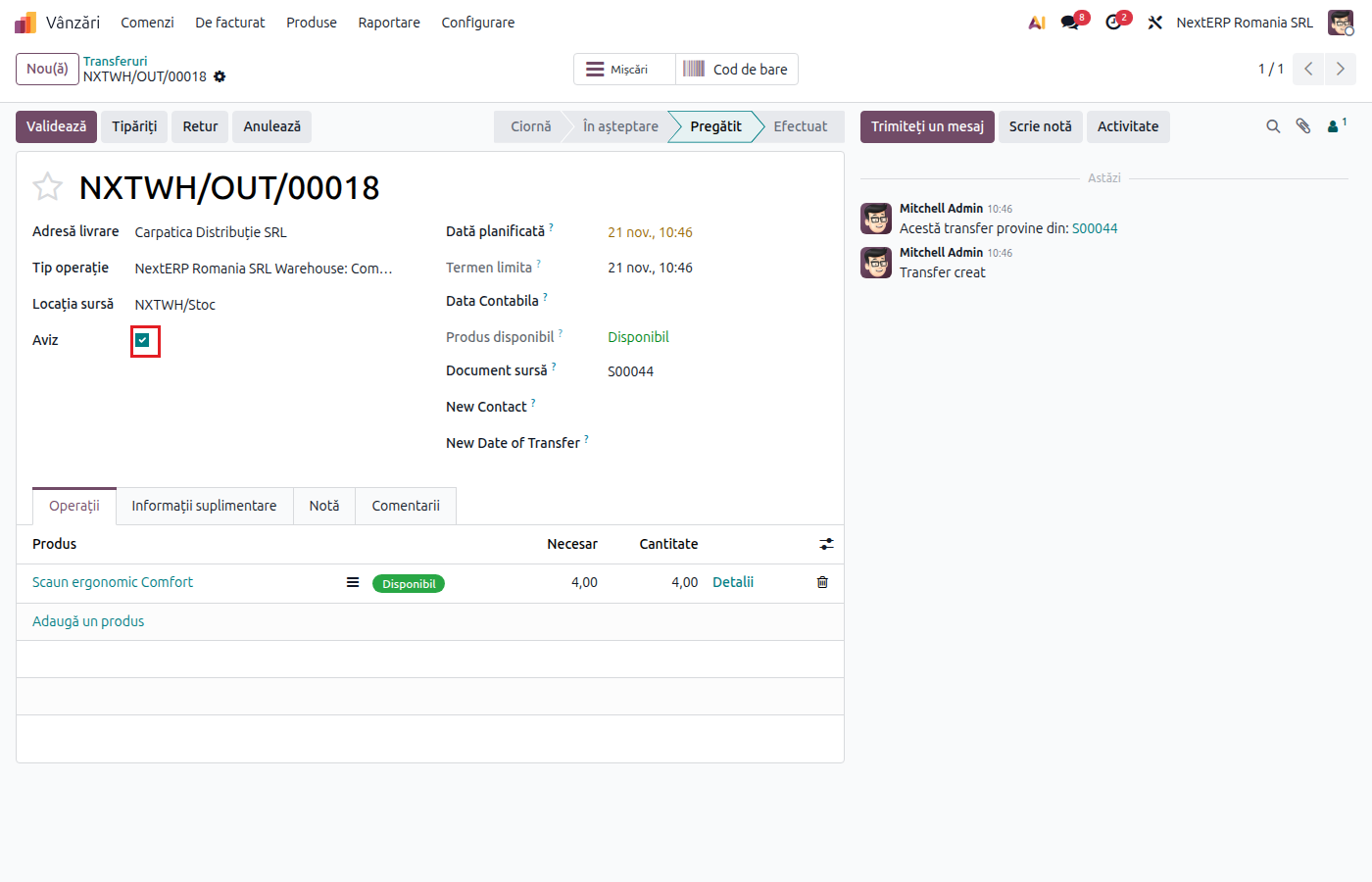
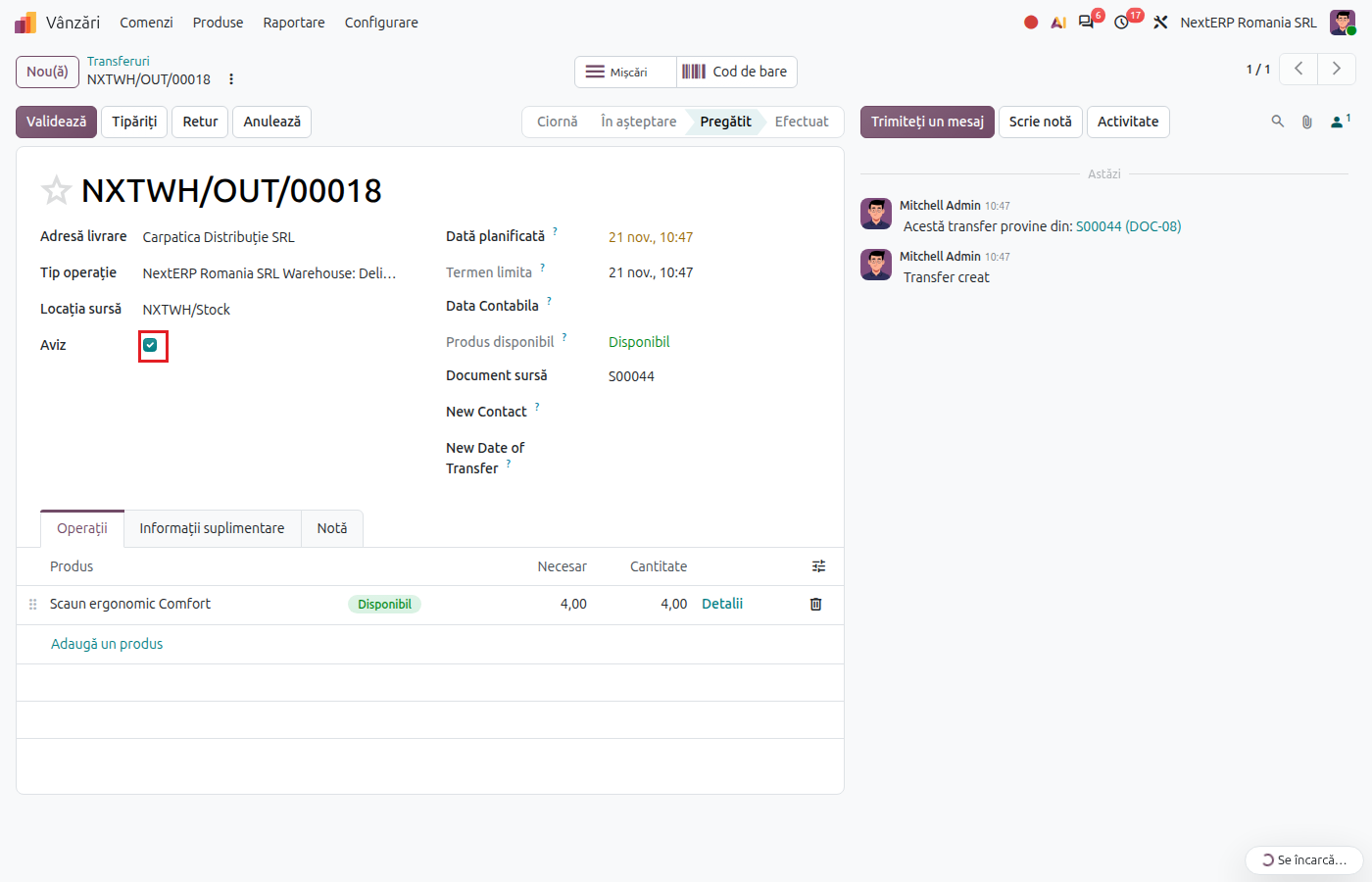
1. Tick Aviz on the delivery
On the confirmed order, click Delivery and tick Aviz. While the checkbox is ticked, the customer is mandatory on the delivery.
2. Validate the delivery
Check the quantities and click Validate. On the delivery date, Odoo records the cost of goods sold (607 = 371) and the provisional revenue, at the order price, without VAT (418 = 707).
3. Print the delivery note
Print the delivery note from the delivery and give it to the carrier. The delivery note is not sent to e-Factura (the ANAF electronic invoicing system).
4. Issue the invoice
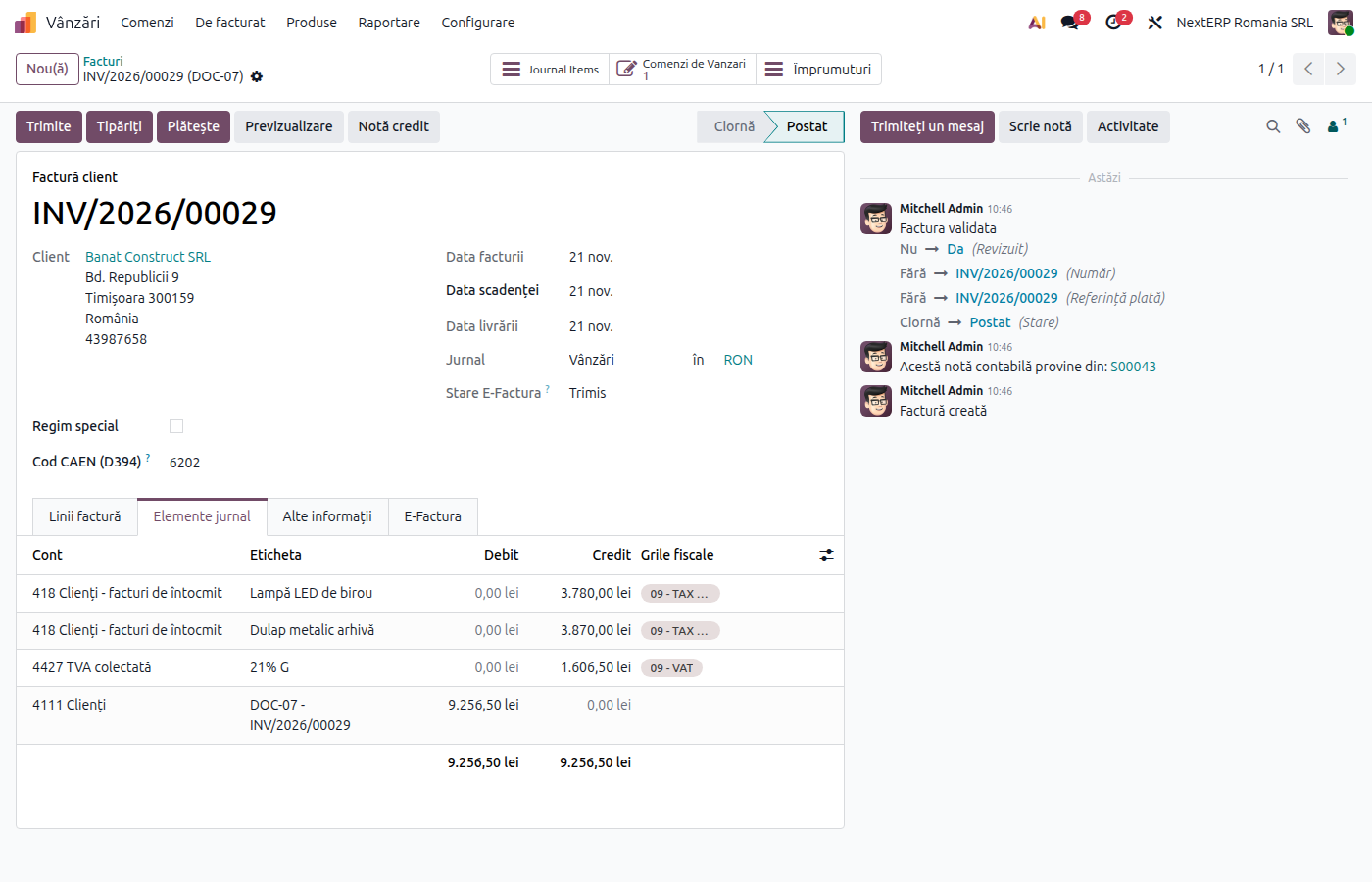
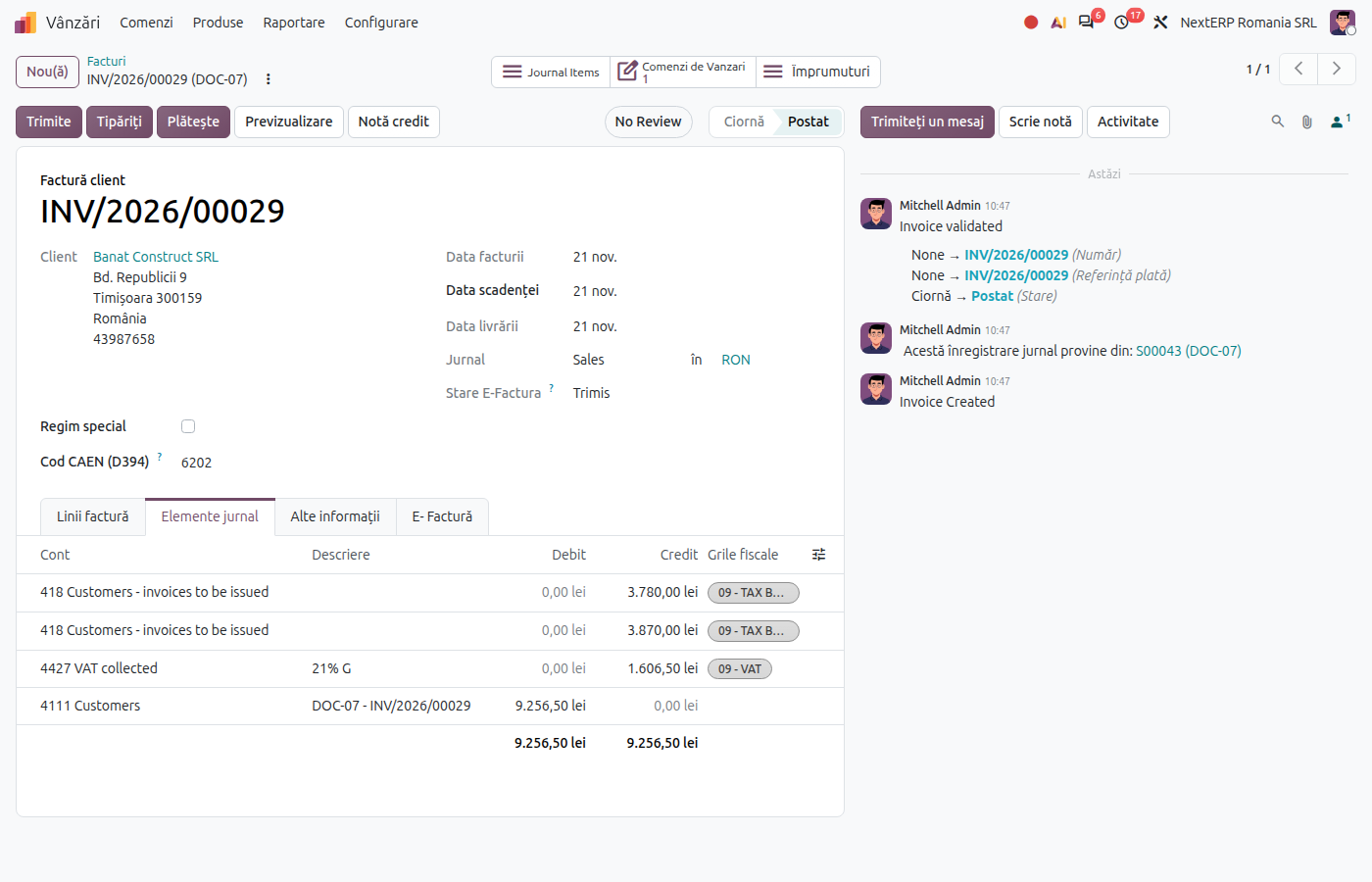
When you invoice, click Create Invoice on the order and choose Regular invoice. For lines delivered with a delivery note, Odoo puts account 418 on the invoice instead of the income account, so the revenue is not recorded twice. Post and send the invoice as in Invoicing.
Variants
One invoice for several delivery notes
Validate each delivery with Aviz. At month end, issue a single invoice from the order (or, by selecting the customer's orders, one for all of them): each line clears the 418 amount of its delivery note.
Return before the invoice
Make the return from the delivery, with the Return button. Returning a delivery with a delivery note proportionally reverses both the cost of goods sold and the revenue on 418. The invoice is then issued only for the remaining quantity.
The order is cancelled after the delivery note
Return all the goods from the delivery. The return reverses the delivery note entry, and 418 has no balance left. Do not issue an invoice.
Common mistakes
- Aviz checkbox forgotten. Without it, the delivery records only the cost of goods sold, and the revenue appears only with the invoice, in the invoice month. The checkbox cannot be changed after validation.
- Delivery notes not invoiced. At month end, check the balance of account 418 per customer: each remaining amount is a delivery note for which no invoice was issued.
- Invoice issued manually, without an order. An invoice created directly in Accounting › Customers › Invoices does not know about the delivery note and records the revenue a second time on 707. Issue the invoice from the order.
- Delivery validated in the following month. If the goods left on the 30th and you validate on the 2nd, use the accounting date of the delivery (Romania - Stock Accounting Date), so that the revenue stays in the correct month.
For the accountant: legal framework, journal entries, returns
Legal framework
- OMFP 1802/2014 (the Romanian accounting regulations) — account 418 "Clienți – facturi de întocmit" (customers – invoices to be issued).
- Codul fiscal (Legea 227/2015) (the Romanian Fiscal Code), art. 281–282 — the chargeable event and VAT chargeability; art. 319 — the deadline for issuing the invoice (at the latest on the 15th of the following month).
Journal entries
Example: goods with a cost of 800 lei, sold for 1,000 lei + VAT 21%.
When the delivery with a delivery note is validated:
| DEBIT | CREDIT |
|---|---|
| 607 — 800 | 371 — 800 |
| 418 — 1,000 | 707 — 1,000 |
When the invoice is posted:
| DEBIT | CREDIT |
|---|---|
| 4111 — 1,210 | 418 — 1,000 4427 — 210 |
Odoo does not record VAT on 4428 for the delivery note: output VAT appears with the invoice. If the invoice is issued in the month after delivery, analyse VAT chargeability (art. 282) for the delivery month.
Link with the ANAF returns
| Return | What it takes |
|---|---|
| D300 (Decont de TVA, the VAT return) | output VAT (4427), from the invoice |
| D394 (the domestic sales and purchases statement) | the invoice, per customer CUI |
| D406 (SAF-T) (the Romanian SAF-T file) | the delivery note entry and the invoice |
| e-Factura | the invoice; the delivery note is not sent |