Sales and invoicing · Article 09
Distance sales to private individuals in the EU (OSS)
Applies to Odoo 19 · 20
When you sell goods or services at a distance to private individuals in other EU states and exceed the threshold of 10,000 euro per year for the whole EU, you owe VAT to the state where the goods are delivered, not Romanian VAT. Through the OSS one-stop shop (One Stop Shop) you declare and pay this VAT in Romania, in a single return. Odoo creates a fiscal position for each EU state with the taxes at that state's rates, then applies them automatically to customers without a VAT number, based on the country of the delivery address.
When to use
- You sell online or by mail order to private individuals in other EU states.
- You exceeded the 10,000 euro threshold or opted for taxation in the customer's state.
- The company is registered in the OSS scheme.
Below the threshold, invoice private individuals in the EU with Romanian VAT, as in Invoicing. EU companies with a valid VAT number do not belong here: see Tax treatment by customer.
Before you start
- The company has the country Romania and the VAT number filled in.
- The Romanian sales taxes (21%, 11% for goods and services) exist and are set on the products: see Configuration.
- Private customers have the country filled in on the address (or on the delivery address) and have no VAT number.
Steps in Odoo
1. Generate the OSS taxes
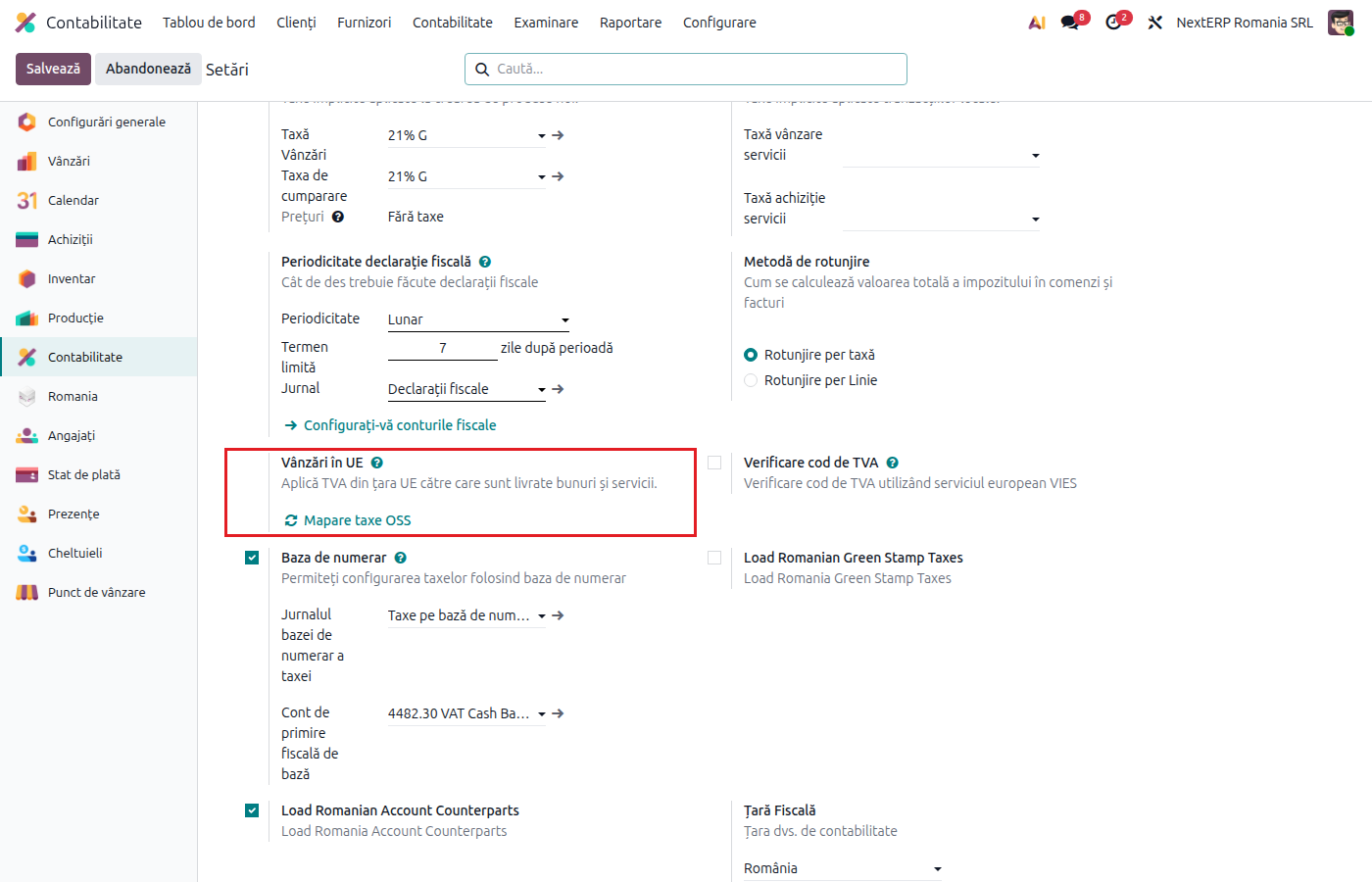
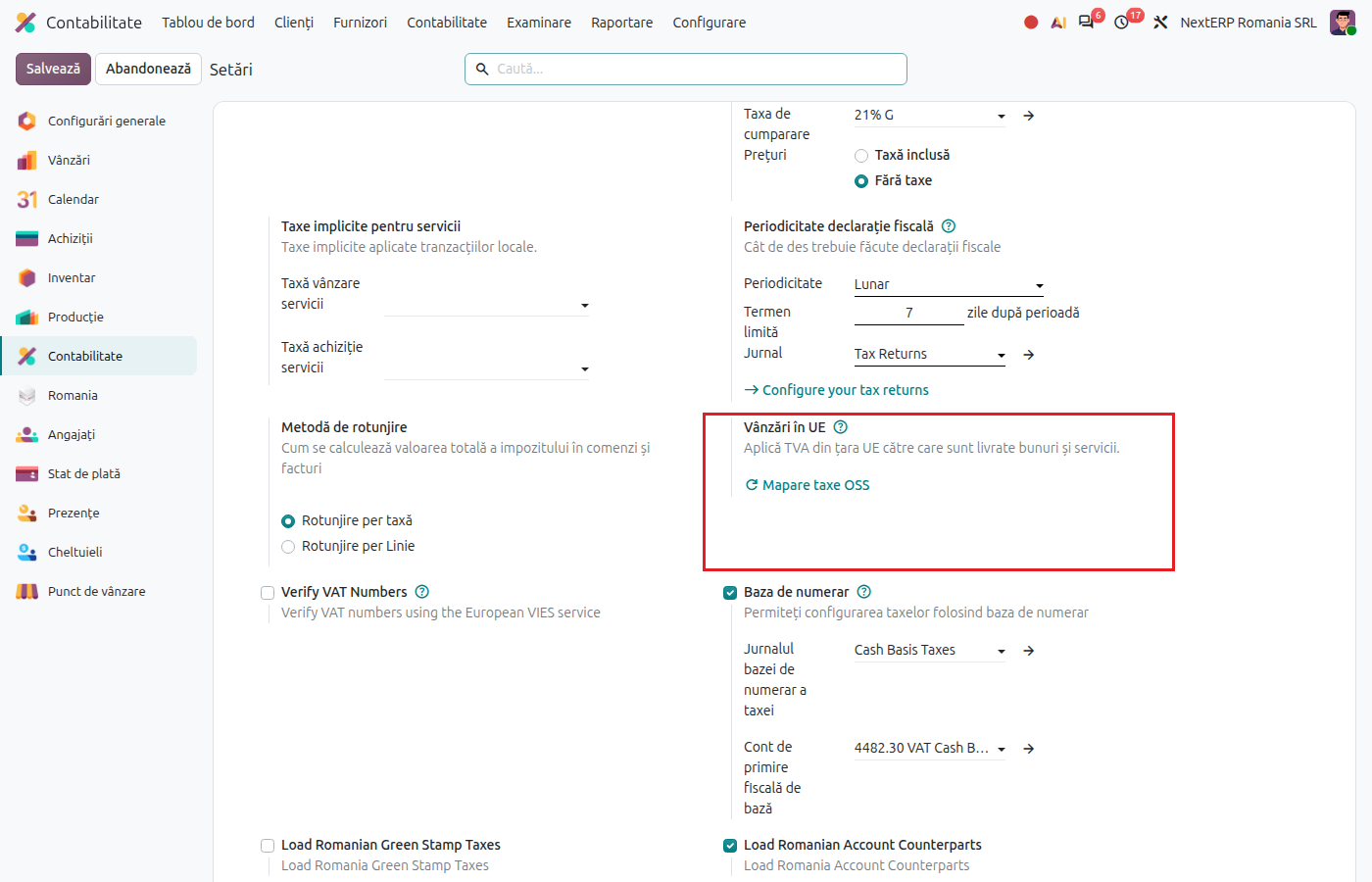
Accounting › Configuration › Settings, section Taxes, line EU Intra-community Distance Selling: click OSS Tax mapping. If the EU One Stop Shop (OSS) module is not installed, Odoo installs it now.
2. Check the fiscal positions
Accounting › Configuration › Accounting › Fiscal Positions. For each EU state there is a fiscal position "OSS B2C" followed by the country name, applied automatically to customers from that country without a VAT number. Odoo places it before the general fiscal position for EU customers without a VAT number, so that it takes priority.
3. Check the taxes
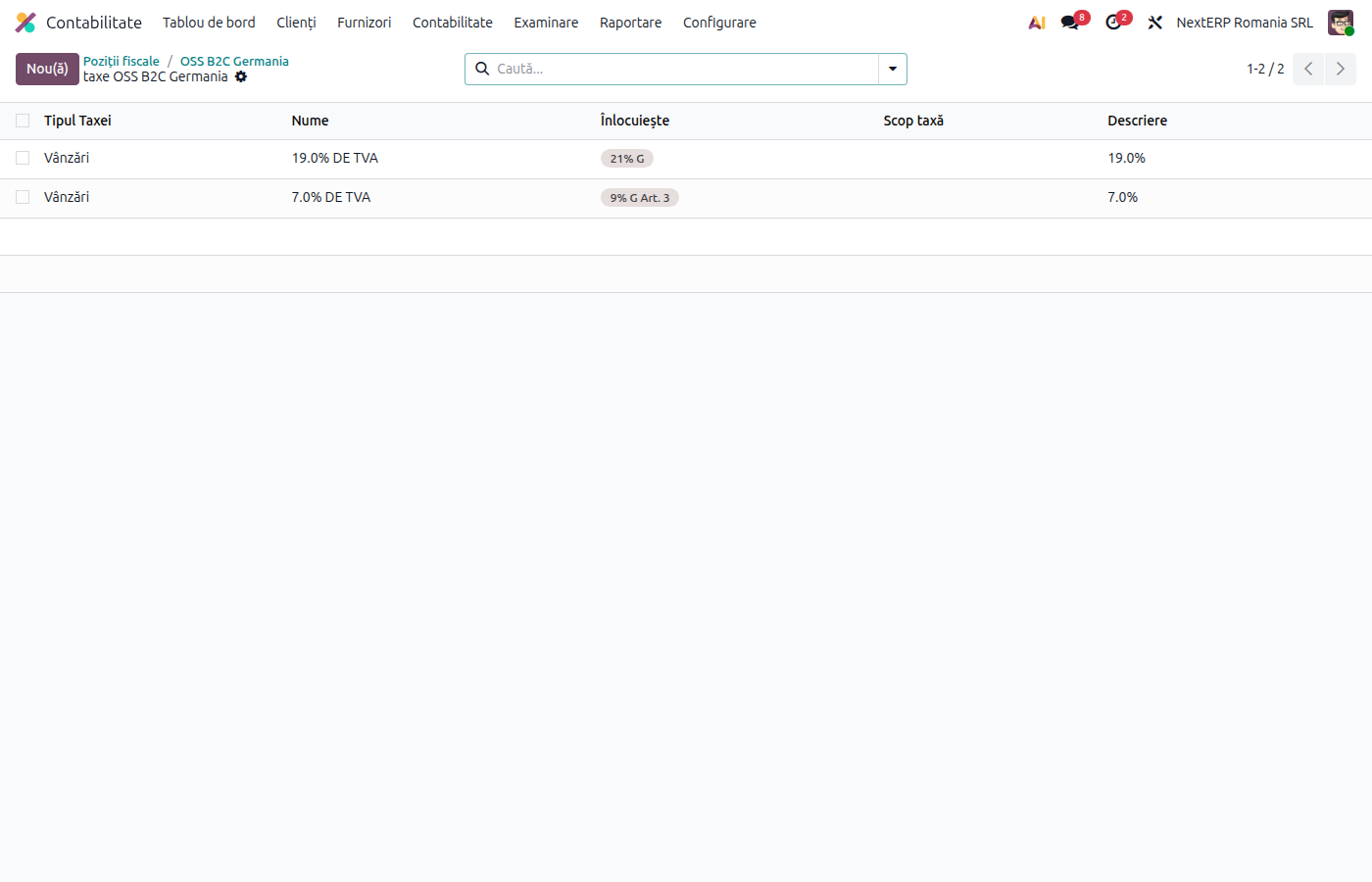
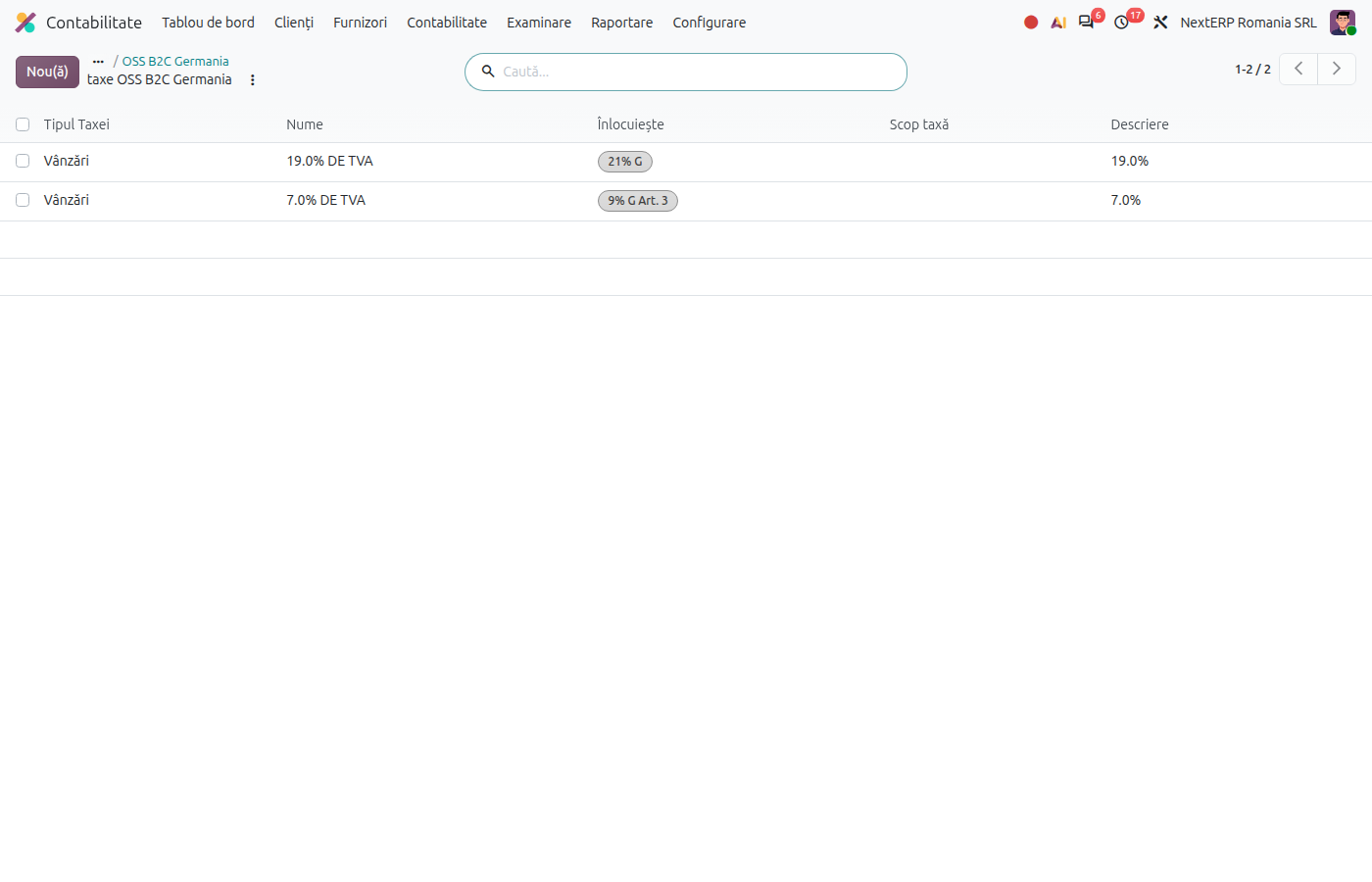
Open an OSS fiscal position and click the Taxes button. Each Romanian sales tax is replaced by the tax of the customer's state, at the corresponding rate. The tax name contains the rate and the country code, for example "19.0% DE" for the 19% tax in Germany. Check that the proposal matches the products you sell.
4. Sell as usual
Create the order and the invoice as in Quotation and sales order and Invoicing. For a private customer from another EU state, the order automatically gets the OSS fiscal position of their country, and the lines get that country's tax.
5. Extract the amounts for the OSS return
The OSS report exists only in Odoo Enterprise (module EU One Stop Shop (OSS) Reports, installed automatically).
Odoo 19
Open Accounting › Reporting › Taxes & Fiscal › Tax Report and choose the OSS Sales variant.
Odoo 20
Open Accounting › Reporting › Taxes & Fiscal › Tax Report and choose the OSS Sales variant.
The report shows, per country and per rate, the base without VAT and the VAT. Odoo does not generate the OSS return file for Romania: copy the amounts from the report into the return filed with ANAF.
Variants
New taxes after the first mapping
If you later add a new sales tax, click OSS Tax mapping again. Odoo completes the existing fiscal positions without duplicating them.
Customer with its own fiscal position per country
If you already have a fiscal position applied automatically for a country, Odoo does not create another one for that country: it adds the OSS taxes to the existing position.
Common mistakes
- Customer without a country. Without a country on the address, the OSS position is not applied and the invoice is issued with Romanian VAT.
- Private individual with a VAT number filled in. With a VAT number, the customer is treated as an EU company, not as a private individual.
- Mapping done before the final taxes. Taxes added after the mapping have no OSS counterpart until you click OSS Tax mapping again.
- Rates not checked. Odoo proposes the state's rate based on the Romanian rate. For products with special rates in the customer's state, correct the tax on the fiscal position.
For the accountant: legal framework, journal entries, returns
Legal framework
- Directive (EU) 2017/2455 and Directive (EU) 2019/1995 — distance sales and the OSS scheme.
- Implementing Regulation (EU) 2019/2026.
Journal entries
On the first mapping, Odoo creates a separate account for OSS VAT, named after the VAT account of the sales taxes followed by "OSS". The OSS taxes record the VAT on this account, separately from Romanian output VAT.
Example: goods of 1,000 lei sold to a private individual in Germany, VAT 19%:
| DEBIT | CREDIT |
|---|---|
| 4111 — 1,190 | 707 — 1,000 OSS VAT account — 190 |
Link with the returns
The OSS taxes have only the "OSS" tag, without the tags of the Romanian VAT report. Their VAT is declared in the OSS return, from the OSS Sales report.