Sales and invoicing · Article 03
Delivering goods
Applies to Odoo 19 · 20
When the order is confirmed, Odoo prepares the delivery. When the goods leave the warehouse, validate the delivery: the products leave stock, and Odoo records the cost of goods sold at stock cost. The delivery and the invoice are separate documents: the delivery moves stock, the invoice records the revenue and the VAT.
When to use
- Goods leave your own stock for the customer.
- You deliver only part of the order now and the rest later.
- The customer picks up the goods at the warehouse.
If the goods leave with a delivery note (aviz) and the invoice is issued later, see Delivery with a delivery note and later invoice. Services have no delivery: go straight to Invoicing.
Before you start
- The order is confirmed: see Quotation and sales order.
- The product category has the stock account and the cost method filled in: see Configuration.
Steps in Odoo
1. Open the delivery
On the order, click the Delivery button. The deliveries of all orders are also in Inventory › Operations › Transfers › Deliveries.
2. Check the quantities
On each line, check the quantity that actually leaves. For products with lots or serial numbers, choose the lot or serial number.
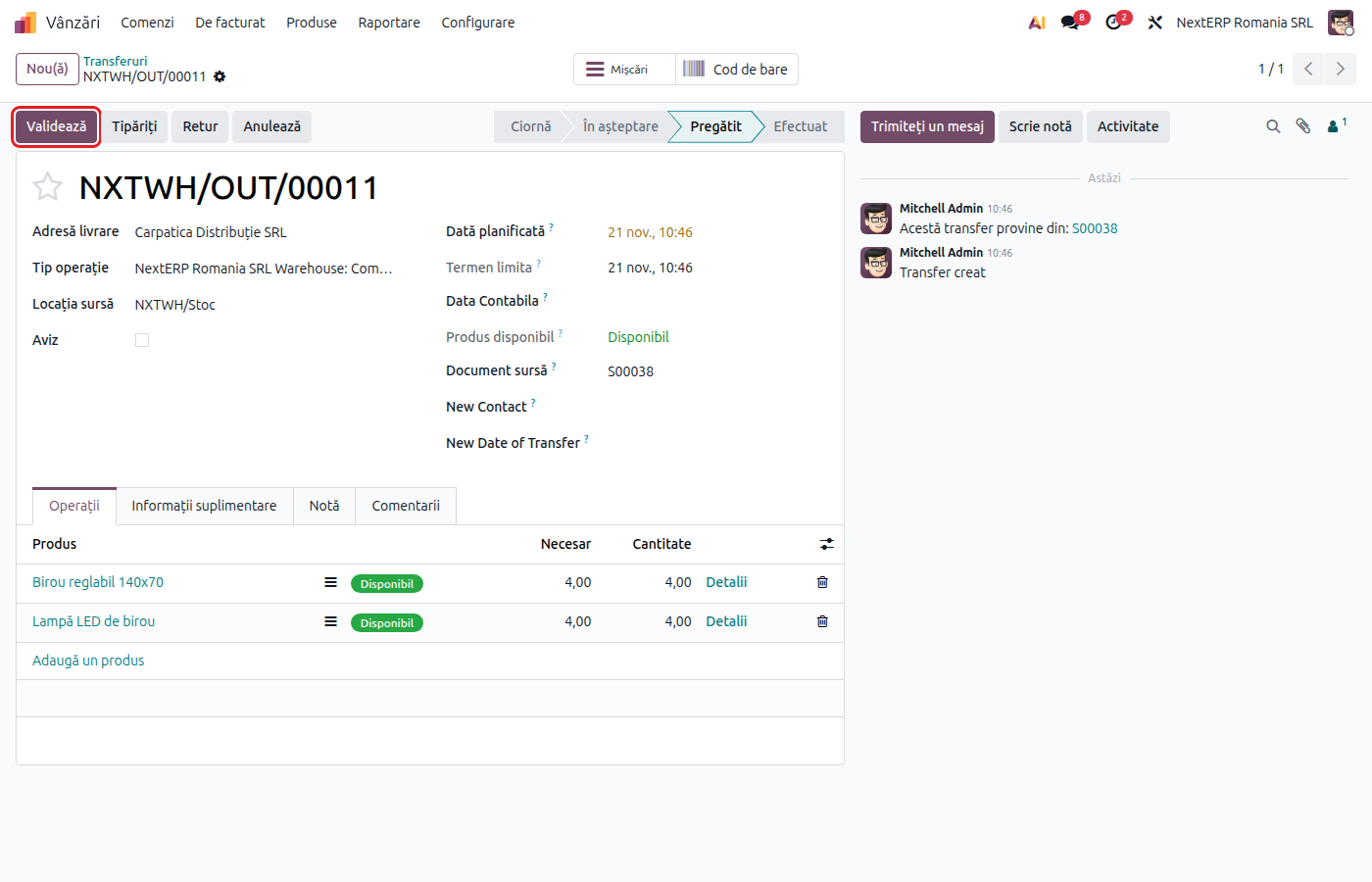
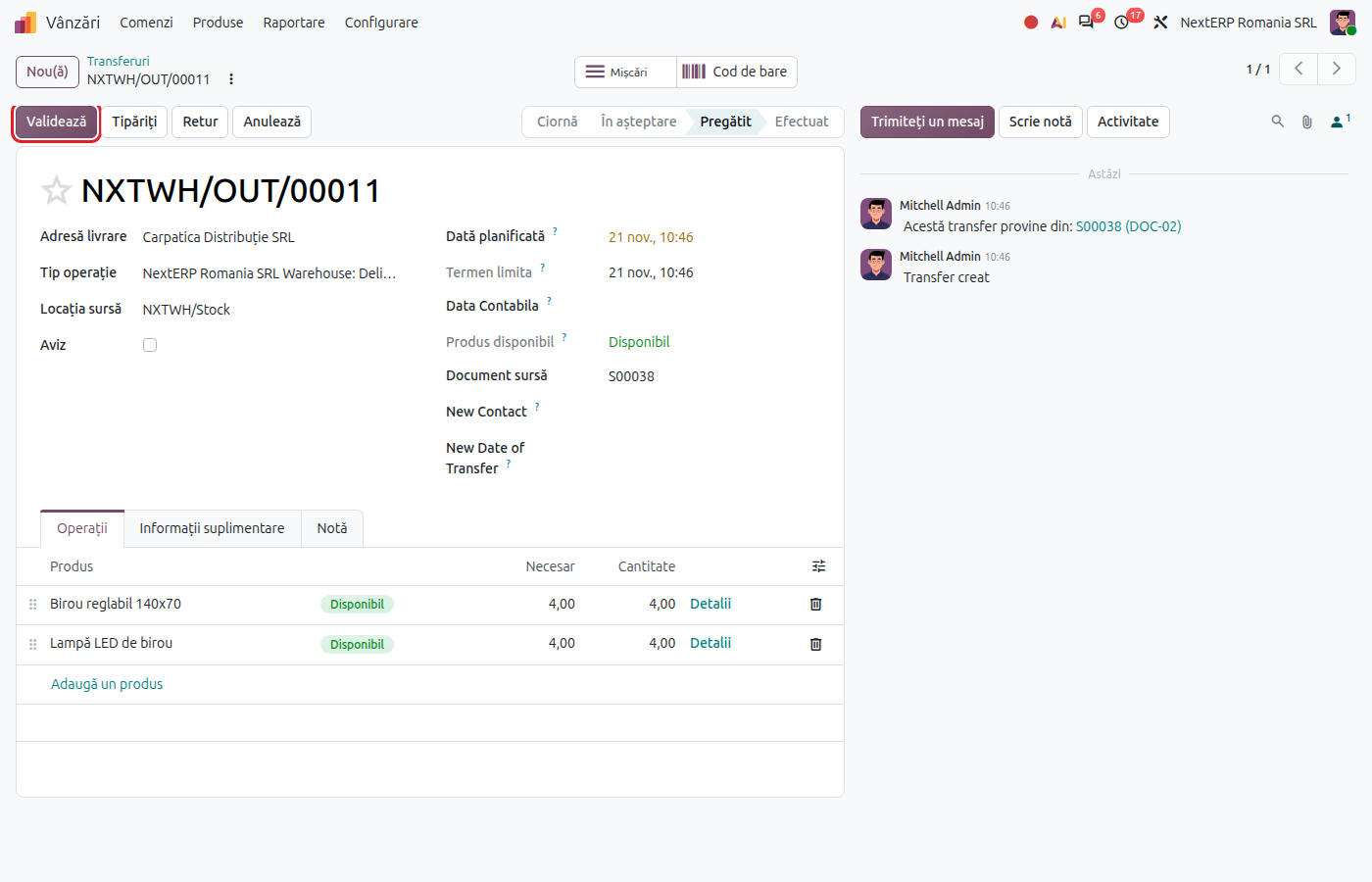
3. Validate the delivery
Click Validate. The goods leave stock, and Odoo records the cost of goods sold at stock cost (for example 607 = 371).
Variants
Partial delivery
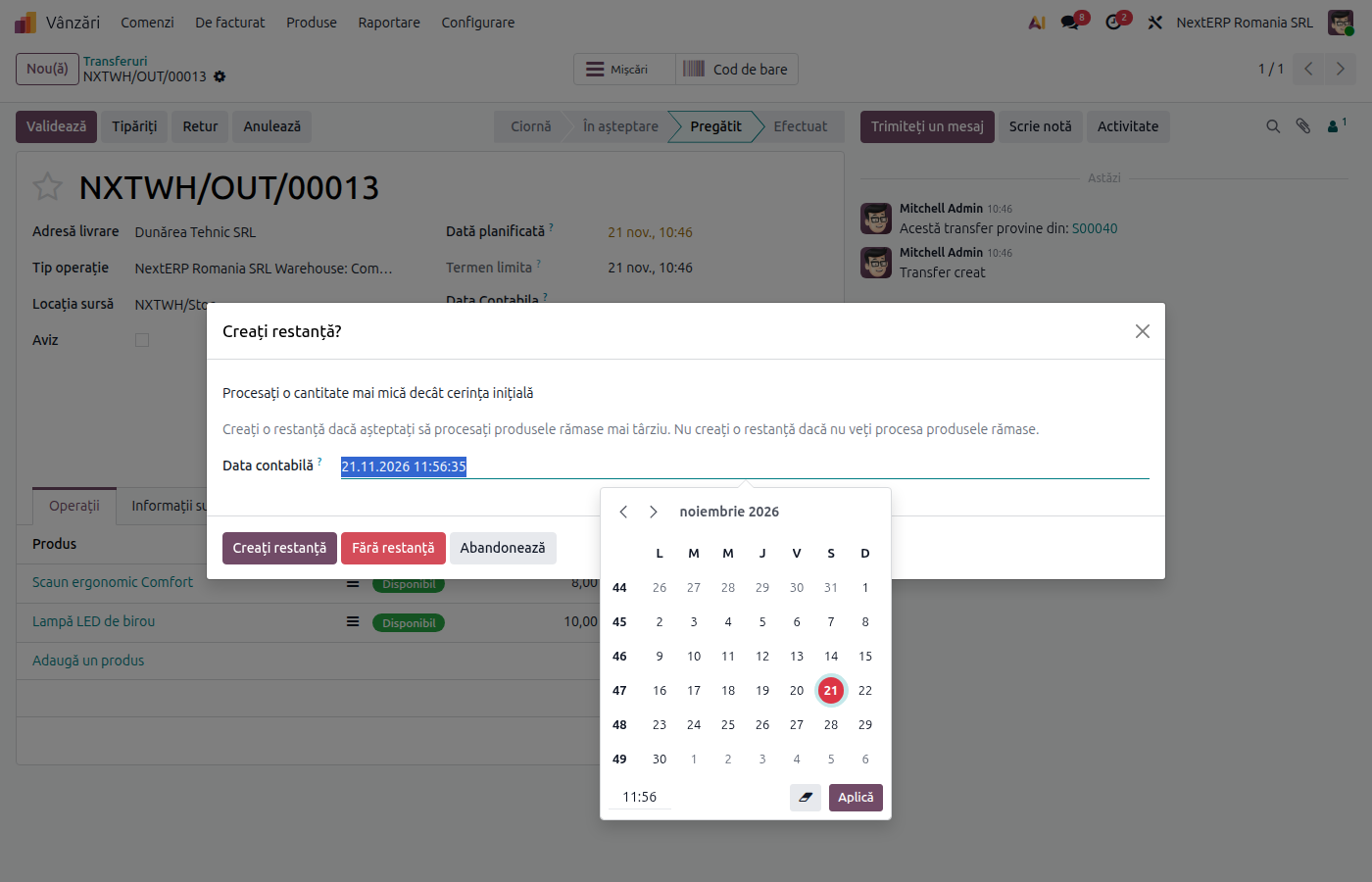
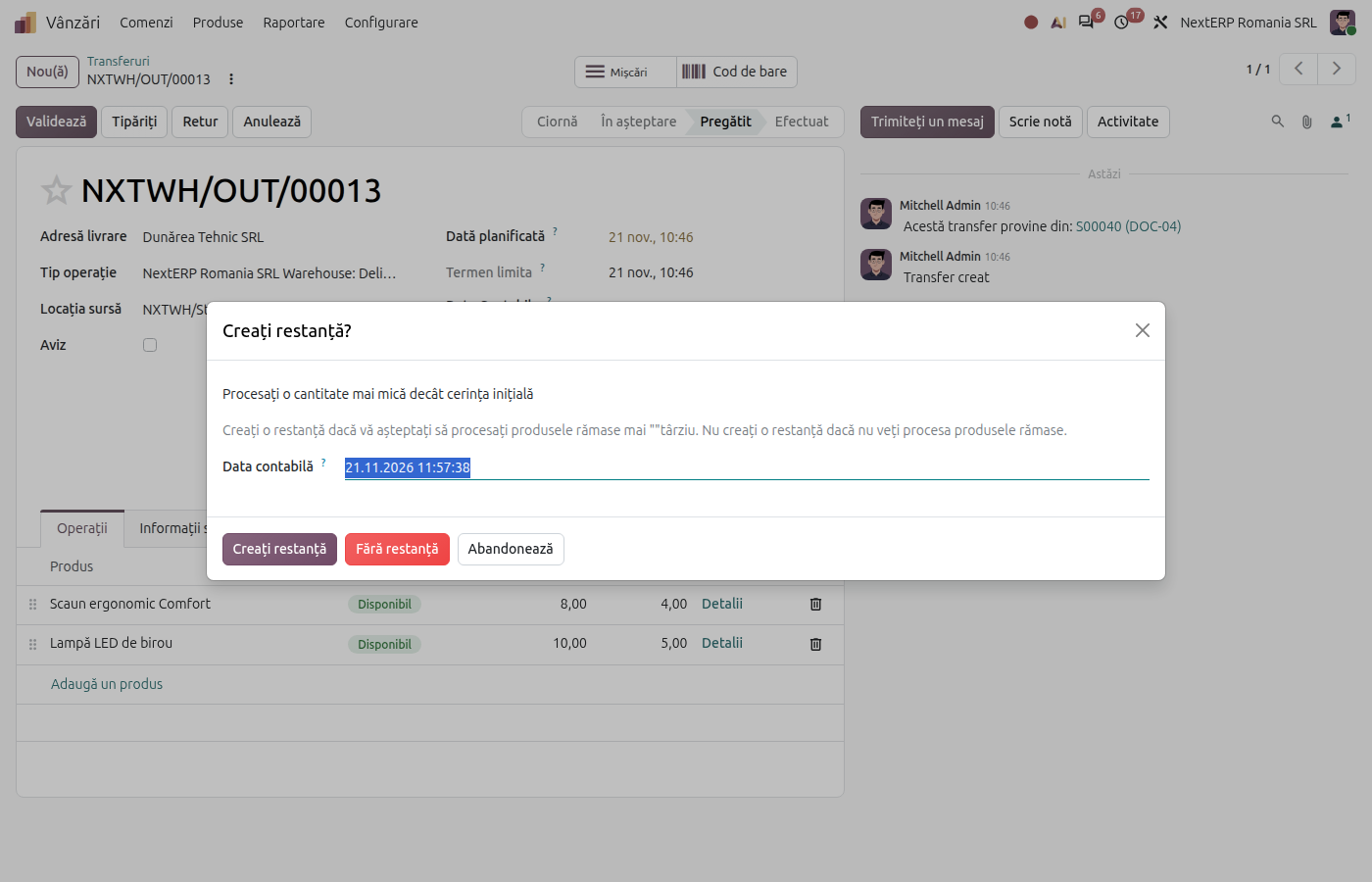
If you entered a smaller quantity on the delivery than was ordered, Odoo asks Create Backorder? when you click Validate:
- Create Backorder — the remaining quantity stays in a new delivery, which you validate when the goods leave;
- No Backorder — the rest is no longer delivered, and the order stays with the delivered quantity.
If the product is invoiced on Delivered quantities, the invoice includes only what was delivered.
High fiscal risk transport
For goods with high fiscal risk, the transport is declared in e-Transport (the ANAF road transport monitoring system; module Romania - E-Transport) before departure. The steps are in the e-Factura and e-Transport chapter.
Intra-community delivery or export
The flow is the same. Keep the proof of transport (signed CMR) or the export customs declaration together with the delivery: see Tax treatment by customer.
Common mistakes
- Delivery not validated. If you issue the invoice and do not validate the delivery, the goods stay in stock on paper. Validate the delivery before or right after the invoice.
- Margin calculated from the delivery. The cost of goods sold is recorded at stock cost, not at sale price. The margin is the difference between revenue and the cost of goods.
- Backorder left open. A backorder you will no longer deliver stays in the list of deliveries to do. Cancel it if the customer gives up.
For the accountant: journal entries, returns
Journal entries
Example: goods with a cost of 800 lei.
When the delivery is validated — cost of goods sold, at cost:
| DEBIT | CREDIT |
|---|---|
| 607 — 800 | 371 — 800 |
For a partial delivery, the entry covers only the delivered quantity; the backorder gets its own entry when validated. The accounts for finished goods are in the Accounting explained chapter, article Recording sales.
Link with the ANAF returns
| Return | What it takes |
|---|---|
| D406 (SAF-T) (the Romanian SAF-T file) | the cost of goods sold |
| e-Transport | the transport of goods with high fiscal risk |
The delivery is not included in D300 (the VAT return), D390 (the EU recapitulative statement) or D394 (the domestic sales and purchases statement): these take the invoice.