Month-end closing · Article 11
Year-end closing
Applies to Odoo 19 · 20
At the end of the financial year, after closing December, the income and expense accounts are closed into the profit and loss account (121). The result is then transferred to retained earnings (117), and after the financial statements are approved it is distributed. In Odoo, the closing is done with the closing models, and the year is locked at the end.
When to use
- On 31 December (or at the end of a non-calendar financial year).
- On the dissolution or liquidation of the company, at the date activity ceases.
Before you start
- All operations in the Closing checklist are done for December: revaluation, depreciation, VAT closing.
- The annual stock count is recorded, and adjustments (provisions, impairments) are made through journal entries.
- The year's corporate income tax (or micro-enterprise income tax) is calculated and recorded (691 = 4411, or 698 = 4418 respectively).
- You have closing models of type Incomes and Expenses in Accounting › Accounting › Account Period Closing.
Steps in Odoo
1. Prepare the closing models
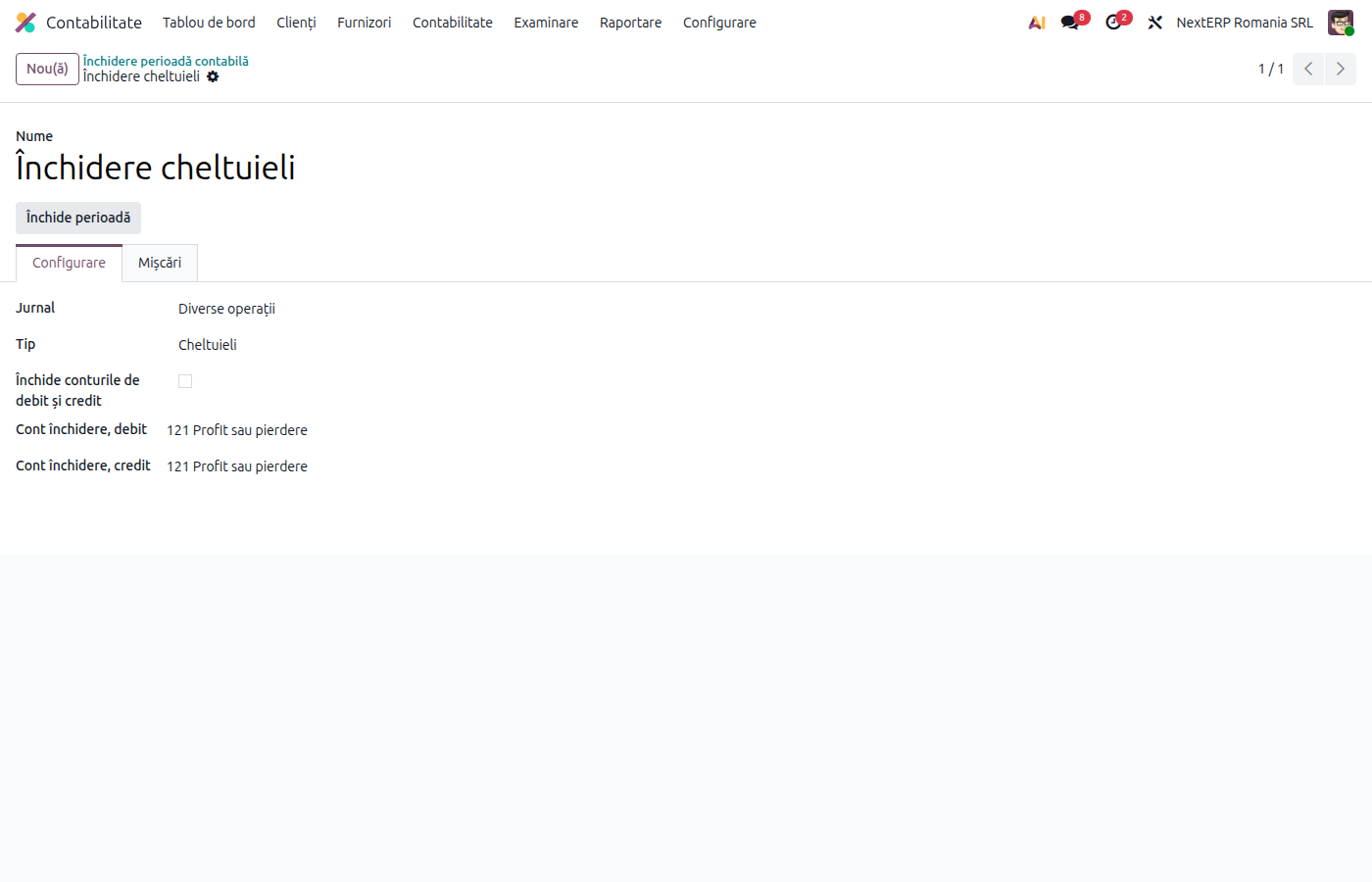
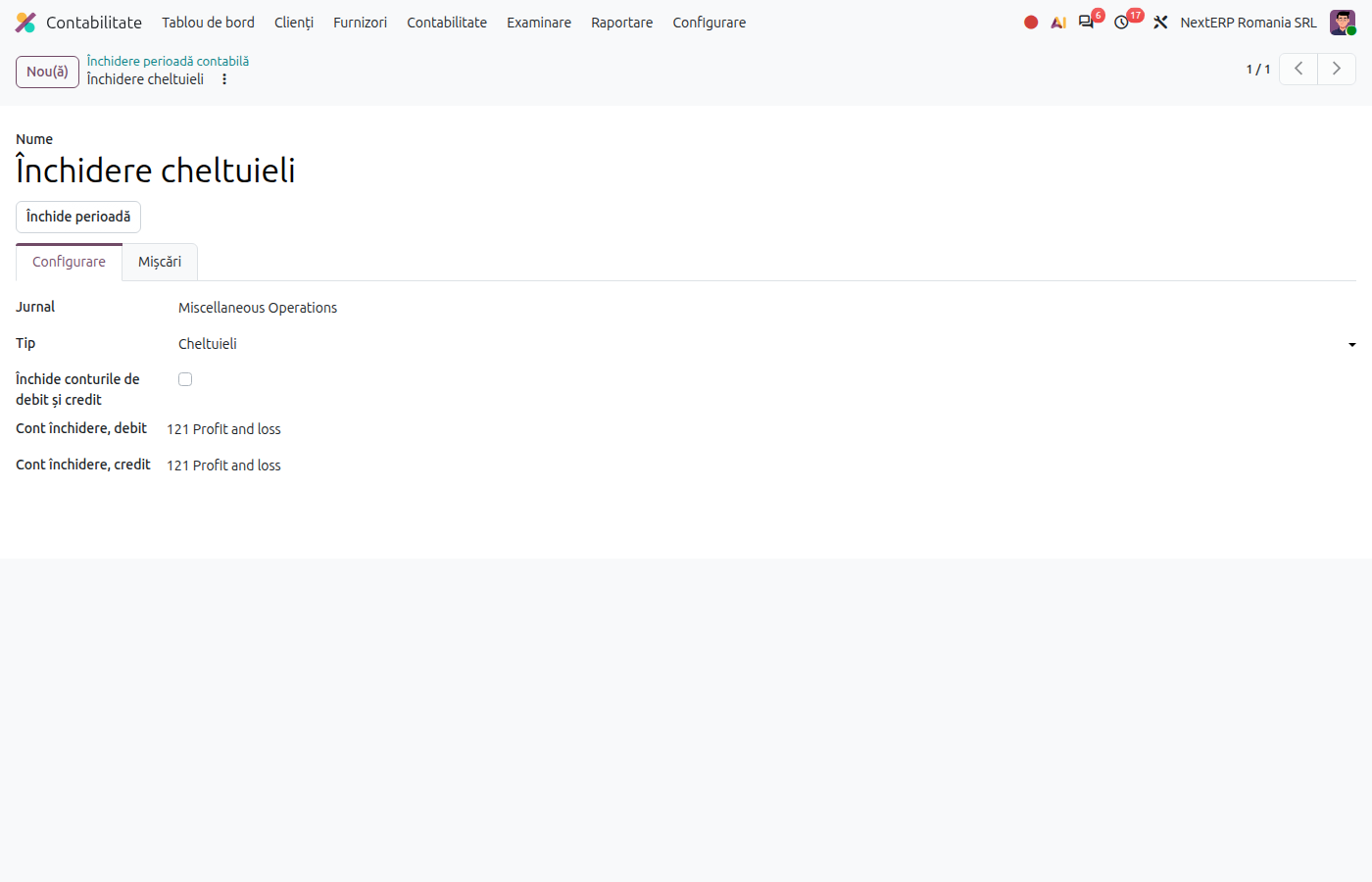
On the "Income closing" model, Type = Incomes; on "Expense closing", Type = Expenses. When you choose the type, Odoo fills Accounts to close with all income or expense accounts, respectively. Closing account, debit and Closing account, credit are 121.
2. Close the expenses
On the expense model click Close Period, choose the period (01.01–31.12, or the last month if you close monthly) and confirm with Close Period.
3. Close the income
Repeat step 2 with the income model.
4. Check the trial balance
In the trial balance at 31.12, the class 6 and 7 accounts have a zero balance, and 121 shows the profit (credit balance) or the loss (debit balance). Compare with the profit and loss statement.
5. Lock the financial year
In Accounting › Accounting › Closing › Lock Dates…, fill in Global Lock Date with 31.12. After filing the annual financial statements (Bilanț), you can also fill in Hard Lock Date, which cannot be undone.
6. Transfer the result and distribute the profit
In the following year, after the financial statements are approved, record with a journal entry (Accounting › Accounting › Journal Entries, journal Miscellaneous) the transfer 121 → 117 and the distribution (reserves, dividends). See For the accountant.
Variants
Monthly closing of income and expenses
If you close monthly, run steps 2–3 every month, with the month's period. At year end, close only December.
Legal reserve
The legal reserve (5% of gross profit, up to 20% of share capital) is set up at 31.12, before the year-end closing: 129 = 1061.
Non-calendar financial year
If the financial year does not coincide with the calendar year, use the financial year's period for closing and locking.
Common mistakes
- Closing run twice. The second run finds zero balances only if the period is the same; a different period can double the closing. Check the Moves tab of the model.
- Entries posted after closing. An invoice posted in December after closing leaves a balance in class 6 or 7. Delete the closing entries and run them again.
- Profit distributed before approval. The distribution is made only after the general meeting's decision.
For the accountant: legal framework, accounting entries, returns
Legal framework
- OMFP 1802/2014 (the Ministry of Finance order with the accounting regulations) — closing of income and expense accounts, account 121, account 129.
- Legea 31/1990 (the Companies Law), art. 183 — the legal reserve.
- Legea 82/1991 (the Accounting Law), art. 27–28 — the annual financial statements.
Accounting entries
Simplified example: income 500,000 lei, expenses 420,000 lei, profit 80,000 lei (corporate income tax not detailed).
Closing the expenses:
| DEBIT | CREDIT |
|---|---|
| 121 — 420,000 | Class 6 — 420,000 |
Closing the income:
| DEBIT | CREDIT |
|---|---|
| Class 7 — 500,000 | 121 — 500,000 |
Legal reserve (5% of profit):
| DEBIT | CREDIT |
|---|---|
| 129 — 4,000 | 1061 — 4,000 |
The following year, after approval — transfer of the result and closing of 129:
| DEBIT | CREDIT |
|---|---|
| 121 — 80,000 117 — 4,000 |
117 — 80,000 129 — 4,000 |
Dividends from retained earnings:
| DEBIT | CREDIT |
|---|---|
| 117 — 50,000 | 457 — 50,000 |
When dividends are paid, the dividend tax is withheld (457 = 446 and 457 = 5121).
Link with the ANAF returns
| Return | What it takes |
|---|---|
| D101 (the corporate income tax return) | the taxable result of the year |
| Bilanțul (the annual financial statements) | the balances at 31.12, after closing |
| D100 (Declarația privind obligațiile de plată la bugetul de stat, the return for taxes payable to the state budget) | the dividend tax, in the month of payment |