Month-end closing · Article 08
Loans
Applies to Odoo 19 · 20
A bank loan or a loan from shareholders is tracked in Odoo as a loan: enter the amount, the duration and the interest, and Odoo calculates the repayment schedule and records the interest every month. Installments are paid from the bank statement, and foreign currency loans are revalued together with the currency revaluation.
When to use
- Short or long-term bank loans, in lei or in foreign currency.
- Loans received from shareholders or from group companies.
- Taking over a running loan when starting in Odoo.
Before you start
- The Romania - Loans module is installed.
- You have the accounts: the loan (for example 1621 or 1661), interest payable (1682) and interest expense (666).
- You have a journal of type Miscellaneous for the interest entries.
Steps in Odoo
1. Create the loan
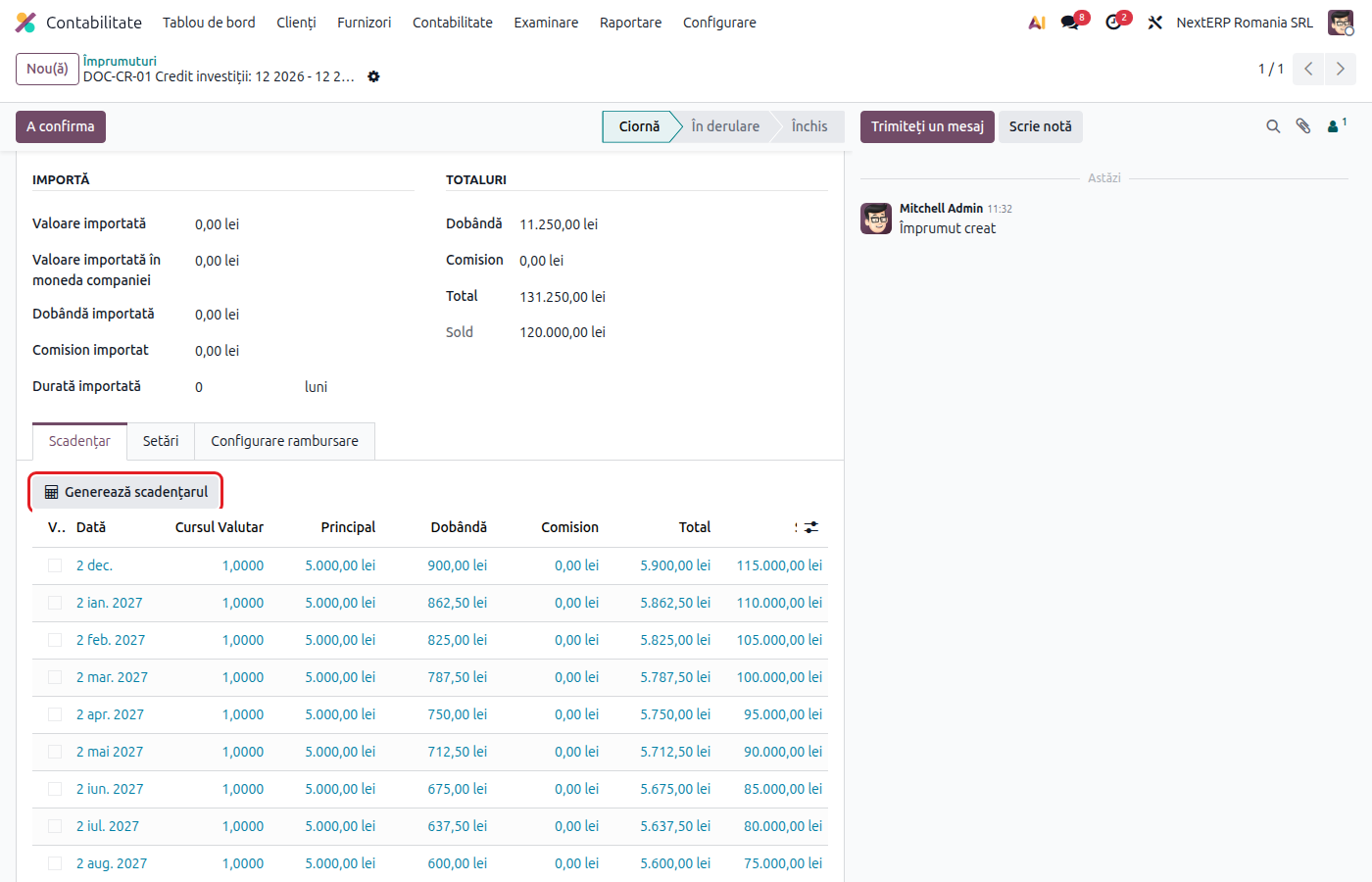
Go to Accounting › Accounting › Loans and click New. Fill in the name, Amount, the currency, Loan Date, Start Date (first installment) and Duration (number of months).
2. Fill in the interest and the accounts
Fill in Annual Interest Rate (%) and Amortization Method: Constant Principal (Declining Balance) or Constant Annuity. Choose Loan Type, which proposes Loan Account, Interest Account and Interest Expense Account, and Journal. You can create a new type directly from the field.
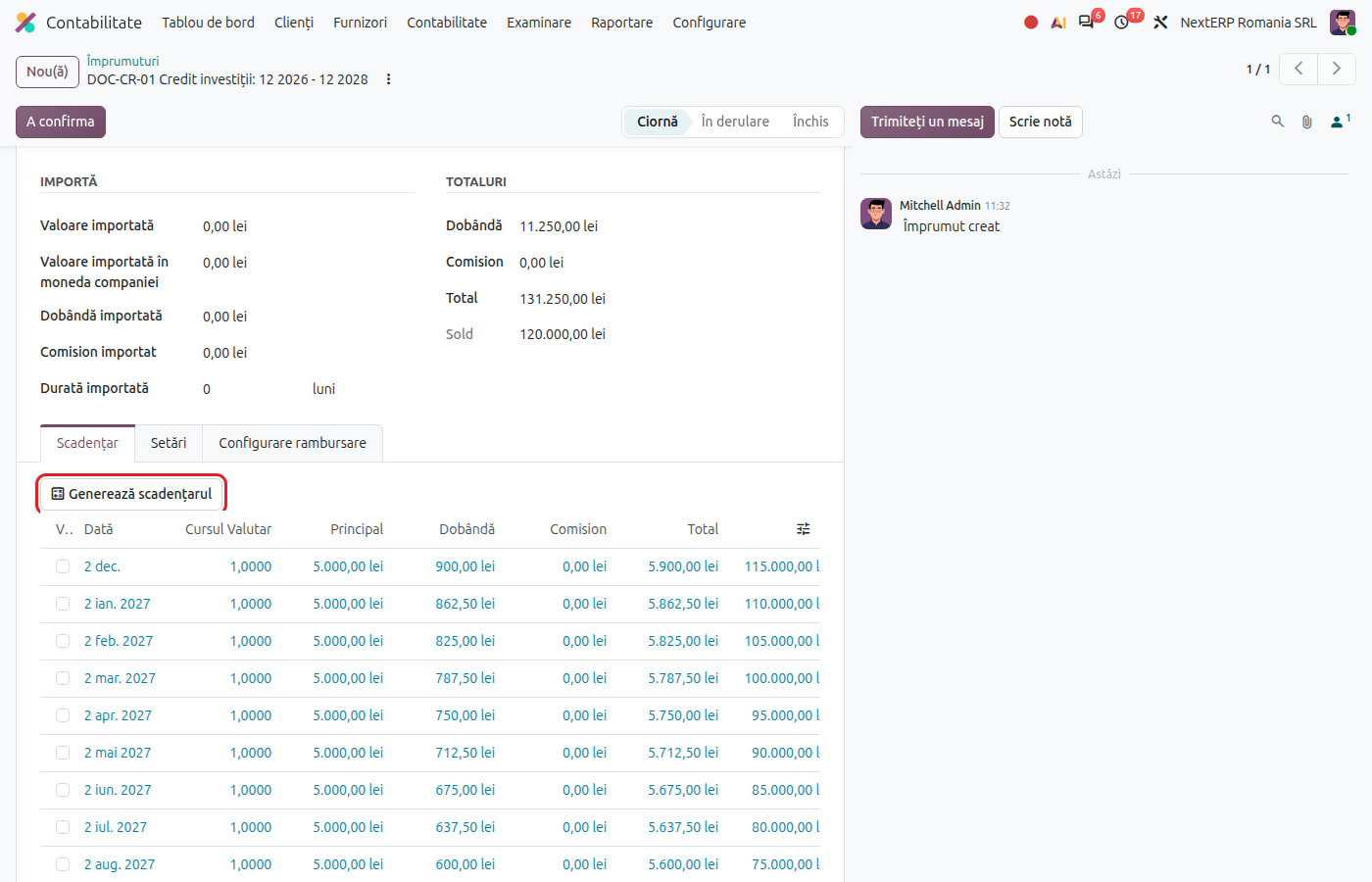
3. Generate the schedule
Click Generate Schedule. Odoo calculates for each month the principal, the interest and the remaining balance. Compare it with the bank's schedule.
4. Confirm the loan
Click Confirm. Odoo creates the monthly interest entries, which are posted automatically on their date.
5. Record the receipt of funds and the installments
The receipt of the amount and the payment of installments come from the bank statement: on reconciliation, choose the loan account for the principal and the interest account for the interest.
6. Check at month-end closing
Check that the month's interest entry is posted and that the balance of the loan account equals the balance in the schedule. For foreign currency loans, run the Currency revaluation.
Variants
Running loan taken over
Fill in Import Amount and Import Duration with the principal and the number of months already paid. The schedule starts from the remaining balance.
Interest rate change
In the Loan Config Lines tab, add a line with the new rate and the date from which it applies, then click Recalculate Loan. Installments already posted are not changed.
Early repayment
Click Close and follow the closing dialog, then check the remaining unposted interest entries.
Loans granted
Loans granted to other companies (267x) have no schedule in Odoo. Record the granting, the interest and the collection through journal entries and the bank statement.
Common mistakes
- Schedule different from the bank's. Check the method (constant principal or annuity) and the date of the first installment before confirming.
- Installment paid to a single account. Split the payment between principal and interest, otherwise the loan balance no longer matches.
- Interest entries posted before recalculation. Reset them to draft before changing the interest.
For the accountant: legal framework, accounting entries, returns
Legal framework
- OMFP 1802/2014 (the Ministry of Finance order with the accounting regulations) — accounts 16x and 666.
- Codul fiscal (the Romanian Fiscal Code), art. 27 — limit on the deductibility of borrowing costs.
Accounting entries
Example: loan of 120,000 lei over 24 months, interest 9% per year, constant principal.
Receipt of the loan:
| DEBIT | CREDIT |
|---|---|
| 5121 — 120,000 | 1621 — 120,000 |
Interest for the first month (120,000 × 9% / 12):
| DEBIT | CREDIT |
|---|---|
| 666 — 900 | 1682 — 900 |
Payment of the first installment:
| DEBIT | CREDIT |
|---|---|
| 1621 — 5,000 1682 — 900 |
5121 — 5,900 |
Revaluation of a foreign currency loan, rising rate: 665 = 1621; falling rate: 1621 = 765.
Link with the ANAF returns
| Return | What it takes |
|---|---|
| D101 (the corporate income tax return) | interest and exchange differences, within the deductibility limit |
| D406 (SAF-T) | the interest and revaluation entries |