Purchases · Article 10
Return to vendor
Applies to Odoo 19 · 20
When the received goods are defective, wrong or in excess, you return them to the vendor. In Odoo, you make the return from the receipt: stock decreases, and the vendor sends you the credit note, which you record from the order so that it is deducted from the liability and from the stock value.
When to use
- The received goods are defective or do not match the order.
- The vendor delivered more than you ordered.
- You return part of the goods after receiving the bill.
- The vendor grants you a discount on a bill already received, without a return.
Before you start
- The receipt is validated: see Receiving goods.
- The goods to return are still in stock.
Steps in Odoo
1. Open the receipt
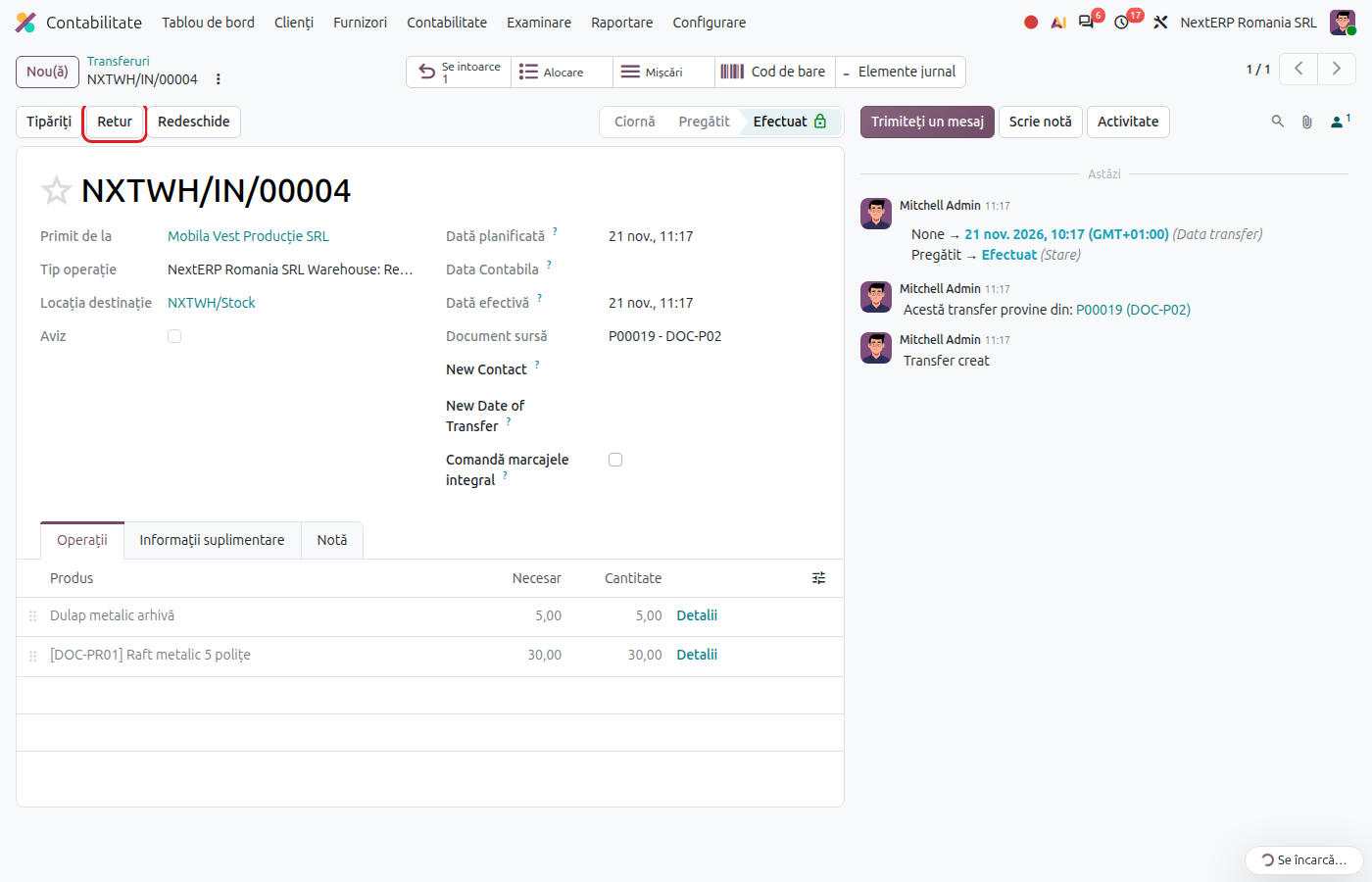
On the order click the Receipt button and open the validated receipt.
2. Create the return
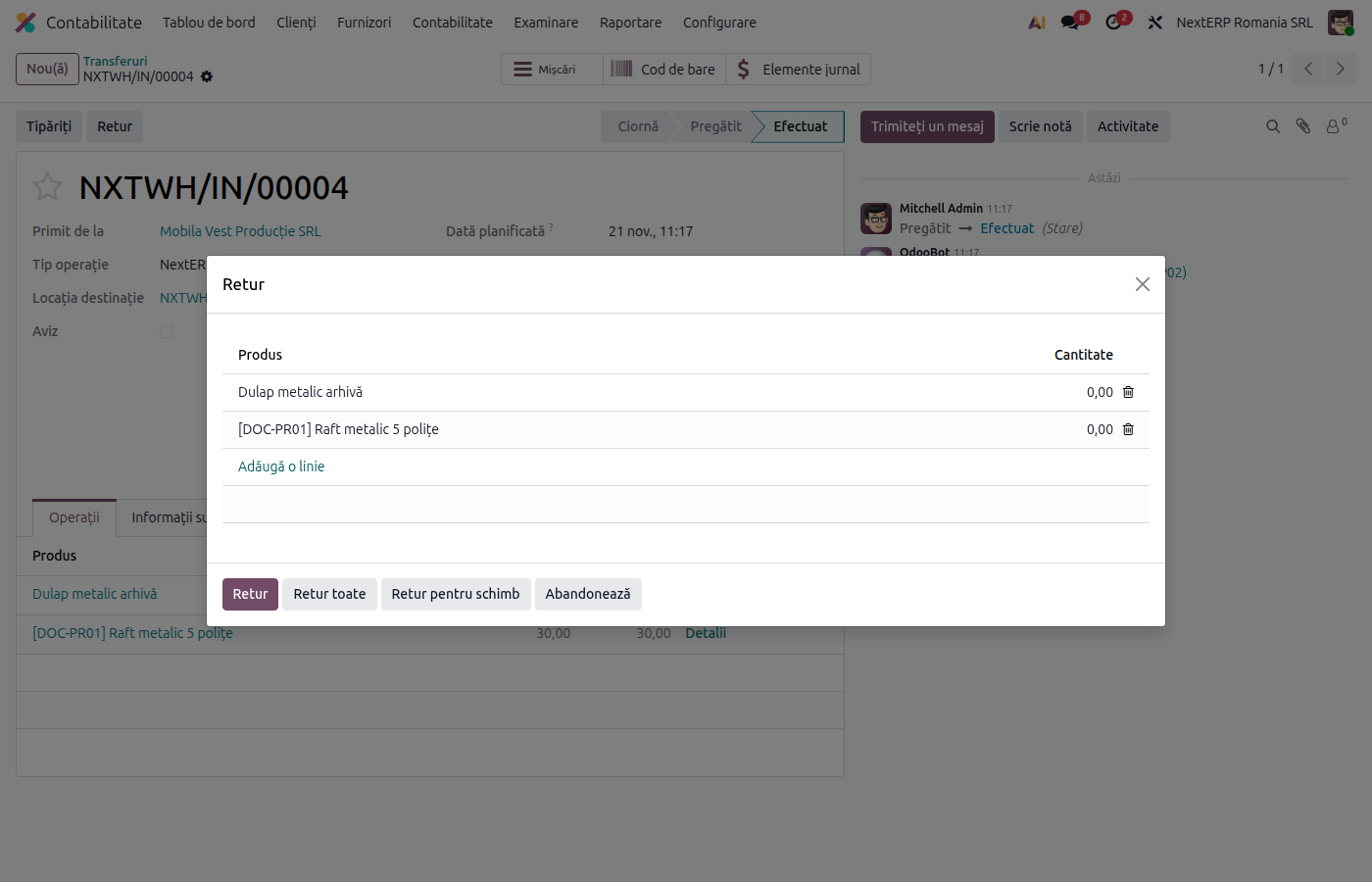
Click Return.
Odoo 19
The return window opens. Fill in the returned quantities for each product and confirm. Odoo creates a return delivery to the vendor.
Odoo 20
Odoo directly creates the return delivery to the vendor, with all products. In the new delivery keep only the returned products and quantities.
3. Validate the return
On the return delivery click Validate. The goods leave stock; the order shows a smaller received quantity.
4. Record the credit note
When you receive the credit note, open the original bill and click Credit Note, or click Create Bills on the order: for the quantity returned after billing, Odoo proposes the credit note. Fill in the vendor's reference and confirm. Credit notes are in Accounting › Vendors › Refunds.
Variants
Return before the bill
If the bill has not arrived yet, make only the return. The bill is then recorded for the quantity kept. For receipts with a delivery note, the return reverses the entry on 408 proportionally.
Discount without a return
For a commercial discount granted after the bill, record only the credit note, from the original bill. If the discount concerns goods still in stock, the difference adjusts the stock value as in Price differences.
The goods are no longer in stock
If the goods were consumed or sold, there is no physical return: the vendor issues the credit note, and the accountant handles the difference.
Common mistakes
- Return created directly in Inventory. Without a link to the receipt, the return does not reduce the received quantity on the order and the credit note is no longer proposed automatically. Start the return from the receipt.
- Credit note created manually, without a bill or order. It is not linked to the goods and does not adjust stock correctly. Create it from the original bill.
- Return without a credit note. The liability to the vendor is not reduced. Follow up with the vendor until they send the note.
For the accountant: journal entries and returns
Example: return of goods of 1,000 lei + VAT 21%, after the bill.
The vendor's credit note:
| DEBIT | CREDIT |
|---|---|
| 401 — 1,210 | 371 — 1,000 4426 — 210 |
Return before the bill, for a receipt with a delivery note (reversal):
| DEBIT | CREDIT |
|---|---|
| 371 — −1,000 | 408 — −1,000 |
The credit note is reported in its own period, on the same lines as the bill, with a minus sign.
| Return | What it takes |
|---|---|
| D300 | deductible VAT, with a minus sign |
| D394 | the credit note, by the vendor's tax ID (CUI) |
| D390 | the credit note from EU vendors |
| D406 (SAF-T) | the return and the credit note |
D300 is the VAT return (Decont de TVA), D394 the domestic sales and purchases listing, D390 the EU recapitulative statement and D406 the SAF-T file.