Purchases · Article 01
Configuration
Applies to Odoo 19 · 20
Before the first purchase order, Odoo needs to know three things: who your vendors are and which tax regime they have, which products you buy and to which accounts they go, and in which journal the received bills are recorded. You do the configuration once; after that, orders, receipts and bills take these data automatically.
When to use
- You start purchasing in Odoo for the first time.
- You add a new vendor, from Romania or from abroad.
- You add a new product that you buy.
- You want bills to be checked against the received quantity, not the ordered one.
Before you start
- The Purchase, Inventory and Invoicing (or Accounting) apps are installed.
- The Romanian chart of accounts is loaded on the company, with its taxes and fiscal positions.
- For the journal entries of receipts (delivery note, reception in progress), the Romania - Stock Accounting module is installed.
Steps in Odoo
1. Create the vendor
In Purchase › Orders › Vendors click New. Fill in the name, the tax ID and the address. For Romanian companies, the tax ID fills in the company data from the ANAF register automatically.
2. Choose the fiscal position and the payment terms
On the vendor's Sales & Purchase tab, choose Vendor Payment Terms and, if needed, Fiscal Position. For EU vendors with a VAT number and for vendors outside the EU, Odoo applies the right position by country on its own; the rules are in Tax treatment by vendor.
3. Configure the product category
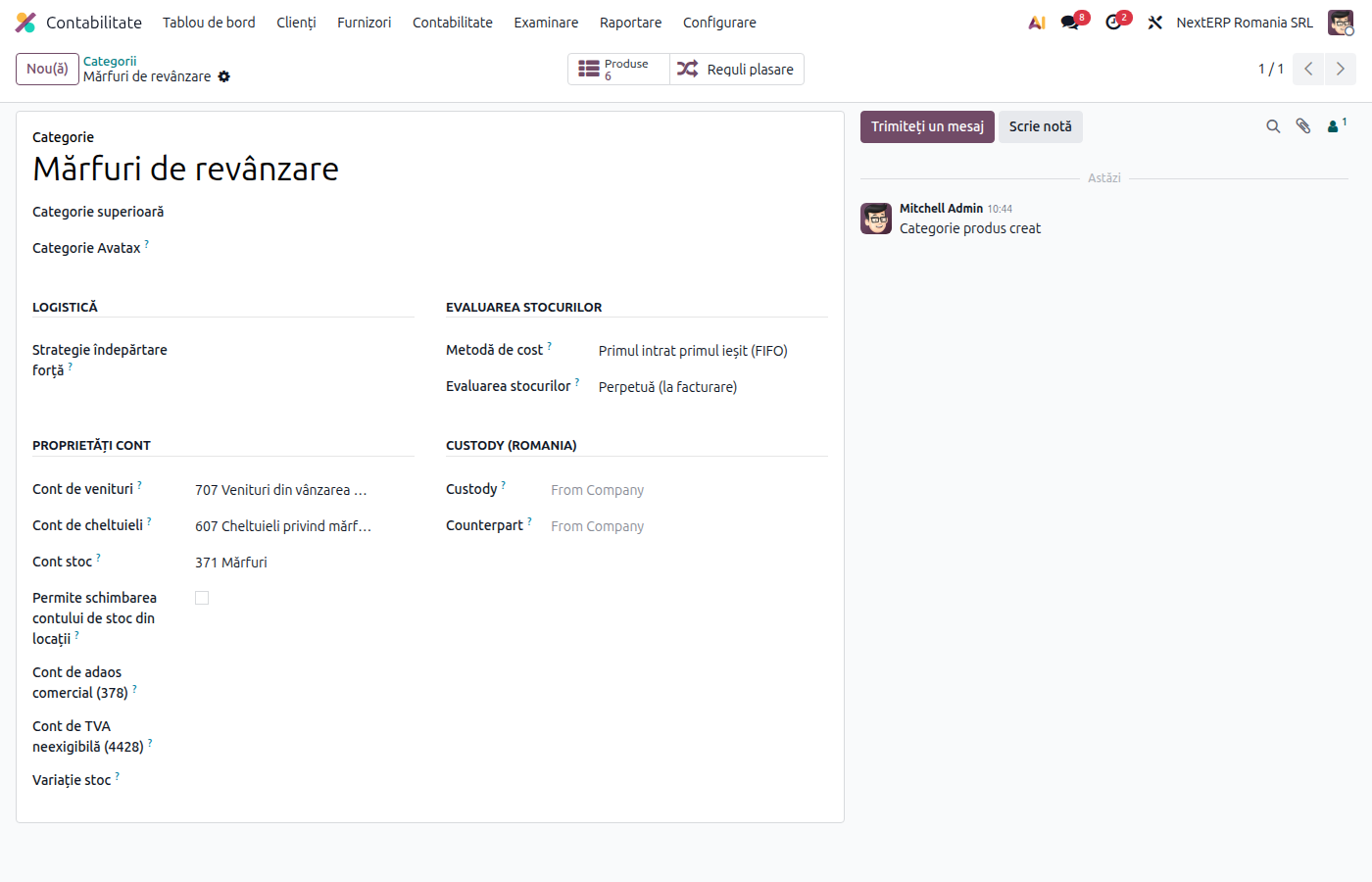
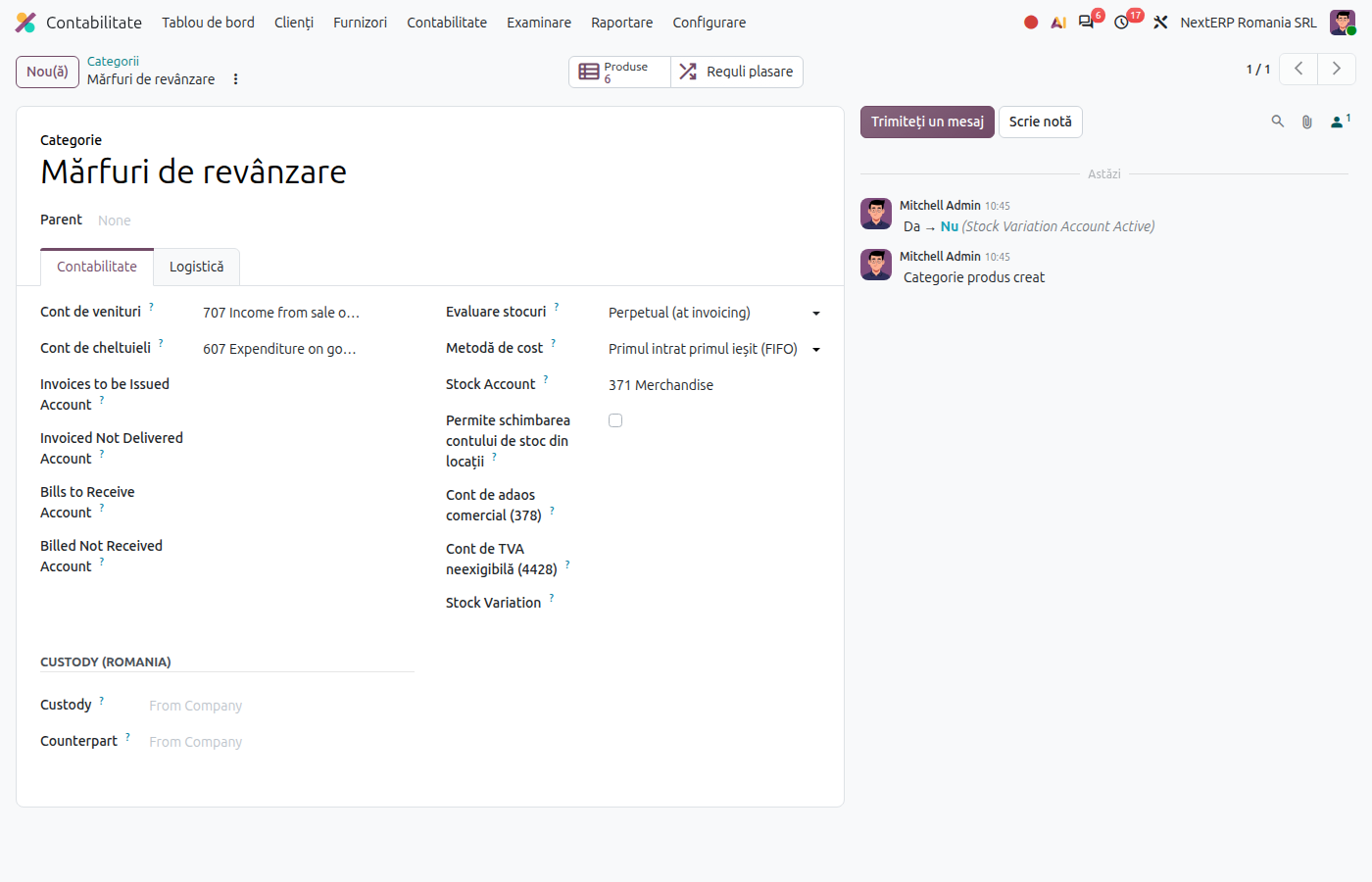
In Inventory › Configuration › Product Categories open the category (for example "Goods"). Check Costing Method (usually FIFO), automated Inventory Valuation and Stock Valuation Account (371 for goods, 301 for raw materials).
4. Configure the purchased product
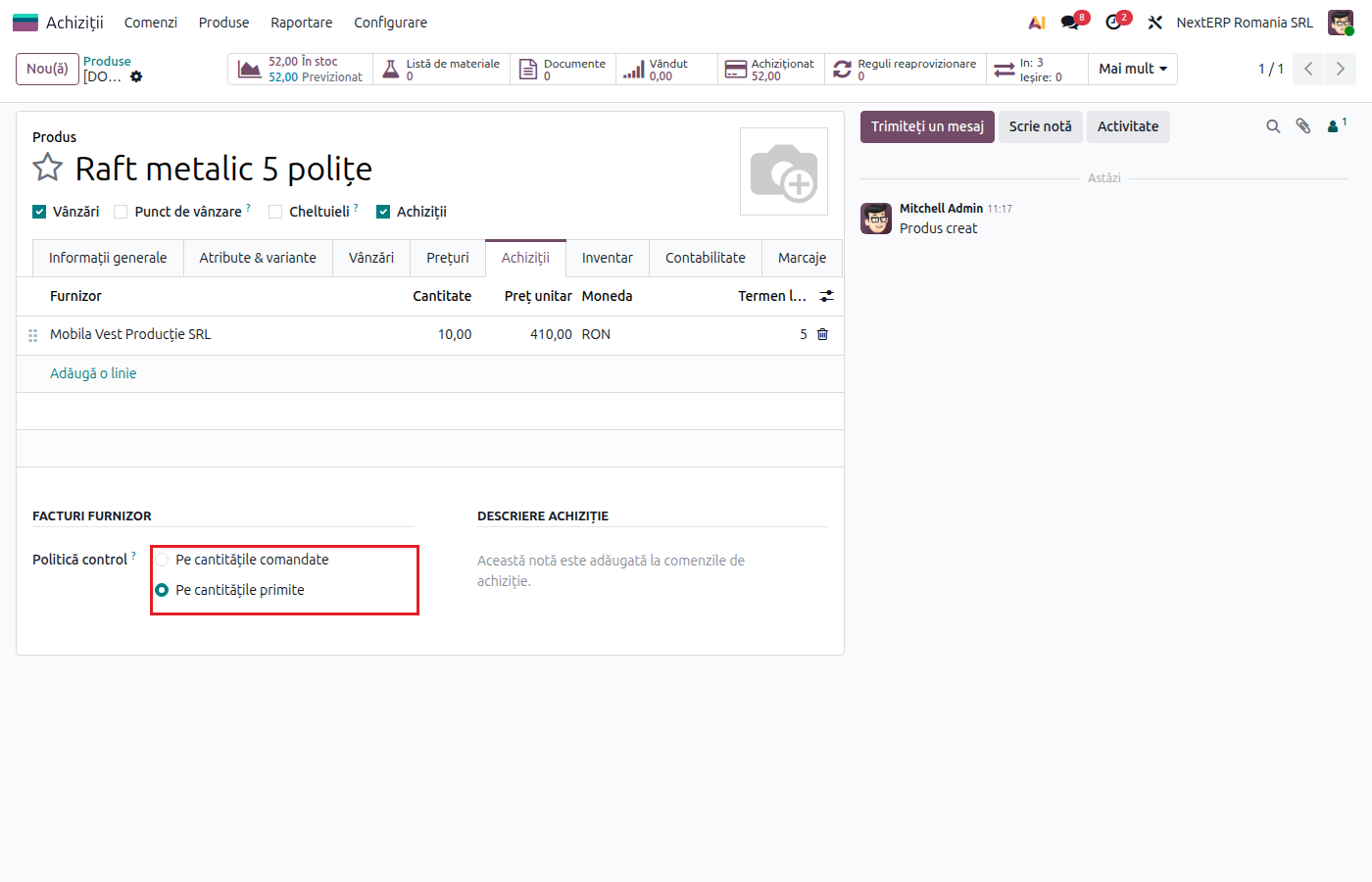
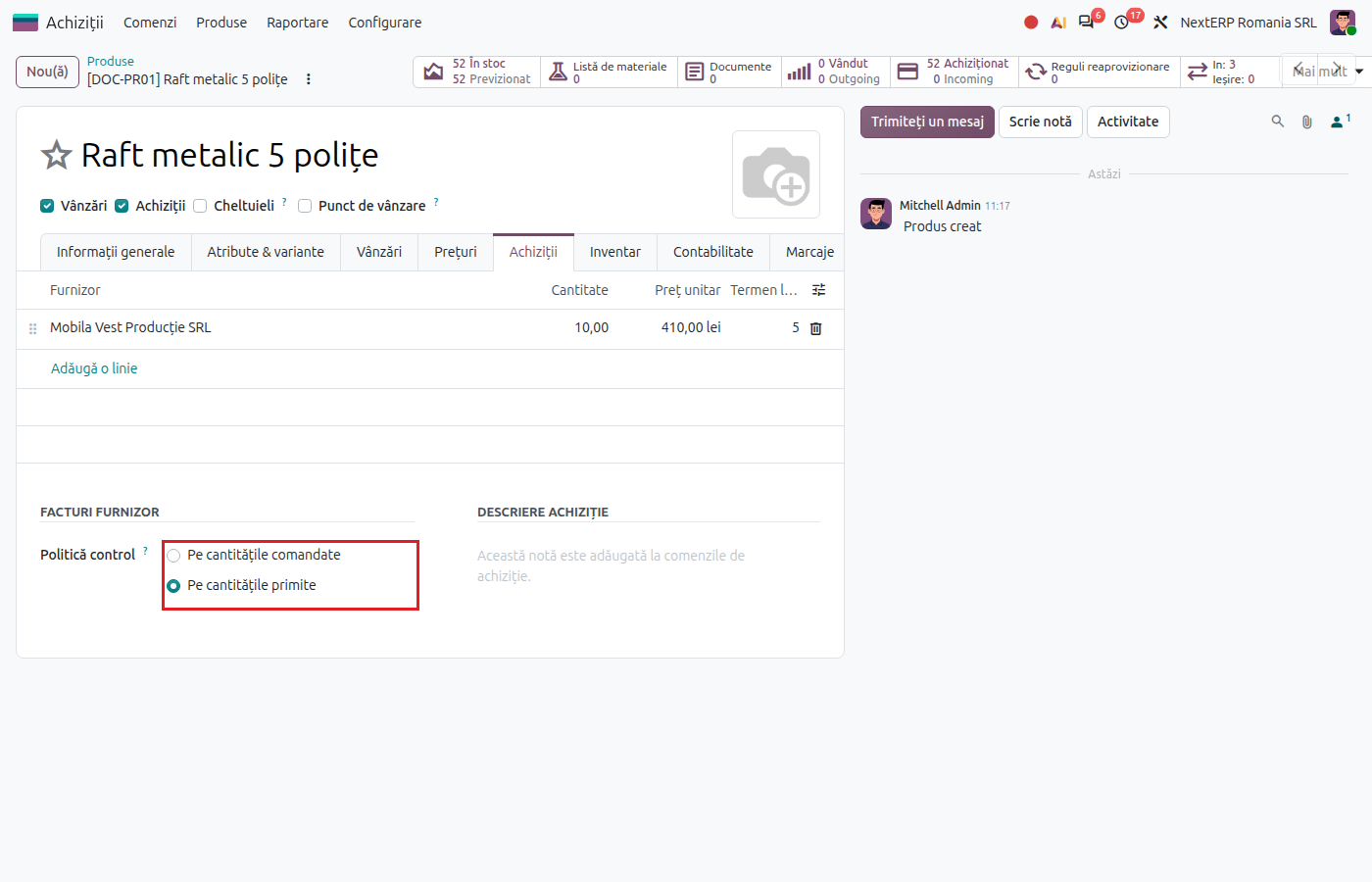
On the product, on the Purchase tab, add the vendor and its price in Vendor Pricelists, choose Purchase Taxes (usually 21% G for goods, 21% S for services) and Control Policy:
| Control policy | What can be billed | Suitable for |
|---|---|---|
| On received quantities | only the received quantity | goods and raw materials |
| On ordered quantities | the whole ordered quantity | services, subscriptions, advance payments |
5. Check the purchase journal
In Accounting › Configuration › Accounting › Journals open the journal of type Purchase. Check the default expense account and the numbering. Vendor bills are recorded here.
6. Set the account for receipts with a delivery note
In the company's Romanian localization settings, check Romania - Picking Account Payable (usually 408, "Furnizori – facturi nesosite", suppliers – invoices not yet received). Odoo uses it when you receive goods that came with a delivery note (aviz) and no bill.
Variants
Approval of orders above an amount
In Purchase › Configuration › Settings tick Purchase Order Approval and set the amount. Larger orders wait for a manager's approval before confirmation.
3-way matching
In the purchase settings tick 3-way matching: purchases, receptions and bills. The bill is marked to be paid only when the billed quantities have been received; see Vendor bill.
Common mistakes
- Service product used for goods. Services do not go into stock and are posted directly to expenses. Goods must be a product tracked in stock.
- Category without automated valuation. Receipts and deliveries create no journal entries, and the stock in the books no longer matches the stock in the warehouse.
- Service tax on goods (or the other way round). The transaction appears on a different line in D300 (Decont de TVA, the VAT return) and with a different code in D390 (Declarația recapitulativă, the EU sales and purchases listing).
- EU vendor without a VAT number. Odoo does not apply the intra-Community position. Fill in the number and check it in VIES.
For the accountant: the accounts used in purchases
| What you buy | Stock or expense account | Vendor account |
|---|---|---|
| Goods for resale | 371 | 401 |
| Raw materials | 301 | 401 |
| Consumables | 302 | 401 |
| Services | 6xx, by nature (611, 612, 605, 626…) | 401 |
| Goods received without a bill | 371 | 408 |
| Bill received before the goods | 327 (goods in transit) | 401 |
The reception-in-progress account is set on the stock account (the Romania - Reception in Progress Account field on account 371). The details are in the chapter Accounting explained, article Accounts 408, 418 and 327.