Purchases · Article 02
Request for quotation and purchase order
Applies to Odoo 19 · 20
You send the request for quotation to the vendor to find out the price and the delivery time. Once you have agreed with the vendor, you confirm it and it becomes a purchase order: the receipt of goods and the vendor bill start from it.
When to use
- You ask one or more vendors for prices.
- You order goods or raw materials for stock.
- You order services that you want to follow up to the bill.
- You follow what was ordered, what arrived and what was billed.
Before you start
- The vendor and the products are configured: see Configuration.
Steps in Odoo
1. Create the request for quotation
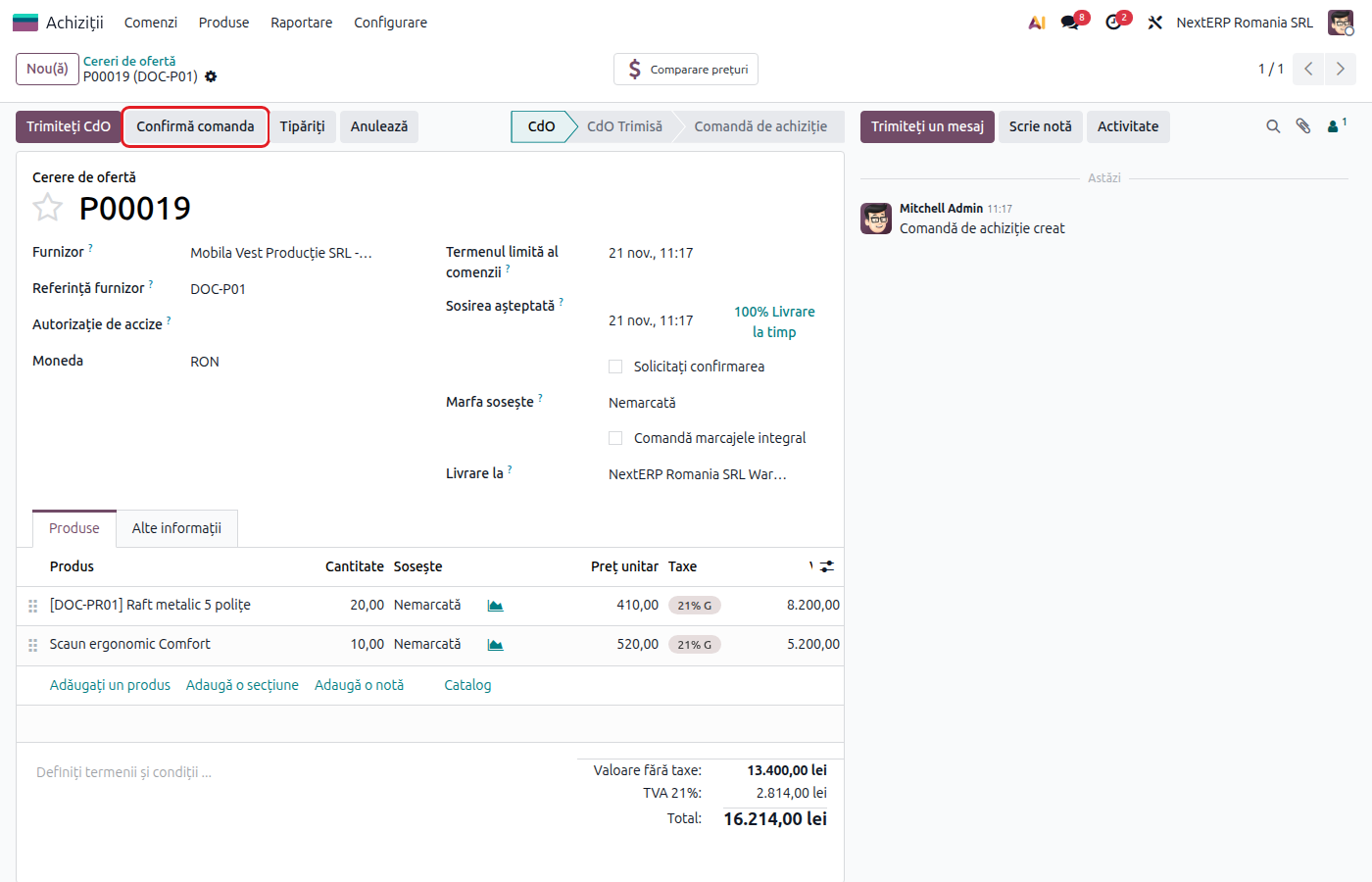
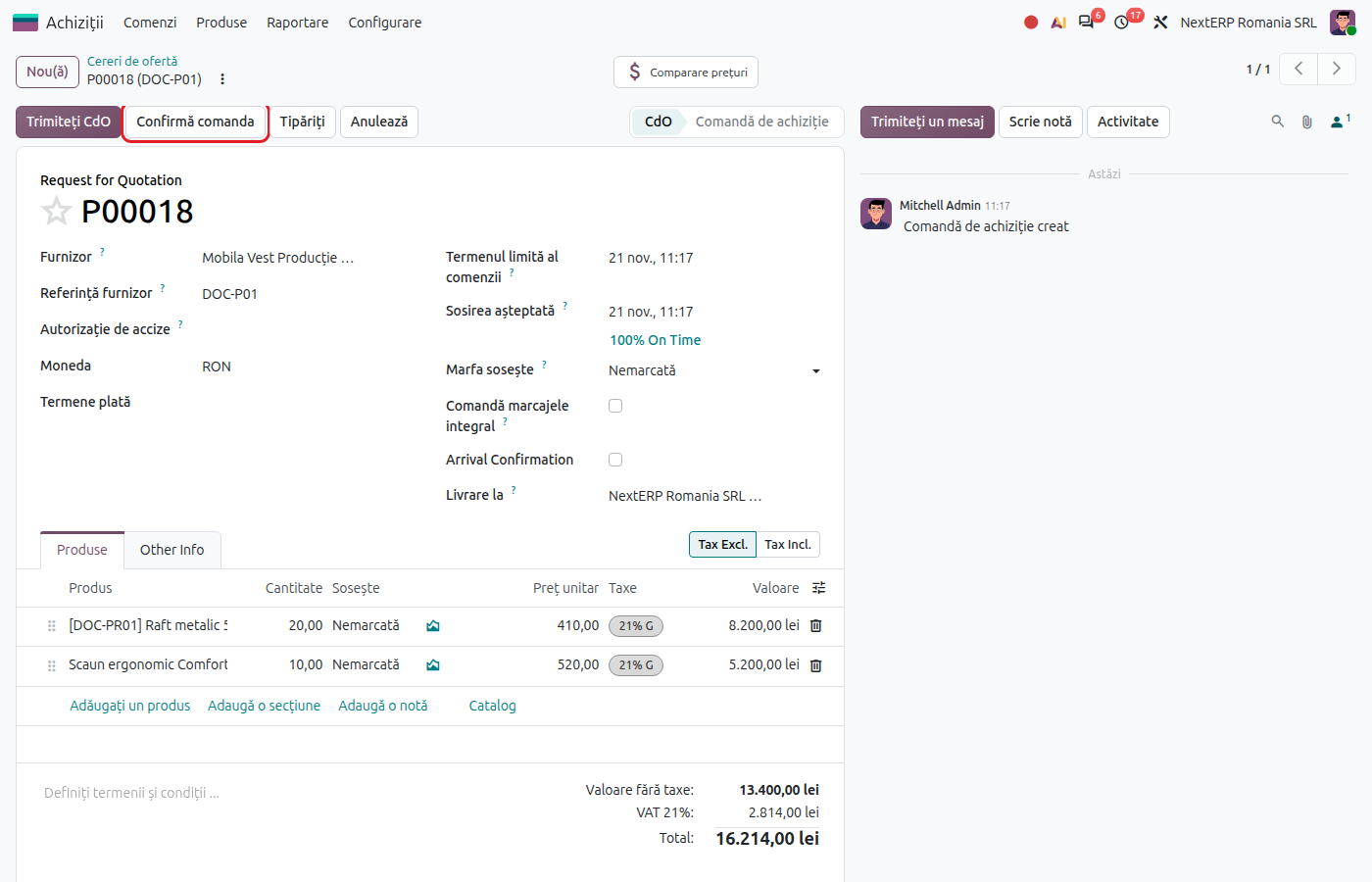
In Purchase › Orders › Requests for Quotation click New. Choose the vendor and fill in Vendor Reference, if you have one.
2. Add the products
Add the lines with the products and quantities. The price comes from the vendor's pricelist, and the tax from the product, replaced by the vendor's fiscal position.
3. Send the request
Click Send RFQ. Odoo emails the request to the vendor, and the document moves to the sent state.
4. Confirm the order
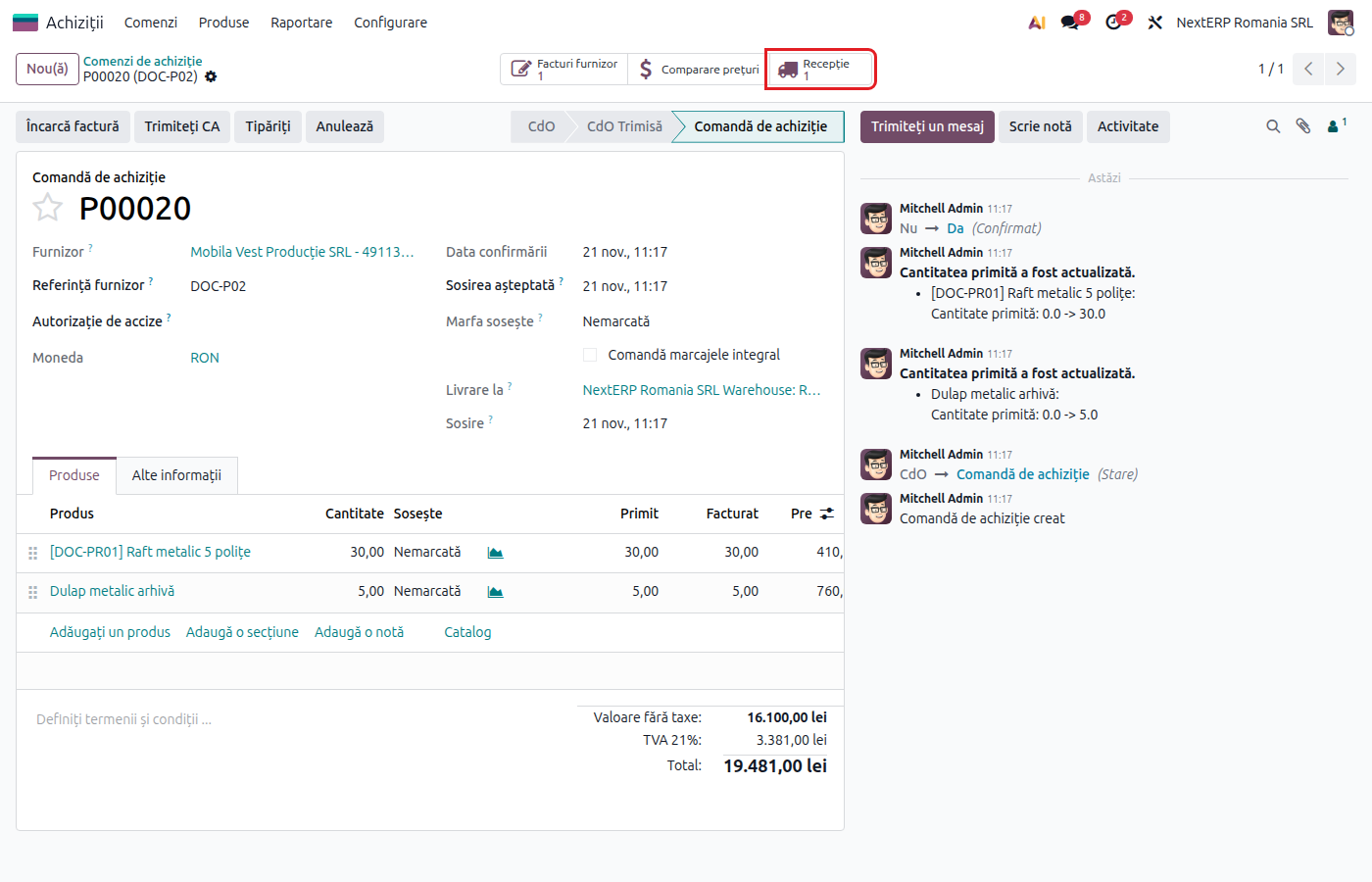
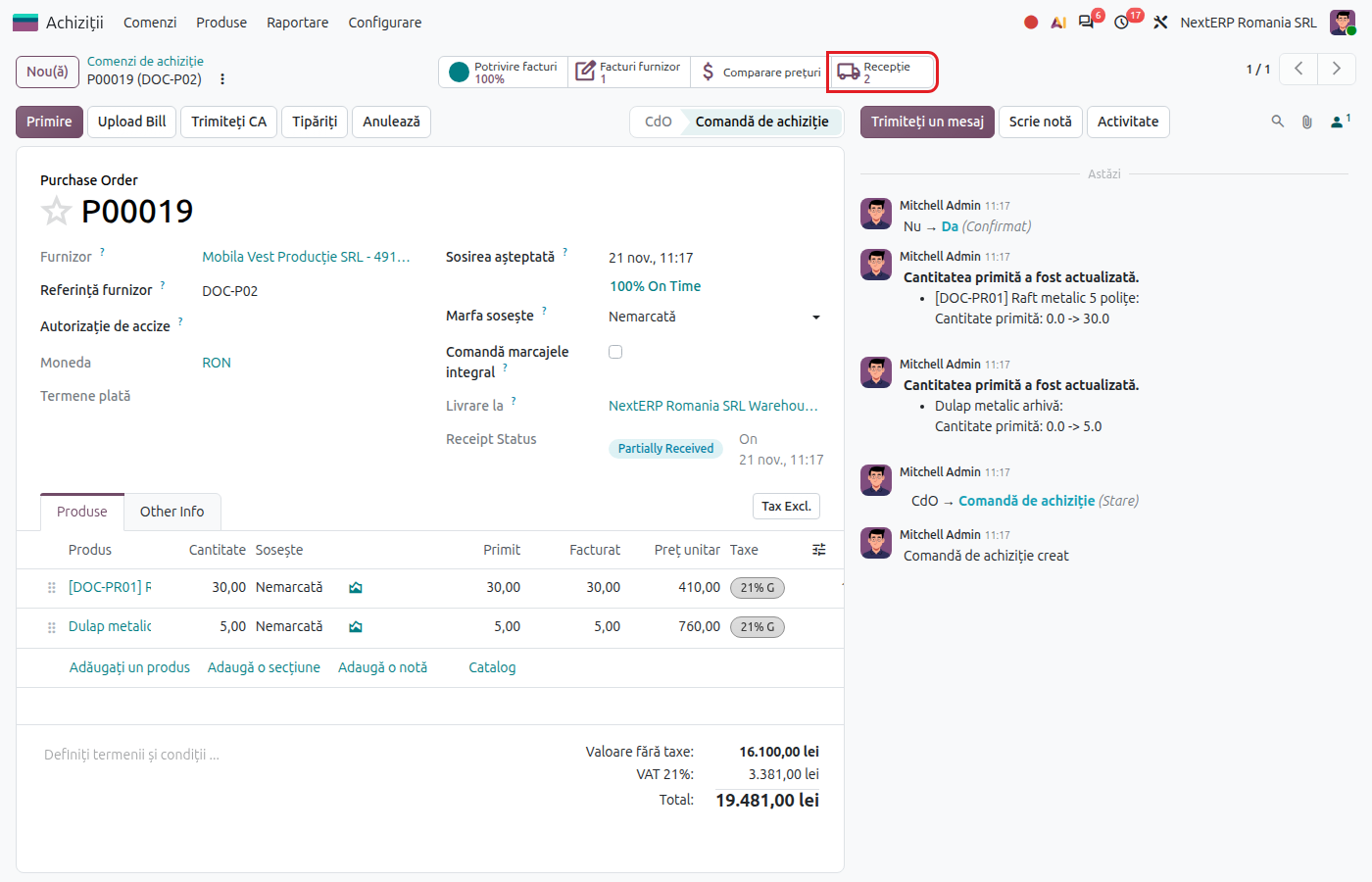
After the vendor agrees, update the prices if they changed and click Confirm Order. The request becomes a purchase order and appears in Purchase › Orders › Purchase Orders. For products tracked in stock, Odoo creates the receipt.
5. Send the order
Click Send PO to send the confirmed order to the vendor. The Receipt button in the corner of the order opens the expected receipt.
Variants
Compare several vendors
Create one request for quotation per vendor, with the same products. Confirm the winning request and cancel the others.
Order approved by a manager
If approval is active, orders above the set amount wait for a manager to click Approve Order.
Order for services
No receipt is created for services. The bill is created from the order according to the product's Control Policy.
Common mistakes
- Order not confirmed. A request for quotation creates no receipt. Goods that arrive have nowhere to be received until you confirm the order.
- Wrong price on the order. A receipt with a delivery note is recorded at the order price. Correct the price before the receipt; otherwise a price difference appears on the bill.
- Wrong vendor chosen. The fiscal position and the tax come from the vendor. Change the vendor before confirmation.
For the accountant
The request for quotation and the purchase order create no journal entries. Entries appear at the receipt (if the goods come with a delivery note or as reception in progress) and on the vendor bill; see Receiving goods and Vendor bill.