Purchases · Article 06
Price differences
Applies to Odoo 19 · 20
Goods enter stock at the order price. If the vendor's bill comes with a different price, the difference must be added to the value of the goods, so that stock reflects the real cost. With the Romanian localization, Odoo shows the differences when the bill is confirmed and, after you confirm them, automatically adjusts the stock value through a "Price Difference" landed cost.
When to use
- The vendor billed a different price than the one on the order (price increase, discount granted later).
- The goods were received with a delivery note at the order price, and the bill comes with the final price.
- The bill in foreign currency has a different exchange rate than the receipt (the exchange difference is handled separately, automatically).
Before you start
- The Romania - Stock Accounting Price Difference module is installed and Romania - Stock Valuation Update is ticked in the Romanian localization settings.
- The products are valued with FIFO: the automatic adjustment applies only to them.
Steps in Odoo
1. Create the bill from the order
On the order click Create Bills, as usual: see Vendor bill.
2. Correct the price on the bill line
Enter the price from the vendor's bill on the line. Do not change the order after the receipt.
3. Confirm the bill
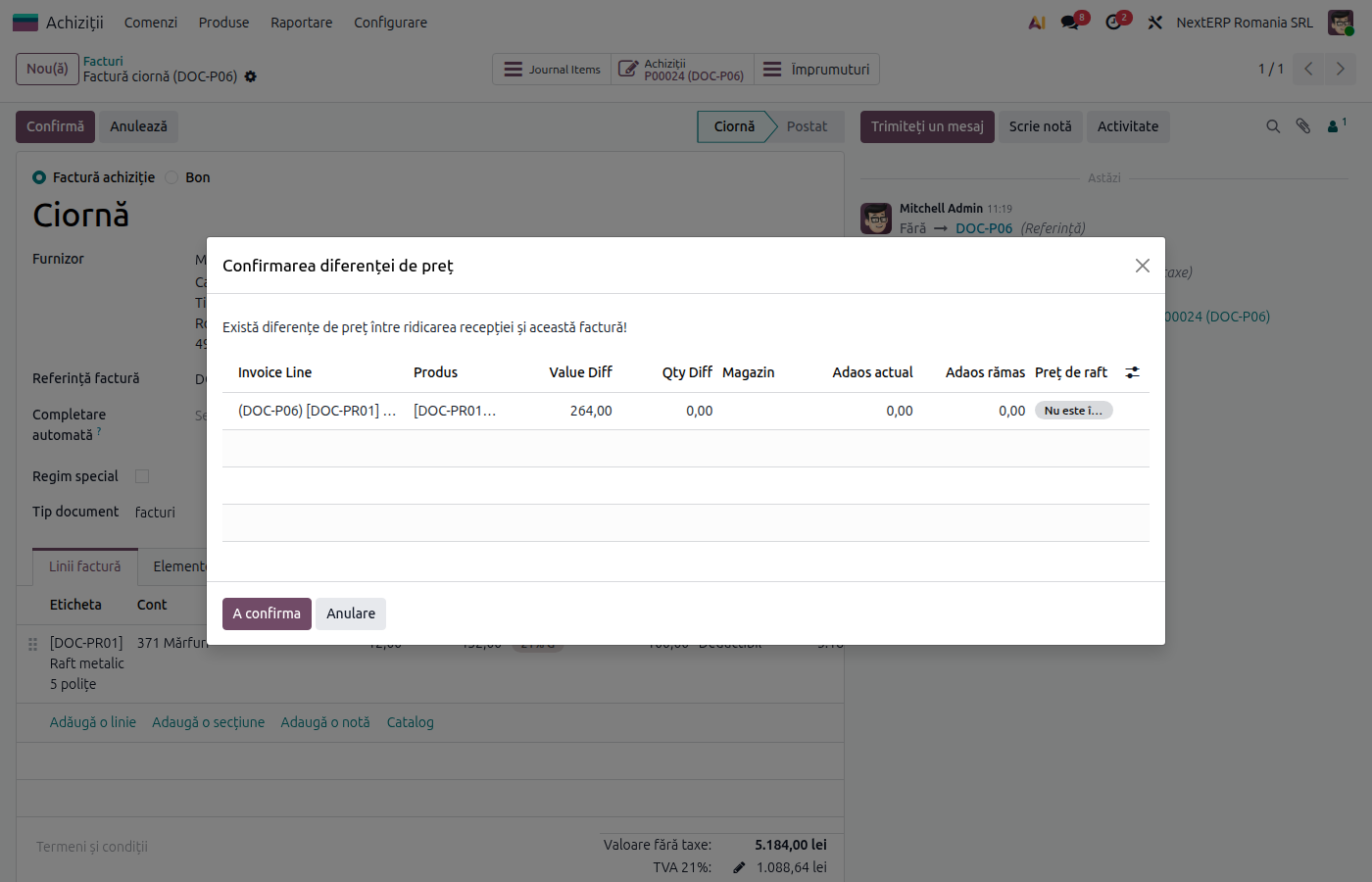
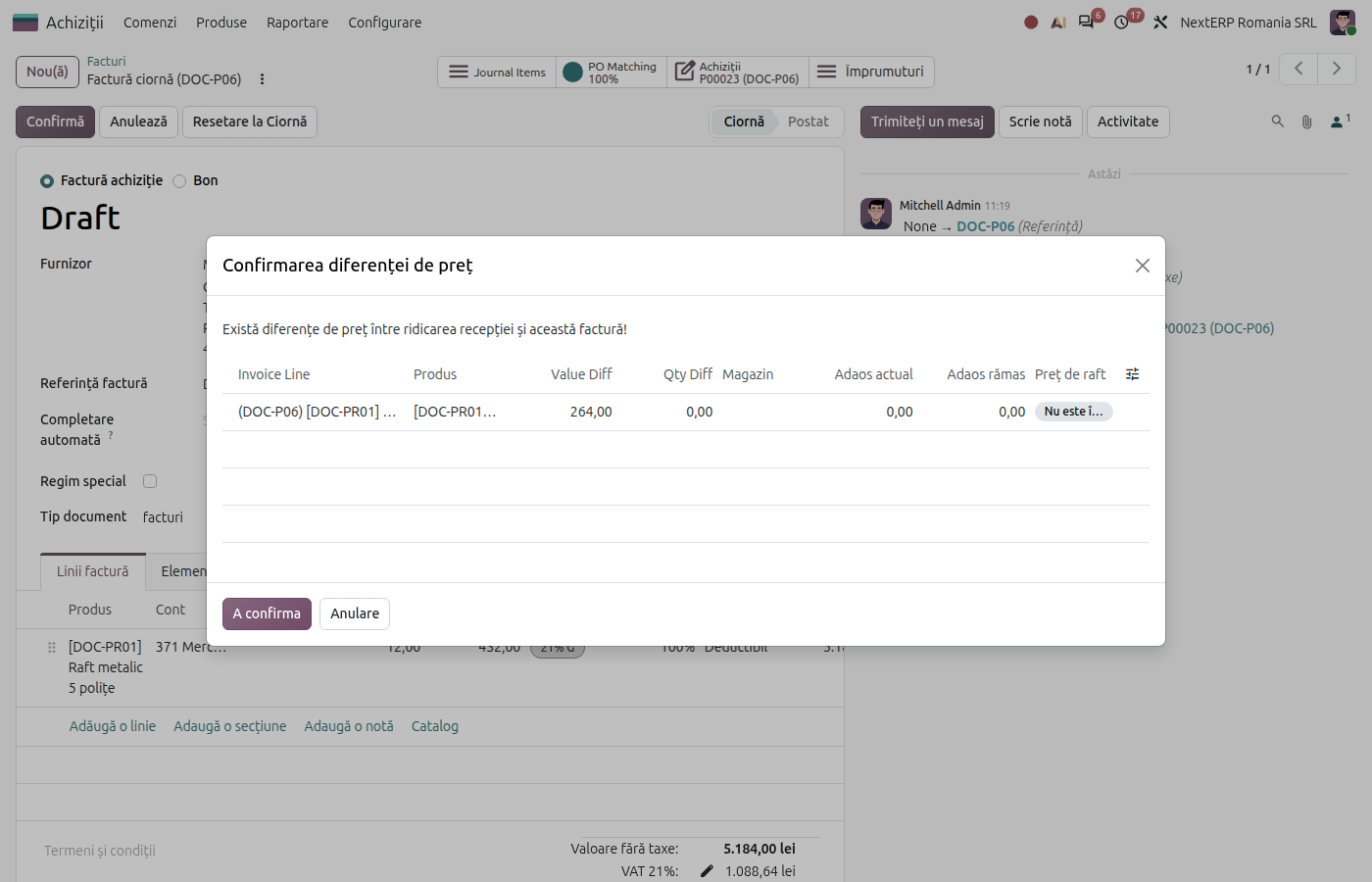
Click Confirm. Odoo opens the Price Difference Confirmation window, with the products and the amount of the difference.
4. Accept the difference
Check the amounts and click Confirm. The bill is confirmed, and Odoo creates and validates a landed cost that adjusts the value of the goods in the receipt.
Variants
The price changes before the receipt
Correct the price directly on the order before validating the receipt. No difference appears.
The vendor grants a discount after the bill
The discount comes as a credit note from the vendor, linked to the order. The difference is handled the same way, when the credit note is confirmed.
Exchange difference
For receipts with a delivery note in foreign currency, the exchange difference between receipt and bill does not change stock: it goes automatically to 665 or 765.
Common mistakes
- Order changed after the receipt. The receipt keeps the original price, and the history becomes hard to follow. Correct the price on the bill.
- Difference refused in the window. If you click Cancel, the bill stays in draft. Check the price and confirm again.
- The goods were already sold. The adjustment is spread over the receipt; the accountant must analyse the part already out of stock for the cost of sales.
For the accountant: journal entries
Example: order 1,000 lei, bill 1,050 lei + VAT 21%, goods received with a delivery note.
At receipt:
| DEBIT | CREDIT |
|---|---|
| 371 — 1,000 | 408 — 1,000 |
At the bill:
| DEBIT | CREDIT |
|---|---|
| 408 — 1,050 4426 — 220.50 |
401 — 1,270.50 |
Automatic stock adjustment (the "Price Difference" landed cost):
| DEBIT | CREDIT |
|---|---|
| 371 — 50 | 408 — 50 |
After the adjustment, 408 has no balance. The exchange difference on delivery notes in foreign currency is recorded separately: 408 = 765 (gain) or 665 = 408 (loss).