Inventory · Article 09
Retail-price stock management
Applies to Odoo 19 · 20
Shops that record goods at retail selling price (VAT included) keep account 371 at the label price, and the difference down to cost sits in the trade markup (378) and the deferred VAT (4428). Odoo creates these entries automatically when goods enter or leave a shop, keeps a markup register for each product and issues the report (proces-verbal) when the price changes.
When to use
- You have a shop or retail outlet recorded at selling price.
- You receive goods in the shop and need the receipt note with markup and VAT.
- You change the shelf price for goods in stock.
- You want to see the shop's stock at cost, markup, VAT and selling price.
Before you start
- The Romania - Stock Accounting Retail (Marfa in Magazin) module is installed; for the price change report, also Romania - Retail Price Change (Proces Verbal Schimbare Pret); for the report, Romania - Retail Stock Report (Marfa in Magazin).
- You have a pricelist for the shop, with prices VAT included (the label price) for all products sold there.
- The markup (378) and deferred VAT (4428) accounts are filled in under Settings › Romania: Default Retail Markup Account (378) and Default Retail Deferred VAT Account (4428).
Steps in Odoo
1. Mark the warehouse as a shop
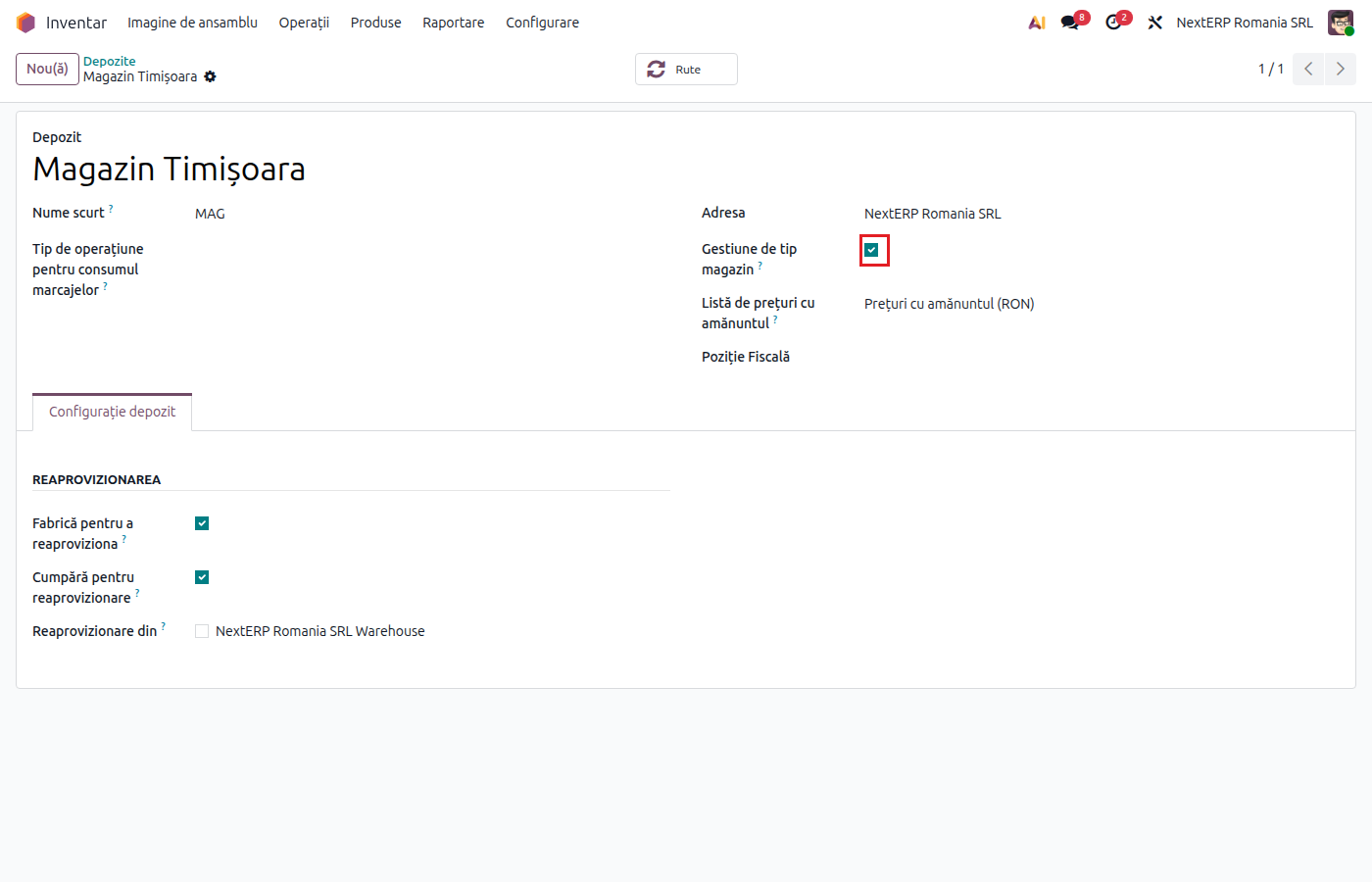
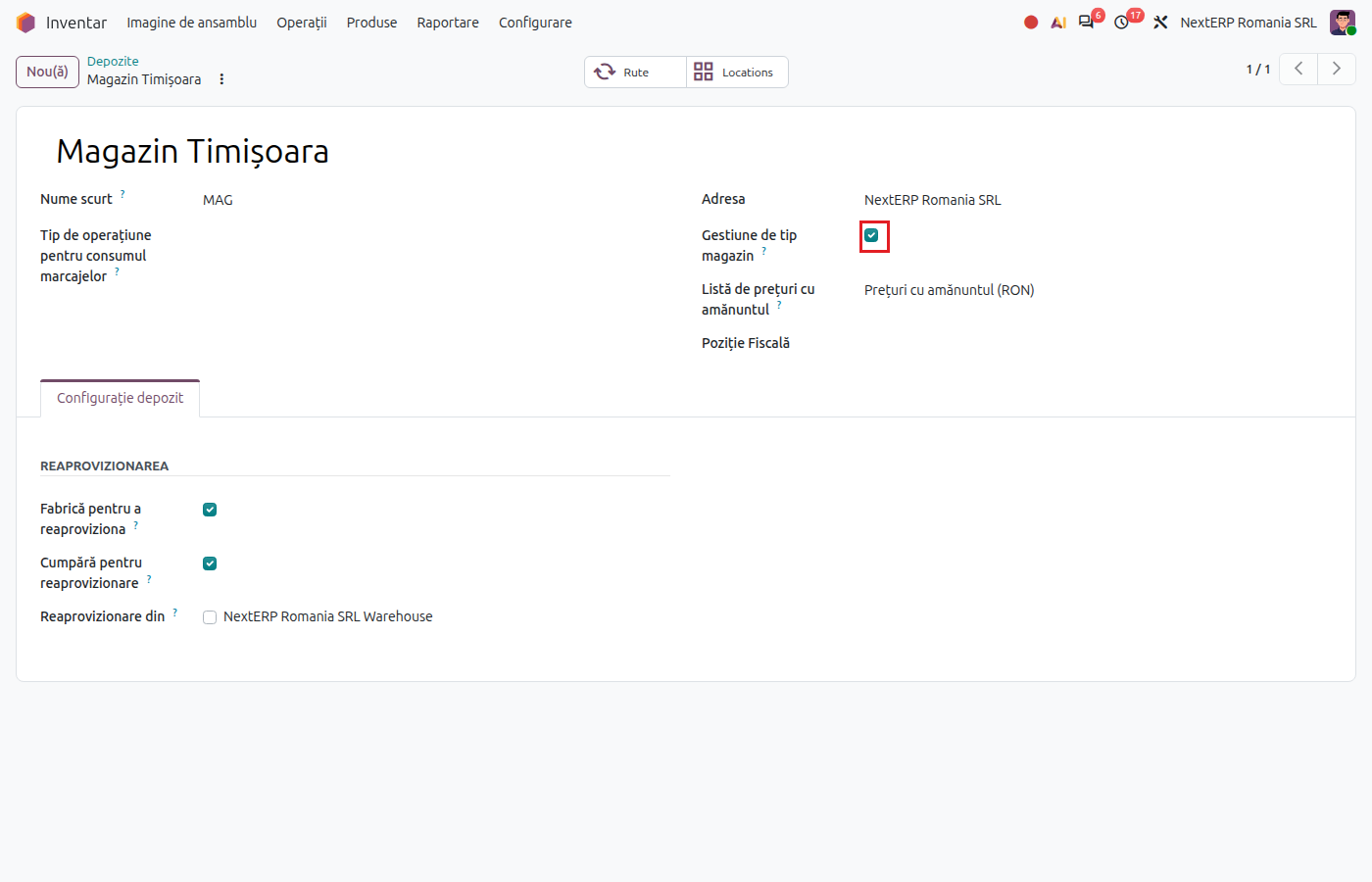
In Inventory › Configuration › Warehouse Management › Warehouses, open the shop's warehouse, tick Retail Warehouse and choose the Retail Pricelist. All internal locations of the warehouse become shop locations.
2. Receive goods in the shop
Make the receipt from the supplier or the transfer from the central warehouse to the shop and click Validate. Odoo records the cost and, in addition, the markup and deferred VAT, computed from the price on the shop's pricelist. The printed receipt note shows the cost, markup, VAT and selling price.
3. Sell from the shop
The delivery or the point-of-sale sale writes off the stock at selling price: the cost goes to expenses, and the markup and deferred VAT are released from the markup register in proportion to the quantity sold.
4. Change the shelf price
In Inventory › Operations › Retail Price Changes, click New, choose the warehouse and the date, then Load Products. Enter the new price on the lines and click Post. Odoo writes the new price on the shop's pricelist and records the difference on markup and VAT.
5. Check the shop's stock
In Inventory › Reporting › Retail Stock you see, for each product, the quantity, cost, markup, deferred VAT and value at selling price. The To Revalue column shows the products whose pricelist price differs from the one in stock: these need a price change report.
Variants
Automatically created price change reports
When a price on the shop's pricelist changes, Odoo itself creates a draft price change report for that shop. You check it and click Post. Every day, Odoo also compares the prices in the register with those on the pricelist and proposes reports for the differences (for example, at the start of a promotion).
Transfer between two shops
The source shop releases its markup and VAT, and the destination shop records the markup and VAT computed from its own price.
Selling below cost
Odoo refuses a shelf price lower than the cost. If the shop sells below cost on purpose (stock clearance), tick Allow Selling Below Cost on the warehouse.
A product's price history
On the product, the Price History button shows the price change reports it appears in, in date order.
Common mistakes
- Product without a price on the shop's pricelist. The receipt is refused. Add the VAT-inclusive price on the retail pricelist.
- Price without VAT on the shop's pricelist. The price is read as VAT-inclusive, so the markup comes out lower. Enter the label price.
- Price changed without a report. The stock stays at the old price, and the next sale releases the old markup. Post the proposed report.
- SGR fee treated as VAT. The deposit for packaging (SGR, the Romanian deposit-return scheme) must not go to 4428. On that tax, tick the option that excludes it from the shop calculation.
- Wrong price change report. A posted report cannot be cancelled; correct it with a new report.
For the accountant: journal entries, legislation
Receipt in the shop
Example: goods costing 1,000 lei, selling price 1,452 lei with VAT 21% (markup 200 lei, VAT 252 lei).
The cost is recorded as for any receipt (371 = 401 from the vendor bill). Odoo adds:
| DEBIT | CREDIT |
|---|---|
| 371 — 200 | 378 — 200 |
| 371 — 252 | 4428 — 252 |
Sale from the shop
Stock write-off, for the whole quantity:
| DEBIT | CREDIT |
|---|---|
| 607 — 1,000 | 371 — 1,000 |
| 378 — 200 | 371 — 200 |
| 4428 — 252 | 371 — 252 |
Revenue (707) and output VAT (4427) are recorded from the invoice or from the cash register closing.
Price change
When the selling price increases, the difference is recorded as 371 = 378 and 371 = 4428; when it decreases, the same accounts in reverse.
Legal framework
OMFP 1802/2014 (the Romanian accounting regulations order) allows retail businesses to value goods at retail selling price; the markup on goods sold is released through the markup allocation coefficient, which Odoo applies to each move in the markup register. A price change is documented through a report (proces-verbal).