Inventory · Article 06
Custody at customers and from suppliers
Applies to Odoo 19 · 20
Goods received in custody from a supplier are physically in your warehouse, but do not belong to you: you track them off-balance-sheet. Conversely, your goods sent to a customer (stock at the customer's disposal, call-off stock) remain on your balance sheet, but in a separate location. Odoo handles both cases through locations marked as custody locations.
When to use
- A supplier stores its goods at your site and invoices them only when you use them.
- You keep a customer's goods until the customer collects them.
- You send goods to a customer in another EU country, who takes them from stock as needed.
Before you start
- The Romania - Accounting Stock module is installed (Odoo Enterprise, NextERP localization).
- The custody accounts are filled in under Accounting › Configuration › Settings, section Custody Accounts (Romania):, fields Custody (usually 8033) and Counterpart (for example 8039).
- For your goods at a customer: the location has its own stock account (for example 357), and the category has Allow stock account change from locations ticked. See Configuration.
Steps in Odoo
1. Create the custody location
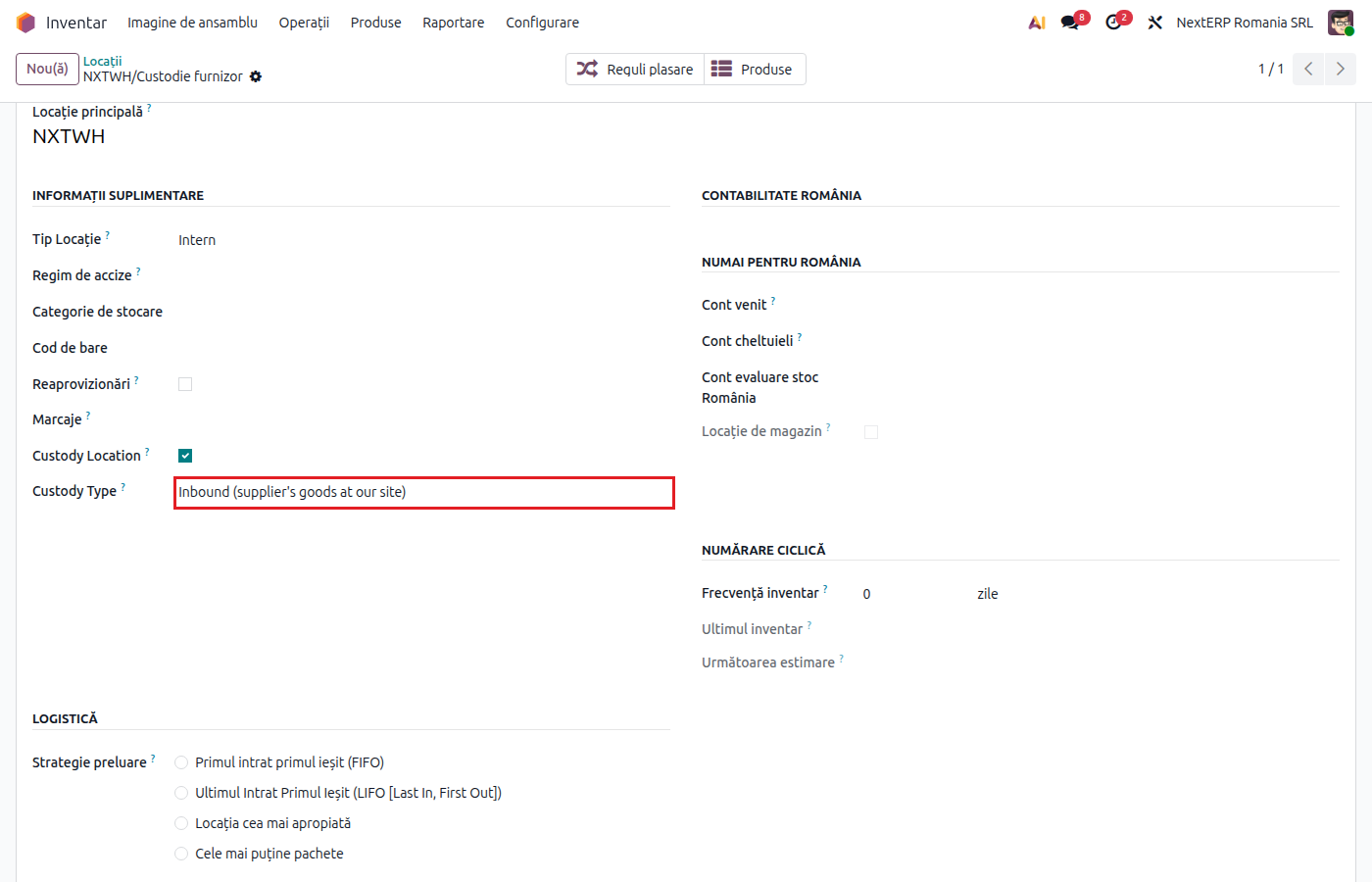
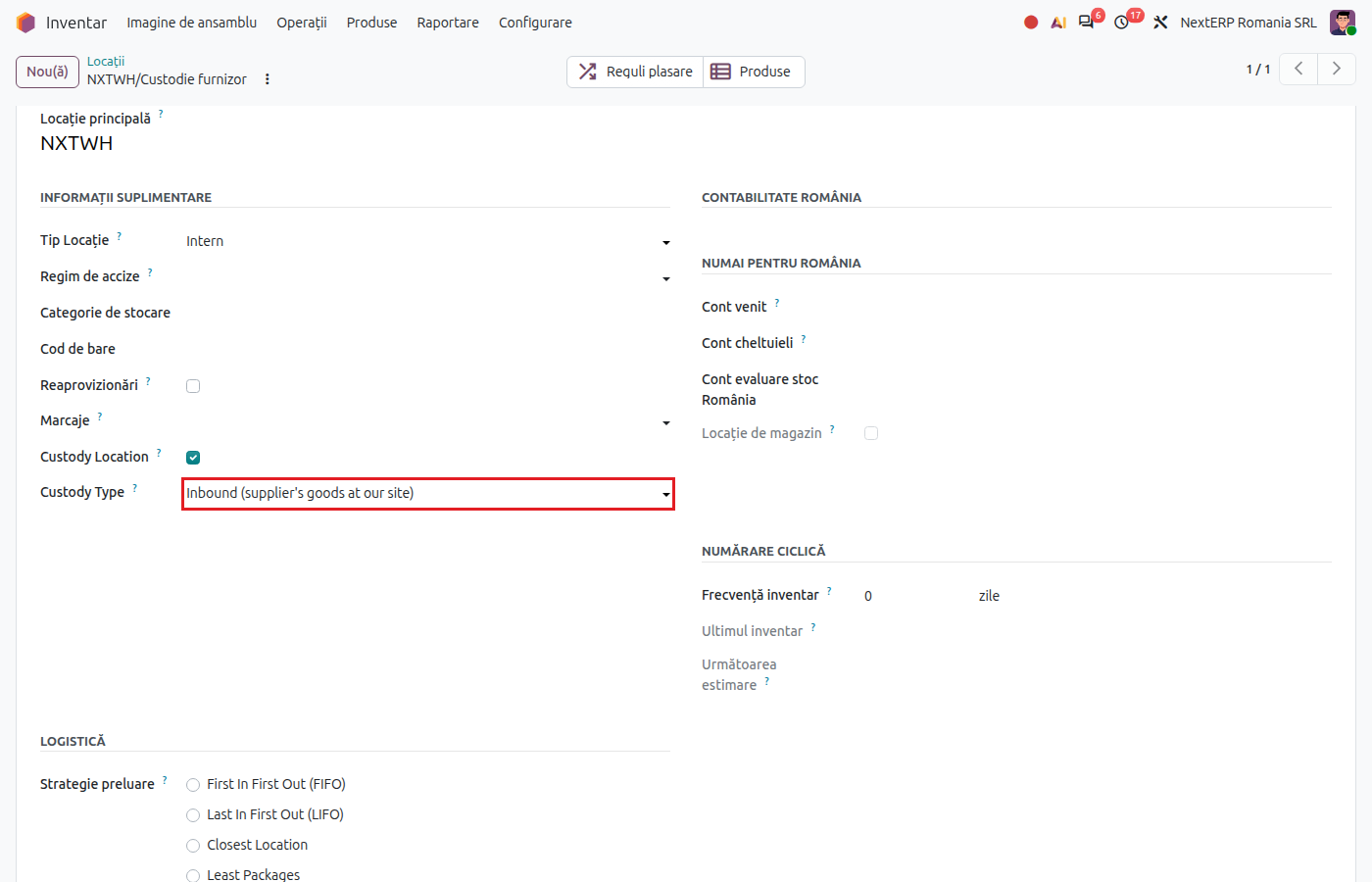
In Inventory › Configuration › Warehouse Management › Locations, create an internal location (for example "Supplier X custody" or "Stock at customer Y"). Tick Custody Location.
2. Choose the custody type
Under Custody Type choose Inbound (supplier's goods at our site) or Outbound (our goods at customer's site). Save.
3. Receive the goods in custody
For the supplier's goods: make the receipt with the inbound custody location as Destination Location and click Validate. Odoo creates the off-balance-sheet entry (8033 = 8039), without touching the stock accounts.
4. Send the goods to the customer
For your goods: make an internal transfer from the warehouse to the outbound custody location and click Validate. The goods move to the location's account (for example 357), through the transfer account.
5. Close the custody
When you take over the supplier's goods (you buy them), move them from the custody location into your stock: Odoo reverses the off-balance-sheet entry. The value of the goods that become your property is recorded from the vendor bill. When the customer takes your goods, make the delivery from the outbound custody location, like a regular delivery.
Variants
The 12-month limit for stock at an EU customer
For outbound custody locations, Odoo checks daily the transfers approaching 12 months and creates a warning activity on the transfer. After 12 months, the simplified call-off stock regime no longer applies and the operation becomes an intra-Community transfer.
Moves between inbound custody locations
Moving the supplier's goods between two inbound custody locations creates no entry.
Common mistakes
- Custody location without a type. Odoo treats it as a regular location, and the supplier's goods end up on 371. Fill in Custody Type.
- Custody accounts not filled in. The move is recorded as a regular stock move. Fill in the accounts in the settings before the first receipt.
- Vendor bill when goods enter custody. Goods in custody are not invoiced on receipt. The bill comes when the goods are taken over.
For the accountant: journal entries, returns
The supplier's goods at your site
Example: goods in custody valued at 2,000 lei.
On receipt:
| DEBIT | CREDIT |
|---|---|
| 8033 — 2,000 | 8039 — 2,000 |
When leaving custody — the reverse entry:
| DEBIT | CREDIT |
|---|---|
| 8039 — 2,000 | 8033 — 2,000 |
Your goods at the customer
Example: goods costing 2,000 lei sent from 371 to the customer (357):
| DEBIT | CREDIT |
|---|---|
| 482 — 2,000 | 371 — 2,000 |
| 357 — 2,000 | 482 — 2,000 |
When the customer takes the goods, they are written off from 357 (607 = 357).
Link to ANAF returns
Transferring your goods to another EU country under the call-off stock regime is reported in D390 (the recapitulative statement of intra-Community supplies). Accounts 80xx are not included in D300 (the VAT return) or D394 (the domestic supplies and acquisitions statement).