Inventory · Article 04
Physical inventory
Applies to Odoo 19 · 20
During a physical inventory you count the goods in each location and enter the quantity found in Odoo. Odoo compares the counted quantity with the book stock and records the differences: surpluses enter stock, shortages leave it, each with its journal entry at cost.
When to use
- The annual inventory, before closing the financial year.
- The inventory when a stock unit is handed over to another storekeeper.
- Periodic counts of a shelf or a product group.
- Correcting a difference found by chance.
Before you start
- All receipts, deliveries and transfers up to the inventory date are validated.
- Products have a cost: for surpluses, Odoo uses the product cost.
Steps in Odoo
1. Open the inventory list
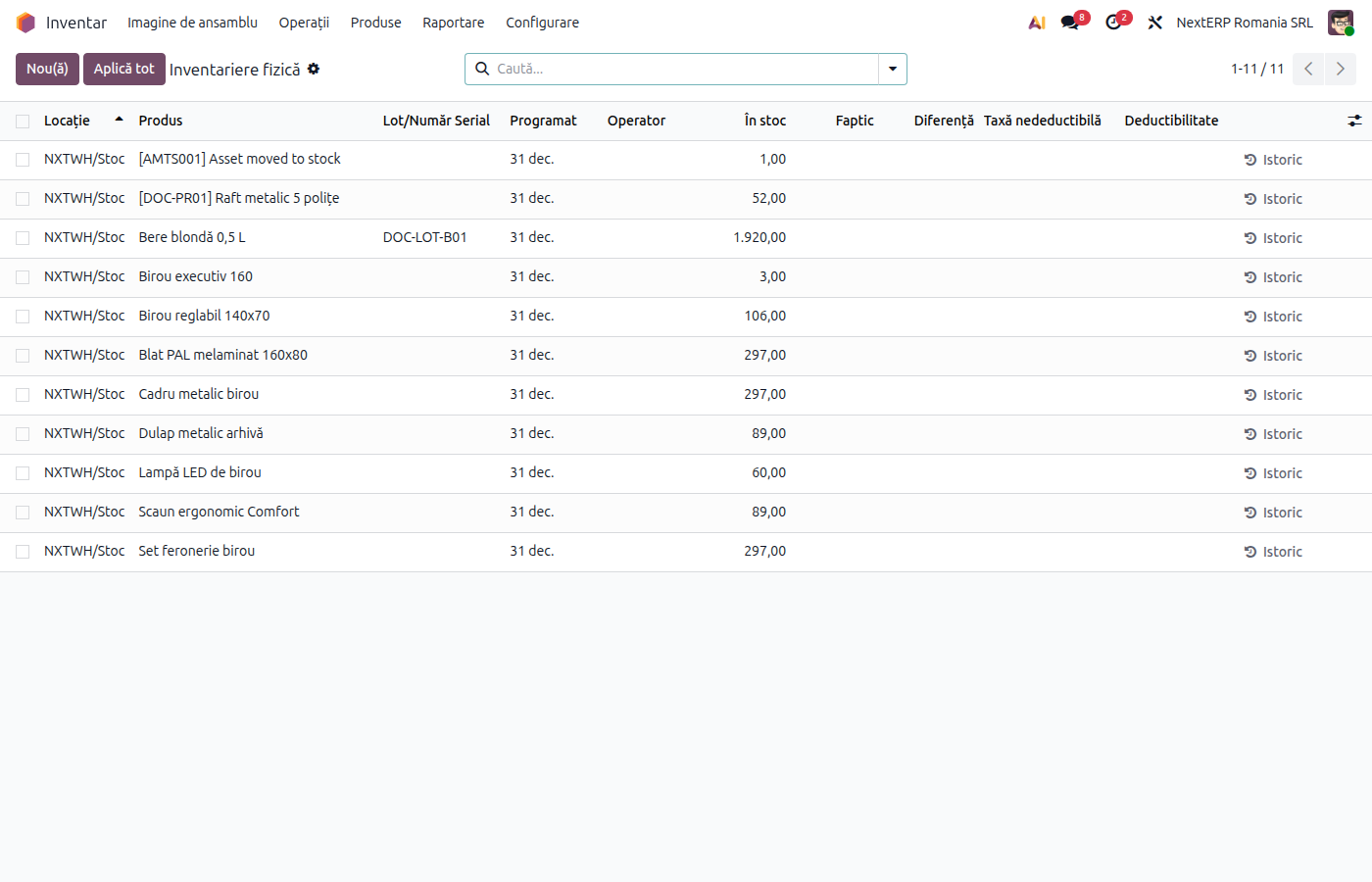
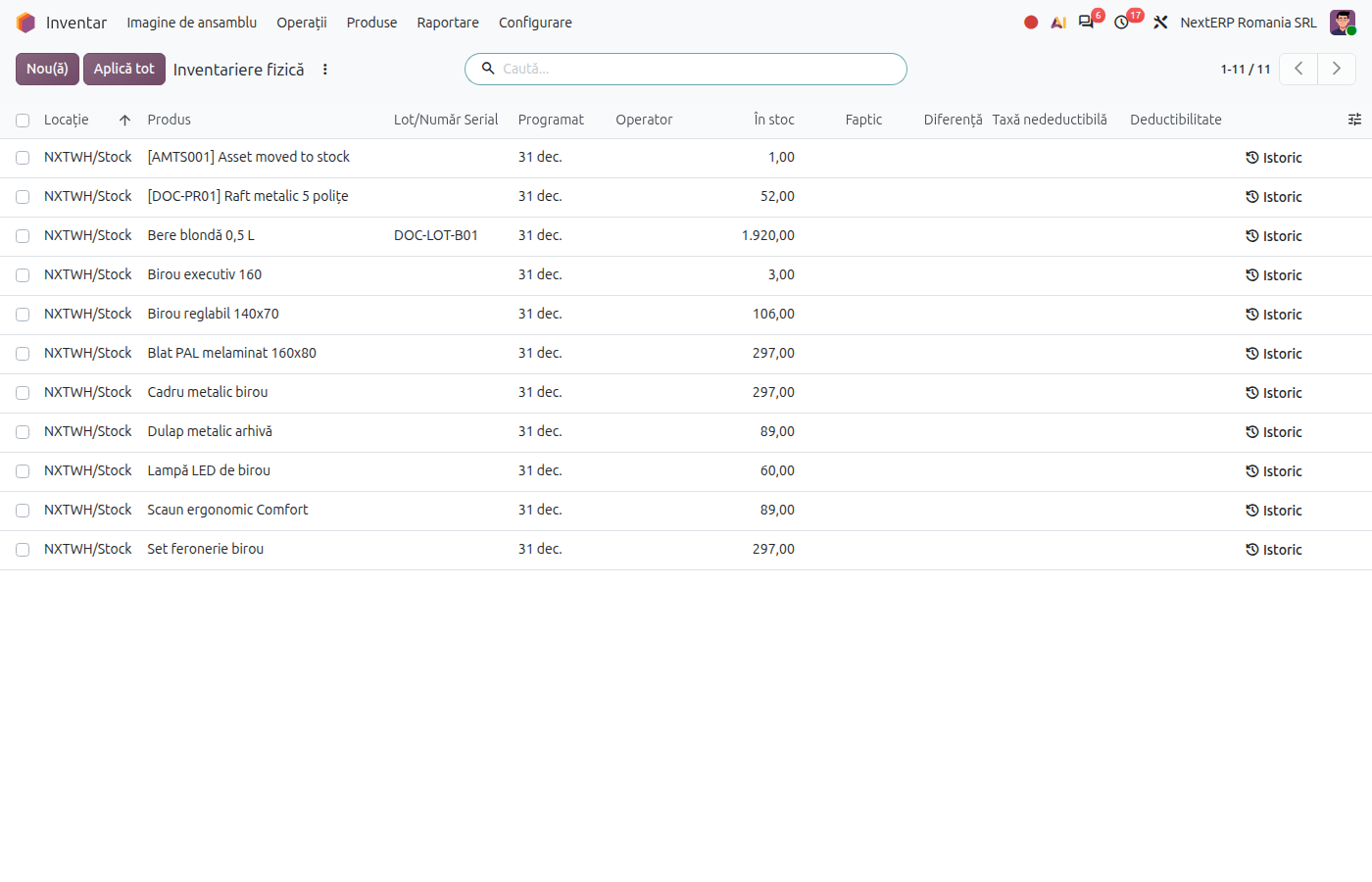
In Inventory › Operations › Adjustments › Physical Inventory, filter the location or the products you are counting.
2. Enter the counted quantities
On each line, fill in Counted Quantity. For a product found in stock but missing from the list, add a new line with the product and location.
3. Check the differences
The difference column shows, on each line, the surplus or shortage compared with the book stock. Check lines with large differences before applying.
4. Apply the inventory
Select the lines and click Apply (or Apply All). Odoo asks for a reference, for example "Annual inventory 2026", then updates the stock and creates the journal entries.
Variants
Inventory by lots or serial numbers
Each lot or serial number has its own line. Count and fill in per lot.
Surplus and shortage on similar products (offsetting)
Odoo records surplus and shortage separately, per product. Offsetting shortages against surpluses, where the law allows it, is done by the accountant in the inventory report and, if needed, through a manual journal entry.
Common mistakes
- Operations not validated at the inventory date. A delivery validated after counting gives a false shortage. Validate all transfers before counting.
- Counted quantity left empty. The line is not applied and the stock remains the book stock. Enter 0 for a missing product.
- Inventory applied to another location. The difference appears in the wrong location. Check the location filter before Apply.
For the accountant: journal entries, legislation
Journal entries
Example for goods for resale: a shortage of 200 lei and a surplus of 100 lei, at cost.
Inventory shortage:
| DEBIT | CREDIT |
|---|---|
| 607 — 200 | 371 — 200 |
Inventory surplus — Odoo records it in red (reversal) on the same accounts:
| DEBIT | CREDIT |
|---|---|
| 607 — −100 | 371 — −100 |
The effect is an increase of stock 371 by 100 lei and a decrease of the expense. The expense account is the product category's account (or the location's, if configured on the location).
For shortages charged to employees (412 + 4282) or for output VAT on non-chargeable shortages above the legal limits, the accountant makes manual entries; Odoo does not generate them from the inventory.
Legal framework
- Legea contabilității 82/1991 (the Romanian Accounting Law), art. 7 — annual inventory.
- OMFP 2861/2009 (the order on inventory procedures) — the inventory procedure, the inventory report and the inventory register.
- Codul fiscal (the Romanian Fiscal Code) — non-chargeable shortages above the legal limits may lead to output VAT and non-deductible expenses for corporate income tax.
Link to ANAF returns
Inventory entries are included in D406 (SAF-T, the Romanian Standard Audit File for Tax). The inventory register (Registrul-inventar) is described in the ANAF returns and registers chapter.