Inventory · Article 05
Internal consumption and items given into use
Applies to Odoo 19 · 20
Consumable materials used by the company (spare parts, office supplies, fuel) leave stock based on a consumption note. Inventory items given to employees (tools, furniture, small equipment) leave the storeroom when given into use, but remain tracked off-balance-sheet until they are retired. In the Romanian localization, each warehouse has two operation types for this: Consume and Usage Giving.
When to use
- You issue consumable materials to a department or a machine.
- You give inventory items into use to an employee or an office.
- An employee returns unused materials to the storeroom.
Before you start
- The warehouse has the Consume and Usage Giving operation types. Odoo creates them when the warehouse is created in Romanian companies.
- The materials category has the stock account (302x) and the expense account (602x); the inventory items category has 303 and 603. See Configuration.
- The account for items given into use (8035) is filled in under Settings › Romania, Stock section.
Steps in Odoo
1. Open the operation type
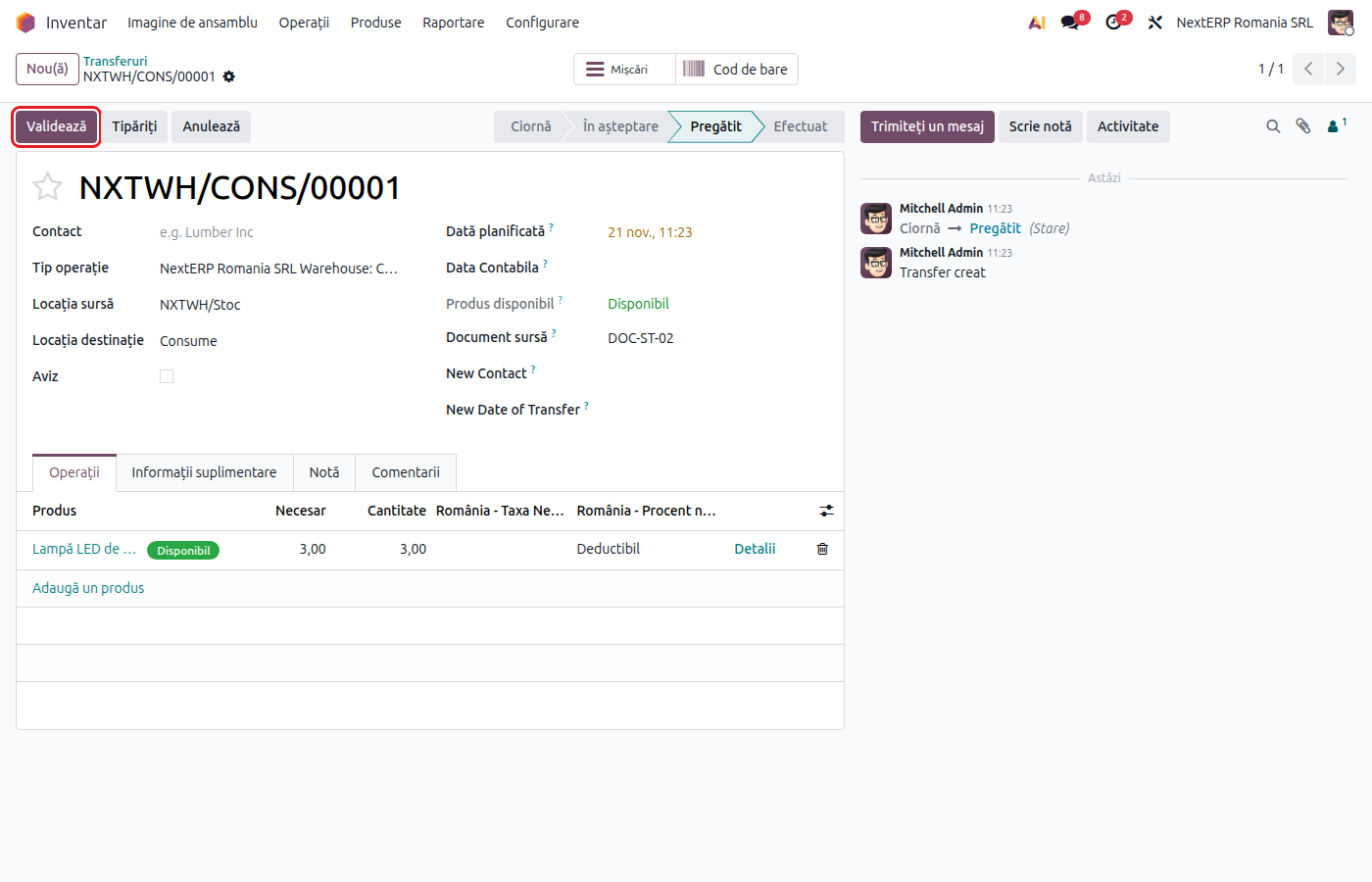
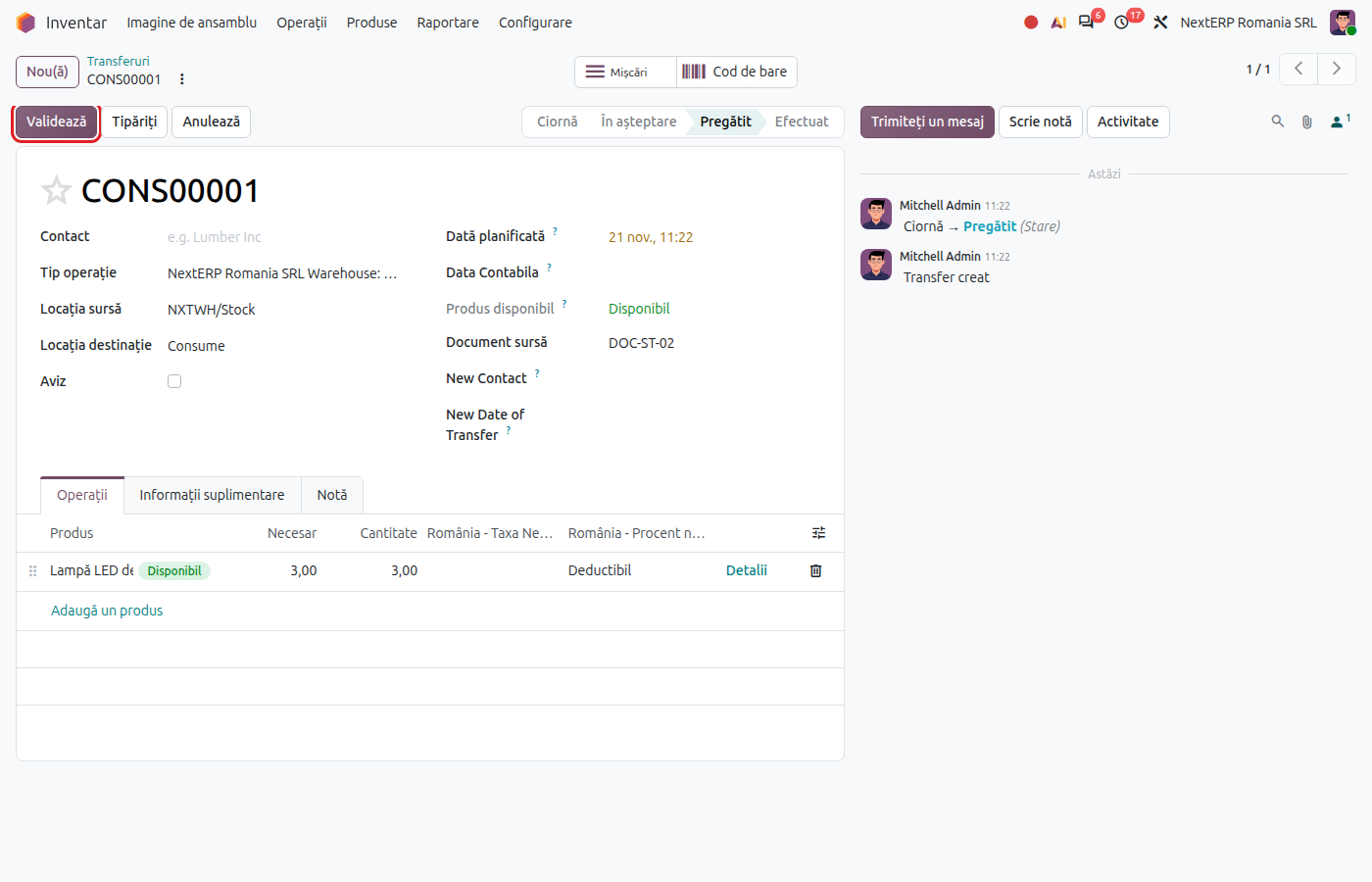
In the Inventory app, on the operation types dashboard, choose the warehouse's Consume (for the consumption note) or Usage Giving (for giving into use) and click New.
2. Check the locations
The source location is the warehouse stock, and the destination is the consumption location or the usage giving location, filled in automatically. Change the source if the materials leave from another stock unit.
3. Add the products
On the lines, choose the products and quantities. In the note field you can enter the person or department receiving them.
4. Validate
Click Validate. The products leave stock at cost, and Odoo creates the consumption entry (602x = 302x) or the giving-into-use entry (603 = 303, plus the record on 8035).
Variants
Return from consumption
If the materials were not used, open the validated note and click Return. Odoo makes the reverse move and reverses the entry on the same accounts.
Consumption in manufacturing
Raw materials consumed on a manufacturing order do not go through a consumption note: they are written off automatically when the order is completed. See the Manufacturing chapter.
Another expense account for consumption
On the expense account in the chart of accounts there is a Consume Account field. If you fill it in, consumption and giving into use are recorded on that account instead of the category's expense account.
Common mistakes
- Consumption made as a regular internal transfer. Without the Consume operation type, the goods are only moved and do not reach expenses. Use the dedicated operation type.
- Inventory items issued through a consumption note. No record appears on 8035. Use Usage Giving.
- Category with the wrong expense account. Consumption ends up on 607 instead of 602x. Correct the account on the category before validation.
For the accountant: journal entries
Consumption note
Example: consumable materials of 300 lei.
| DEBIT | CREDIT |
|---|---|
| 6028 — 300 | 3028 — 300 |
On return, the same entry in red (−300).
Giving into use
Example: an inventory item of 500 lei.
| DEBIT | CREDIT |
|---|---|
| 603 — 500 | 303 — 500 |
Odoo also creates a separate entry on account 8035, with the same amount on debit and credit, as a trace of the items in use. The debit balance of 8035 per person or place of use, if you keep one, is tracked by the accountant.
Legal framework
OMFP 1802/2014 (the Romanian accounting regulations order): inventory items are expensed when given into use and are tracked in operational records until they are retired (account 8035 "Inventory items given into use").