Receipts, payments and bank · Article 11
Aged balances
Applies to Odoo 19 · 20
The aged balance report shows, for each customer or vendor, which amounts are still open and how many days have passed since the due date. You use it to follow up receipts, plan payments and, at year end, as an annex to the inventory count of receivables and payables. Odoo has the interactive report in the Reporting menu and, with the Romanian localization, a version generated as a document.
When to use
- Weekly: you see the customers with overdue invoices and how old they are.
- You plan payments to vendors by due date.
- At month or year end: the aged balances at a specific date, for the accountant or the auditor.
Before you start
- Bank statements are reconciled: see Bank statements: import and reconciliation. Unreconciled payments leave invoices overdue in the report.
- Invoices have the payment term filled in, so that the due date is correct.
Steps in Odoo
1. Open the report
Accounting › Reporting › Partner Reports › Aged Receivable for customers or Aged Payable for vendors.
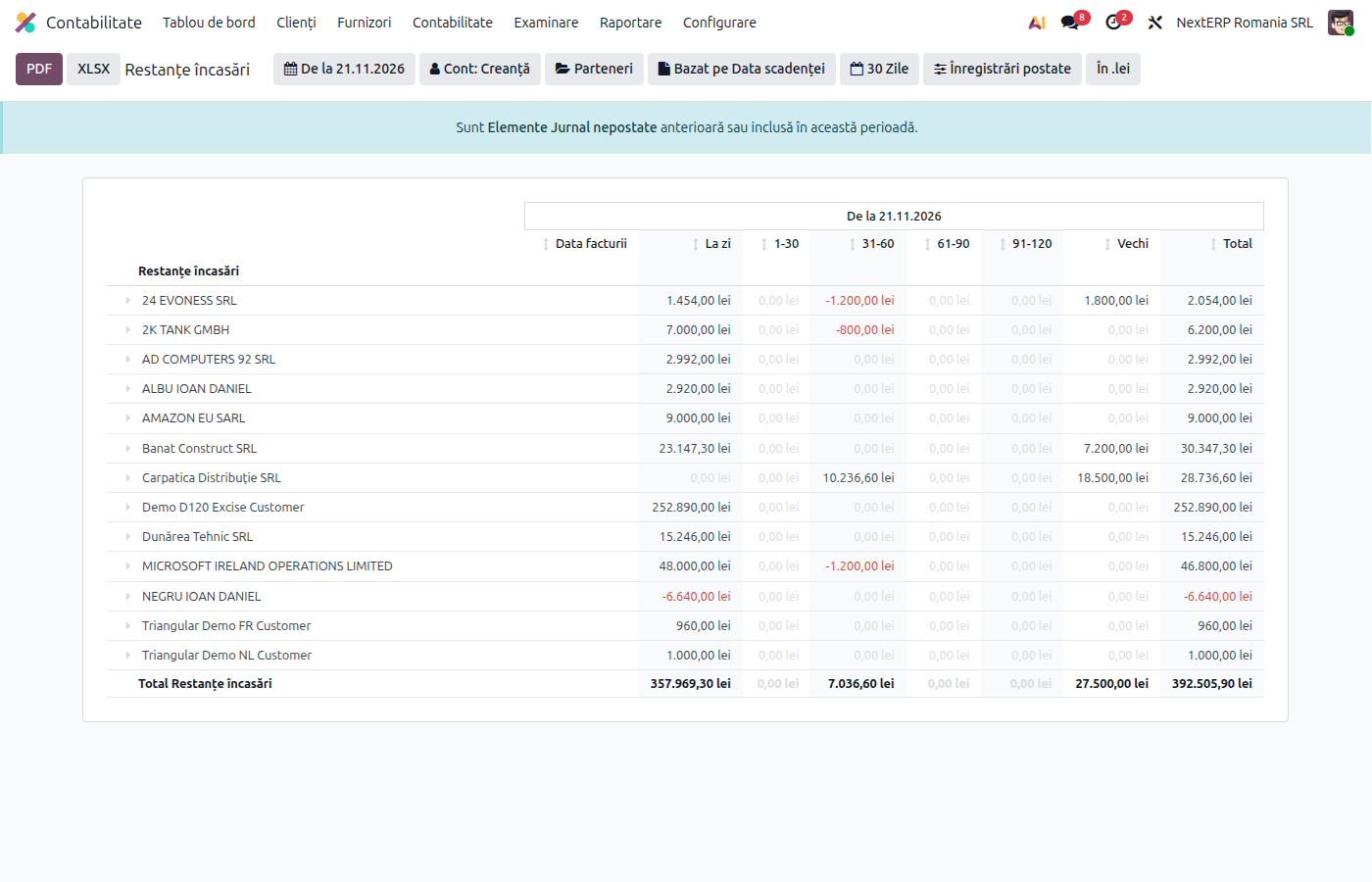
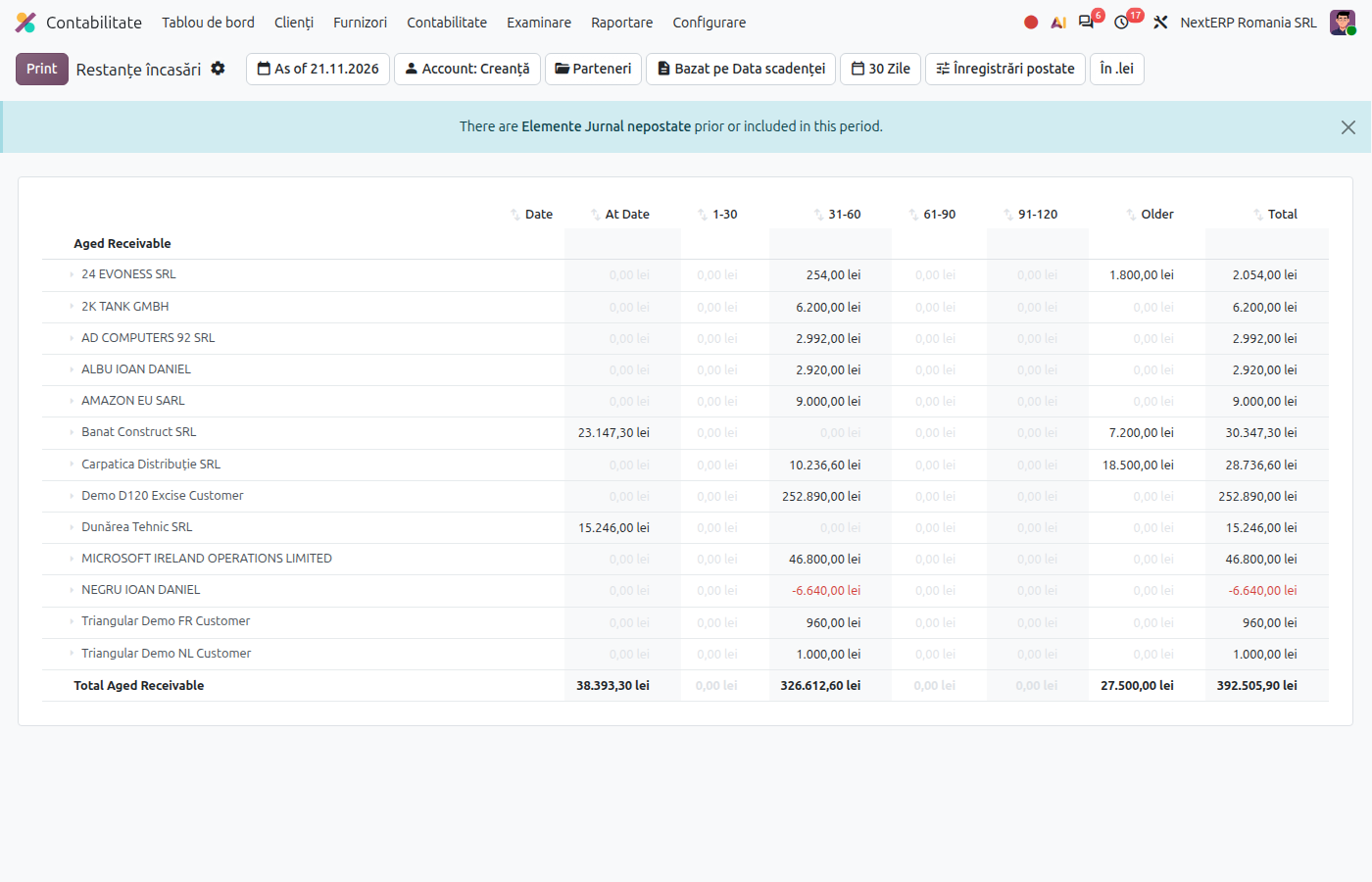
2. Choose the date
Choose the date at which you want the balances. The report shows, per partner, the amounts not yet due and the overdue ones, by ranges of days overdue.
3. See a partner's documents
Expand the partner's line: the invoices, credit notes and unallocated payments behind the balance appear. From a document you can open the invoice.
4. Export the report
Download the report as PDF or XLSX from the report buttons.
Variants
The Romanian version, as a document
ANAF Declarations › Reports, in Report choose Aged Receivable or Aged Payable and the date. Check Detail per Document for each partner's documents and Per Account for one section per account (for example 4111, 4118, 461). Extra Receivable / Payable Accounts and Non-trade Accounts include sundry debtors and creditors. Click Generate; the file appears in the window.
Balances for the confirmation letters
The same open amounts are the basis of the confirmation letters: see the balance confirmations article (being moved to a new chapter, link to follow).
Common mistakes
- Paid invoices that appear overdue. The payment was recorded but not reconciled with the invoice or with the statement.
- Unallocated payments on the partner. They appear in the report as negative amounts; allocate them to invoices from the invoice (Outstanding credits) or at reconciliation.
- Report run at today's date for a year-end position. Choose 31 December; later payments must not reduce the balances.
For the accountant: use at year-end closing
Legal framework
- OMFP 2861/2009 (the order on the inventory count of assets and liabilities) — the inventory count of receivables and payables.
- OMFP 1802/2014 (the Romanian accounting regulations order) — impairment allowances for receivables (491, 6814).
Use
The aged balances at 31 December are the basis for analysing doubtful receivables and impairment allowances. The report creates no journal entries; allowances are recorded separately, with a journal entry.