Receipts, payments and bank · Article 10
Cash desk: receipts and cash vouchers
Applies to Odoo 19 · 20
The cash desk is kept in Odoo as a cash journal with a daily register. Receipts and payments on invoices get a receipt number (chitanță), and inflows and outflows without an invoice (advances for expenses, deposits at the bank) get a cash receipt or cash payment voucher (dispoziție de încasare / de plată). The Romanian localization adds each payment to the cash register of its day and numbers the documents with their own sequences.
When to use
- You collect an invoice in cash and give the customer a receipt.
- You pay a vendor in cash or give an employee an advance for expenses.
- You deposit cash at the bank or withdraw cash from the bank.
- You print the day's cash register.
Before you start
- The cash journal exists: see Configuration.
- The modules Romania - Payment to Statement and Romania - Payment Receipt Report are installed.
Steps in Odoo
1. Configure the cash journal
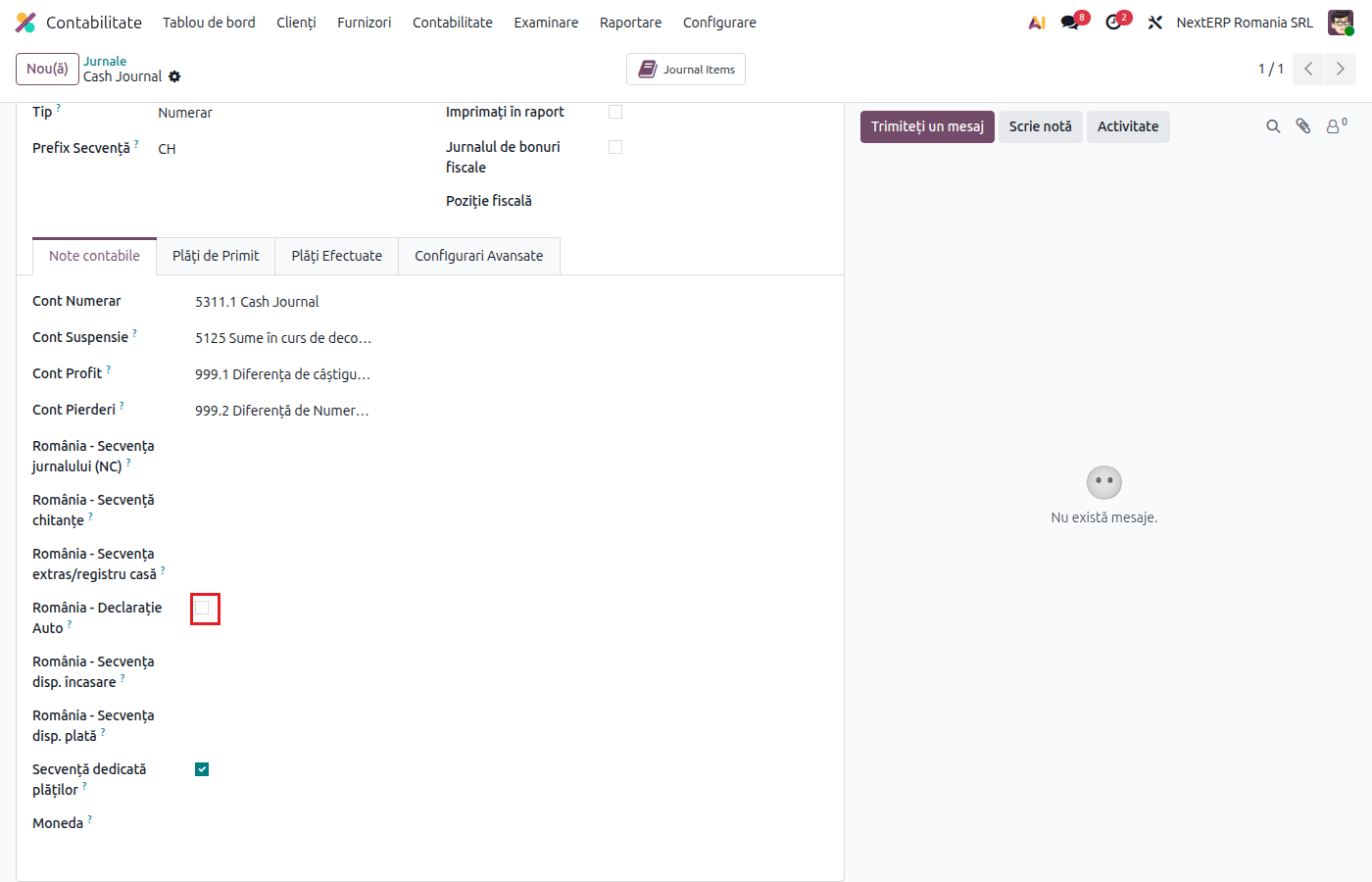
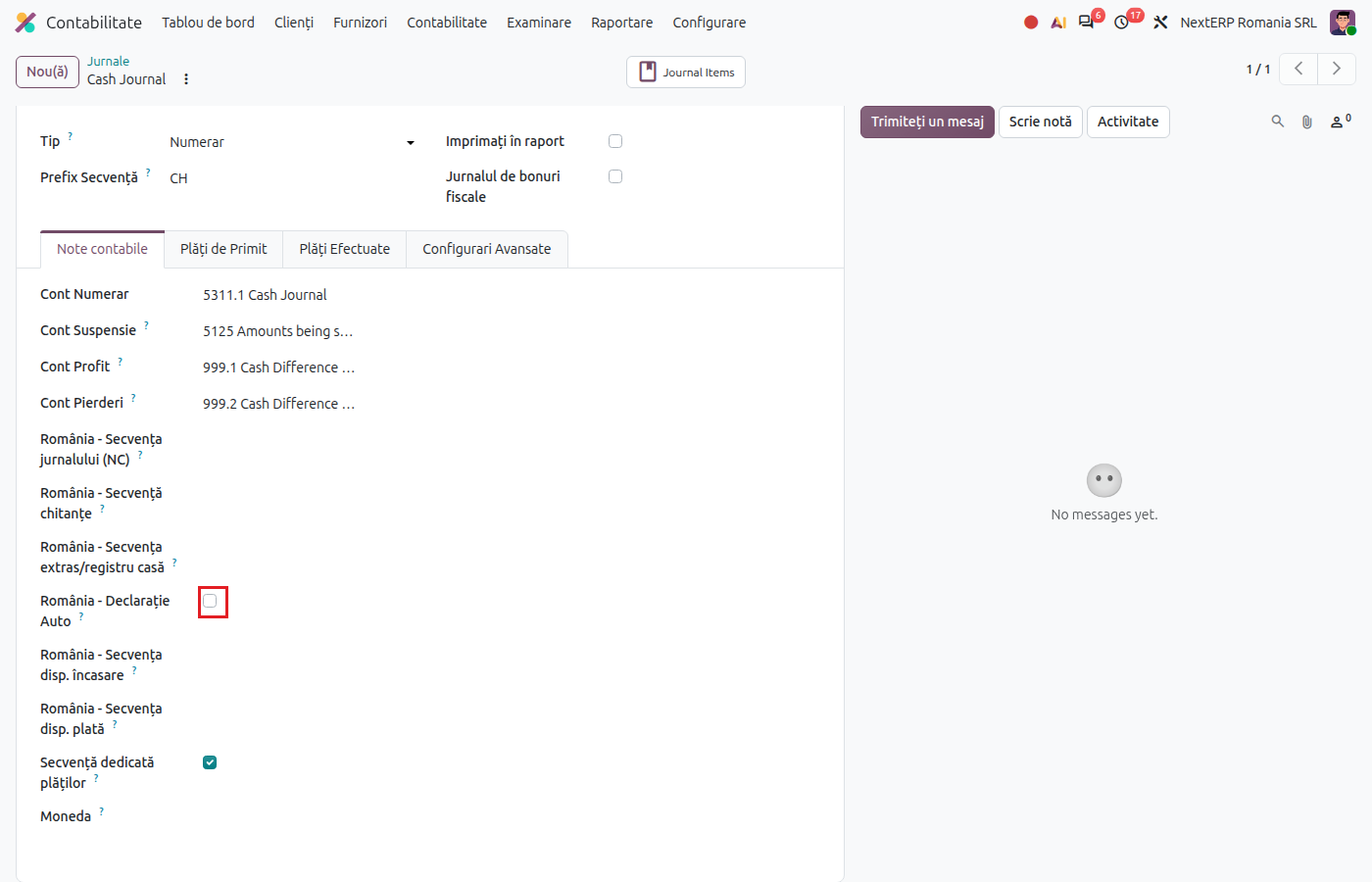
Accounting › Configuration › Accounting › Journals, open the cash desk. Check Romania - Auto Statement (the daily register is kept automatically) and choose the sequences: Romania - Customer sequence cash in, Romania - Sequence cash in, Romania - Sequence cash out and Romania - Statement Sequence.
2. Check the payment method's account
In the cash desk's Incoming Payments and Outgoing Payments tabs, the payment method must have its own account, different from the cash account (usually 581). Without it, Odoo refuses the payment on a cash desk with a register.
3. Collect or pay an invoice
On the invoice click Pay, choose the cash journal and click Create Payment. The payment gets the receipt number, and the day's register gets a line for it, already reconciled.
4. Print the receipt
On the payment, from the Print menu, choose Romania Payment Receipt.
5. Record an inflow or outflow without an invoice
On the cash desk card in Accounting › Dashboard click Transactions, then New. Fill in the date, the amount (with a minus for payments), the partner and the label. The line goes into the day's register and gets a cash voucher number. For the printed document, select the line and choose Payment disposal / collection from Print.
6. Print the cash register
On the cash desk card, from the card menu, open Cash Registers. Select the register of the day (or of the period) and choose Romania - Cash - Bank Register from Print. Compare the Ending Balance with the counted cash.
Variants
Cash deposit at or withdrawal from the bank
Record the outflow from the cash desk as a cash payment voucher on account 581, and on the bank statement match the inflow with 581 as well (the internal transfer model). The 581 balance must reach zero.
Cancelled payment
Cancelling the payment or resetting it to draft also removes the line from the register; when it is posted again, the line is created again.
Common mistakes
- Cash payments above the legal ceiling. Odoo does not block them. Check the daily ceilings for cash receipts and payments and the cash-on-hand ceiling.
- Payment method without its own account. Odoo shows an error on the cash payment. Fill in the account (581) on the method.
- Lines added to the register for invoices. The invoice stays uncollected. Collect the invoice with Pay on the invoice.
- Ending balance expected from Odoo. Odoo calculates the balance from the lines but does not fill in Ending Balance: the cashier enters it after counting the money.
For the accountant: legal framework, journal entries
Legal framework
- OMFP 2634/2015 (the order on financial and accounting documents) — the receipt, the cash payment/receipt voucher, the cash register.
- Legea 70/2015 (the law on cash payments) — the daily ceilings for cash receipts and payments and the cash-on-hand ceiling.
Journal entries
Example: cash receipt of an invoice of 1,000 lei + VAT 21% = 1,210 lei.
The payment (the receipt):
| DEBIT | CREDIT |
|---|---|
| 581 — 1,210 | 4111 — 1,210 |
The cash register line (reconciled automatically with the payment):
| DEBIT | CREDIT |
|---|---|
| 5311 — 1,210 | 581 — 1,210 |
Advance for expenses of 500 lei given to an employee (cash payment voucher):
| DEBIT | CREDIT |
|---|---|
| 542 — 500 | 5311 — 500 |
Deposit of 1,000 lei from the cash desk at the bank:
| DEBIT | CREDIT |
|---|---|
| 581 — 1,000 | 5311 — 1,000 |
| 5121 — 1,000 | 581 — 1,000 |
Link with the ANAF returns
| Return | What it takes |
|---|---|
| D406 (SAF-T) | payments and cash register lines |