Receipts, payments and bank · Article 04
Batch payments and payment files
Applies to Odoo 19 · 20
When you pay several vendors at once, the payments are grouped into a batch. From the batch, Odoo generates the payment file you upload to internet banking, instead of entering each payment order by hand. On the statement, the bank usually shows a single amount for the whole batch, and Odoo matches it with all the payments in it.
When to use
- You pay vendors with due bills weekly or monthly.
- The bank accepts uploading a file with several payment orders.
- You deposit several receipts at the bank at once (for example cheques) and want to see them as a single amount.
Before you start
- The bank journal has the payment method for files: SEPA Credit Transfer for payments in euro, ISO20022 for other currencies, including lei. See Configuration.
- Vendors have the IBAN filled in on their form.
- Check with the bank which file format it accepts.
Steps in Odoo
1. Record the payments
For each bill to pay, click Pay and choose the bank journal and the payment method for files, as in Recording a payment or receipt. For several bills, select them in the list and click Pay.
2. Select the payments
Accounting › Vendors › Payments. Select the payments that go into the batch: same journal and same payment method.
3. Create the batch
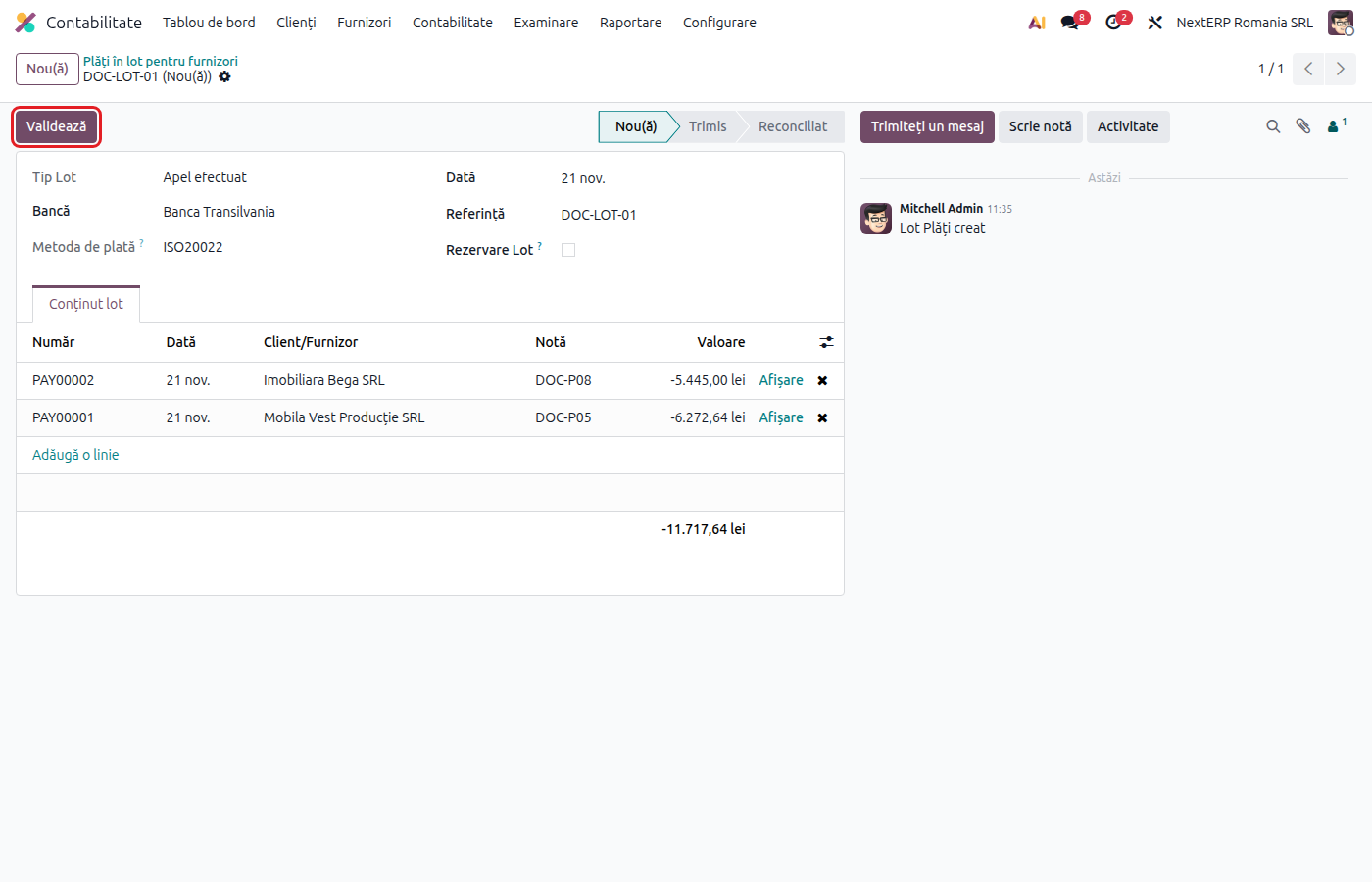
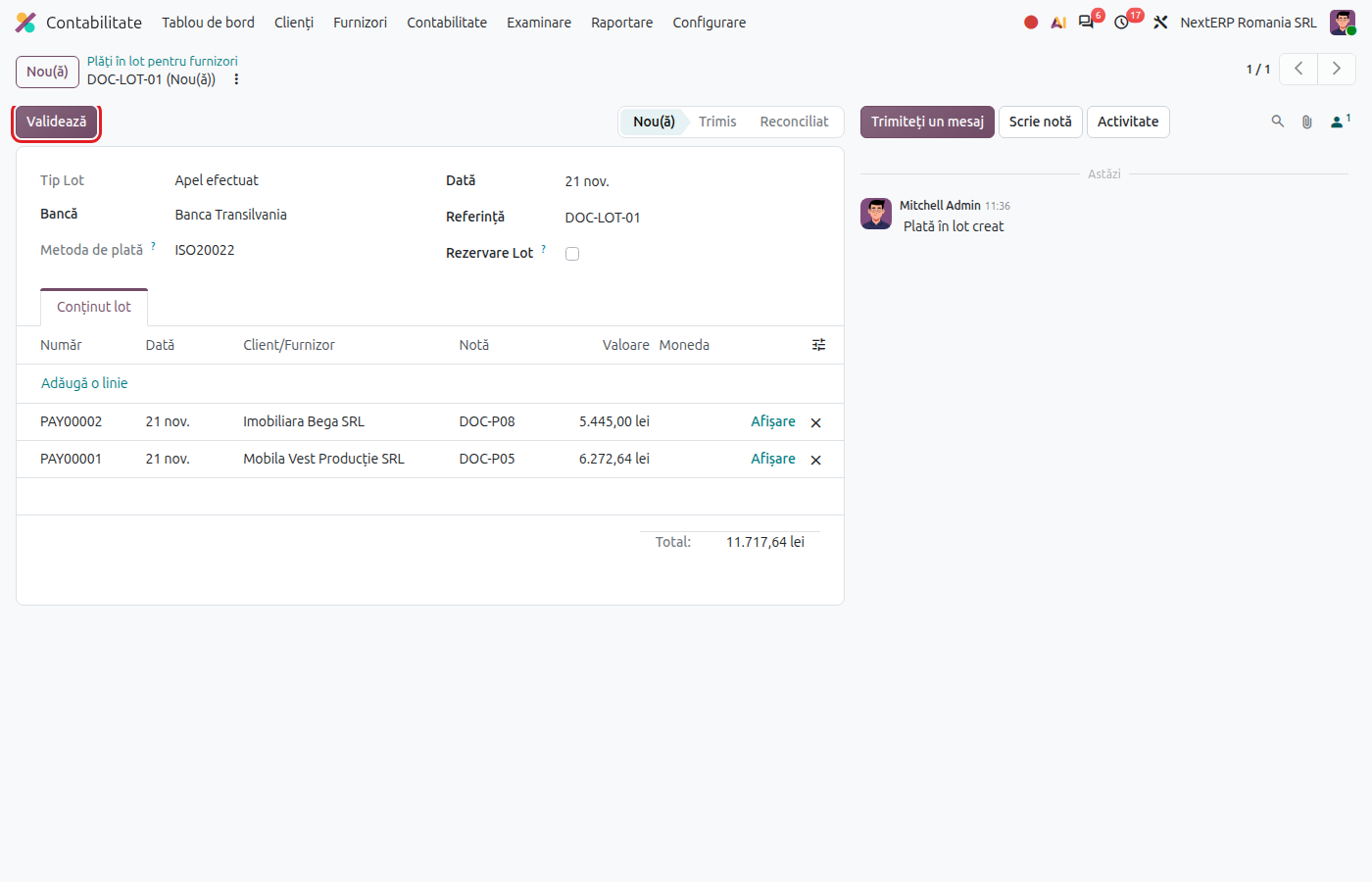
Click Create Batch. The batch opens, with the selected payments and their total.
4. Validate the batch and download the file
Click Validate. Odoo generates the payment file and attaches it to the batch. Download it and upload it to internet banking.
5. Reconcile the batch with the statement
When the batch amount appears on the statement, Odoo proposes the batch at reconciliation. Accept it: all payments in the batch and their bills become paid. See Bank statements: import and reconciliation.
Variants
Batch of receipts
For grouped deposits from customers, use Accounting › Customers › Batch Payments and the customer payments. The flow is the same; for direct debit see Direct debit.
Regenerated file
If the bank rejects the file, correct the data (for example the vendor's IBAN) and click Re-generate Export File on the batch.
Salary payments
Salaries are also paid through a payment file; the flow starts from the Payroll chapter.
Common mistakes
- Payments with different methods in the same batch. Odoo does not create the batch. Select only payments with the same method and the same journal.
- SEPA for payments in lei. SEPA Credit Transfer accepts only euro; for lei use ISO20022.
- Company bank account without an IBAN. The file cannot be generated; fill in the IBAN on the journal.
- Payments reconciled one by one. If the bank shows a single amount for the batch, match the whole batch, not each payment.
For the accountant: journal entries
Journal entries
Example: batch with two payments of 1,210 lei and 2,420 lei, total 3,630 lei.
The batch has no journal entry of its own: each payment in the batch has its own entry, as in Recording a payment or receipt. At reconciliation with the statement, the total amount settles all the payments:
| DEBIT | CREDIT |
|---|---|
| 401 — 3,630 | 5121 — 3,630 |
If the payment method has a clearing account (for example 5125), the payments are first posted to it, and at reconciliation 5125 is settled against 5121.