Returns setup · Article 11
On-request returns
Applies to Odoo 19 · 20
This article does not apply to the selected version. It is valid on Odoo 19 · 20.
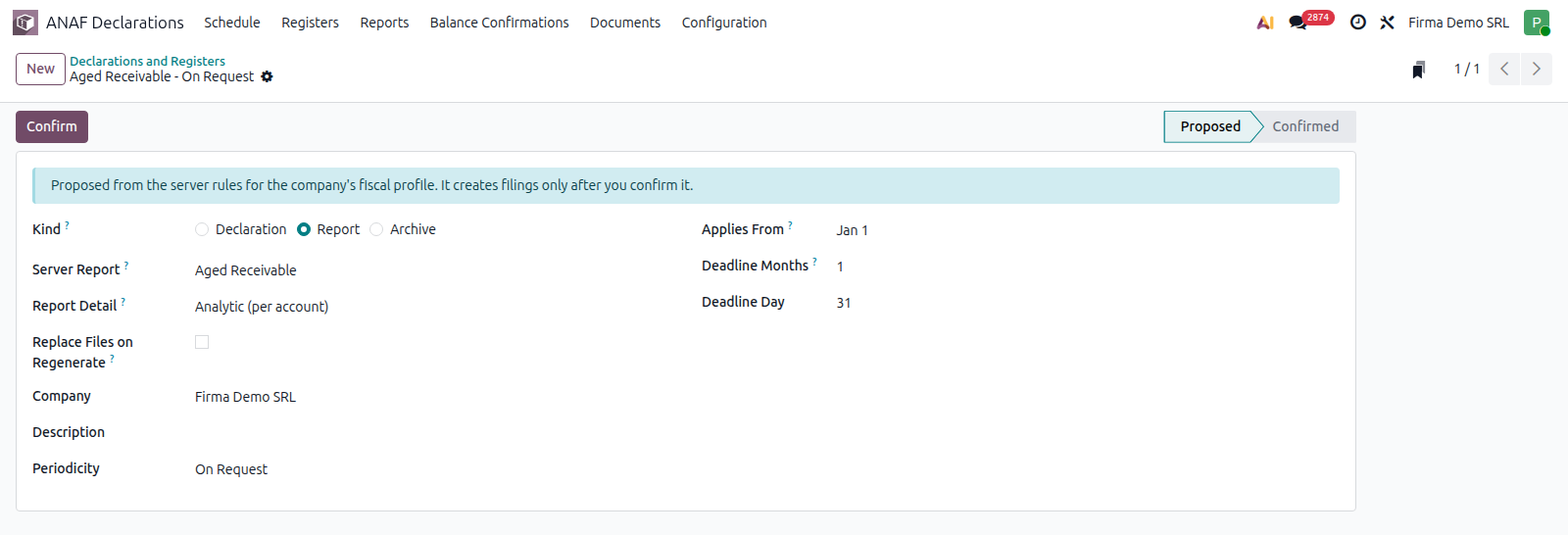
Some returns have no frequency: they are filed only when ANAF asks for them. The typical example is D406 Stocks, the SAF-T stock file, filed at the request of ANAF. In the company's list they have the On Request frequency and do not appear by themselves in the Schedule; you add them when you receive the request.
When to use
- ANAF asked for the D406 Stocks file for a period.
- An optional return must be filed in a given month (D390, Intrastat), or a period is missing from the schedule.
Before you start
- The return is in the company's list, with the On Request frequency: in ANAF Declarations › Configuration › General › Declarations and Registers, D406 Stocks is proposed that way by itself (Stocks (on request): filed only at the request of ANAF and added from the schedule with +). See Declarations and Registers.
- For the stock file, the stock bridge module is installed.
Steps in Odoo
1. Open the Schedule
ANAF Declarations › Schedule, the Declarations segment.
2. Click the + card
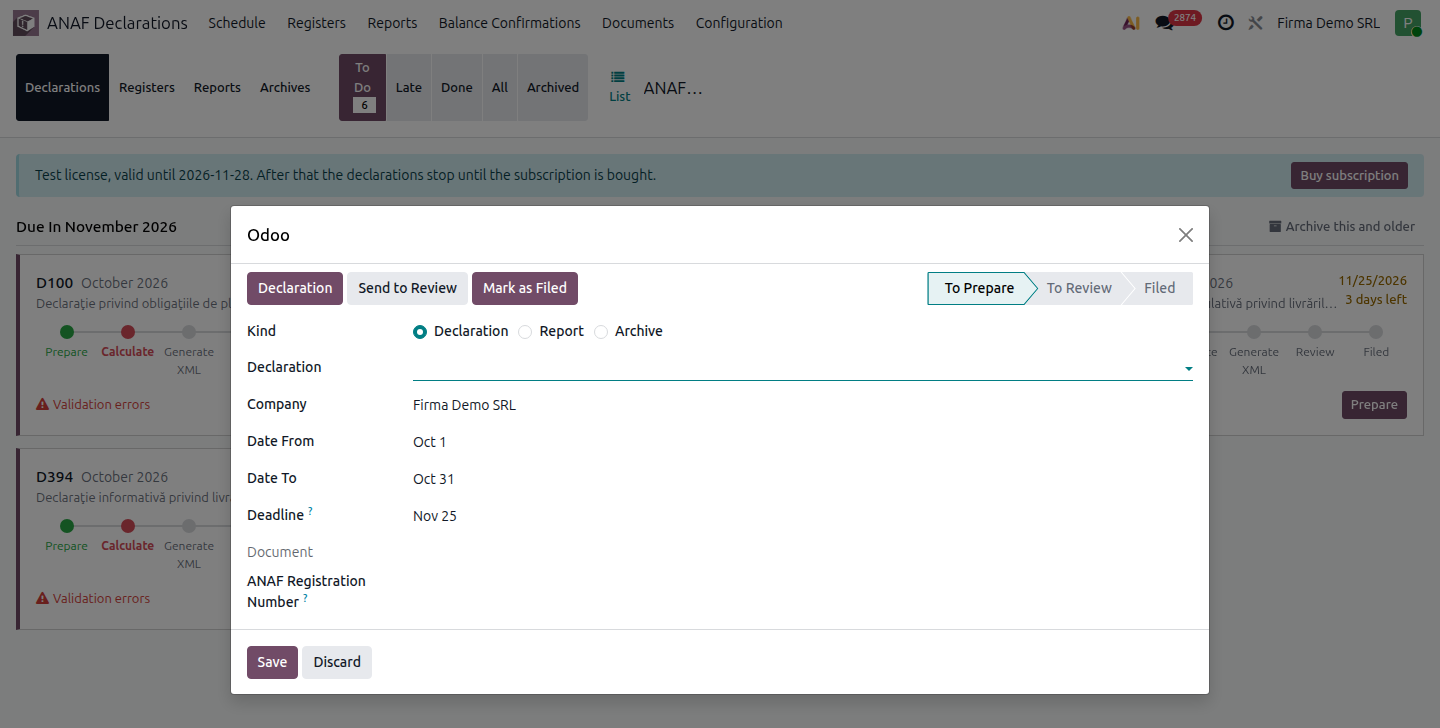
The + card (Add a filing manually) opens the form of a new filing, with last month's period and the deadline filled in by default.
3. Fill in the filing
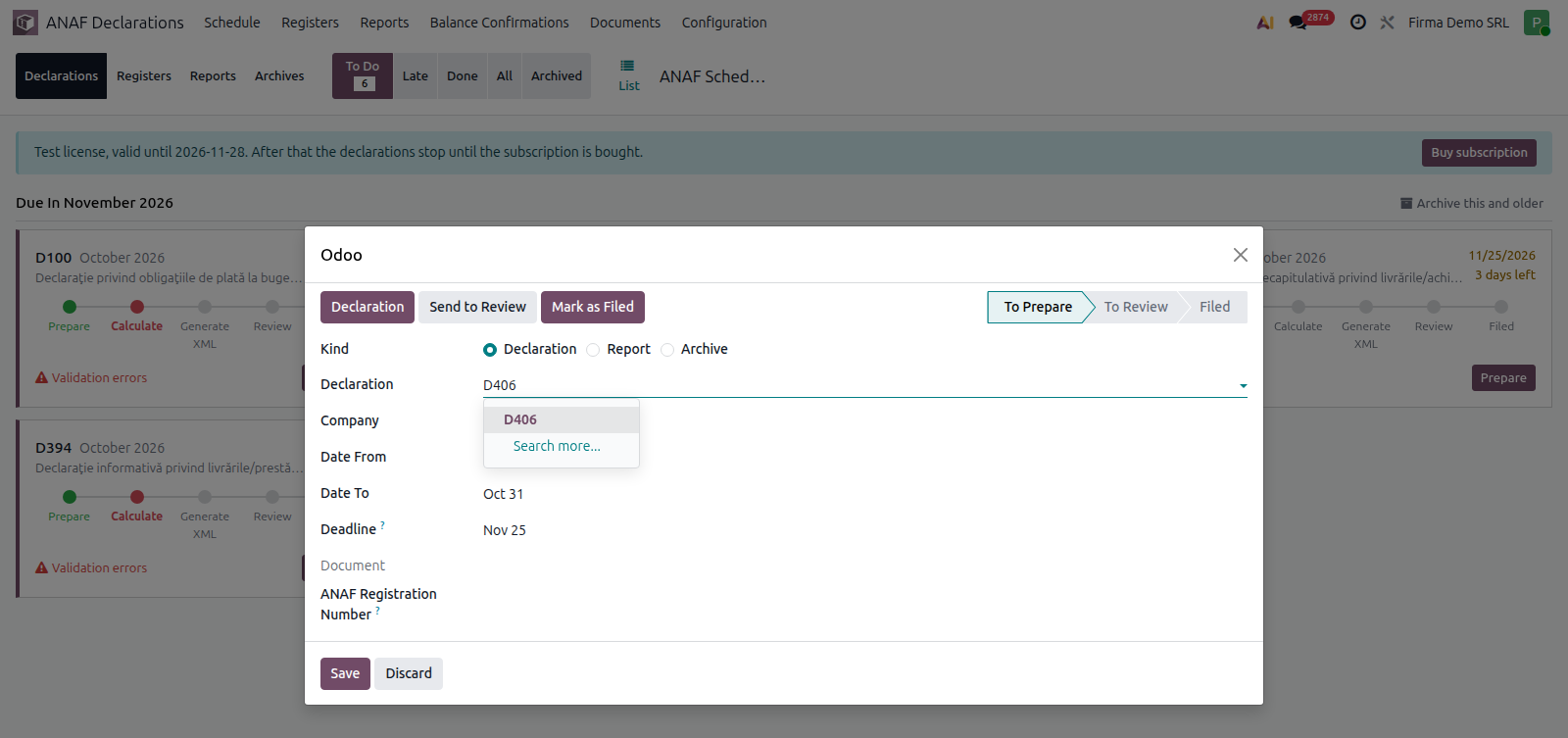
- Declaration: choose D406.
- D406 Section: Stocks (on request).
- Date From and Date To: the period requested by ANAF.
- Deadline: the deadline in the ANAF request.
Save. The filing appears in the schedule, in the deadline month.
4. Generate and file
Work as with any return: How to file a return. What the stock file contains: D406 - SAF-T.
Common mistakes
- D406 Stocks looked for in the schedule. Being on request, it does not appear by itself: add it with the + card.
- Last month's period left by default. Change the period to the one in the ANAF request.
- Optional return filed without operations. D390 is not filed in months without intra-EU operations; archive the filing.