Manufacturing · Article 04
Work center costs
Applies to Odoo 19 · 20
The cost of a manufactured product is not just materials: it also includes the labour and the overhead of the machines and people who worked on it. In Odoo, these costs enter the product through the work center's cost per hour, multiplied by the time worked on each operation. The cost is added to the value of the finished product when the order is completed.
When to use
- You want the finished product to include labour and workshop overhead.
- You have machines or lines with different hourly costs.
- You compare planned time with actual time.
- You want to allocate costs to cost centers in analytic accounting.
Before you start
- Work Orders is ticked in Manufacturing › Configuration › Settings.
- The bill of materials has operations: see Configuration.
- The finished product uses the FIFO or average cost method.
Steps in Odoo
1. Determine the cost per hour
For each work center, calculate the hourly cost: direct salaries and workshop overhead divided by the estimated operating hours.
2. Fill in the work center
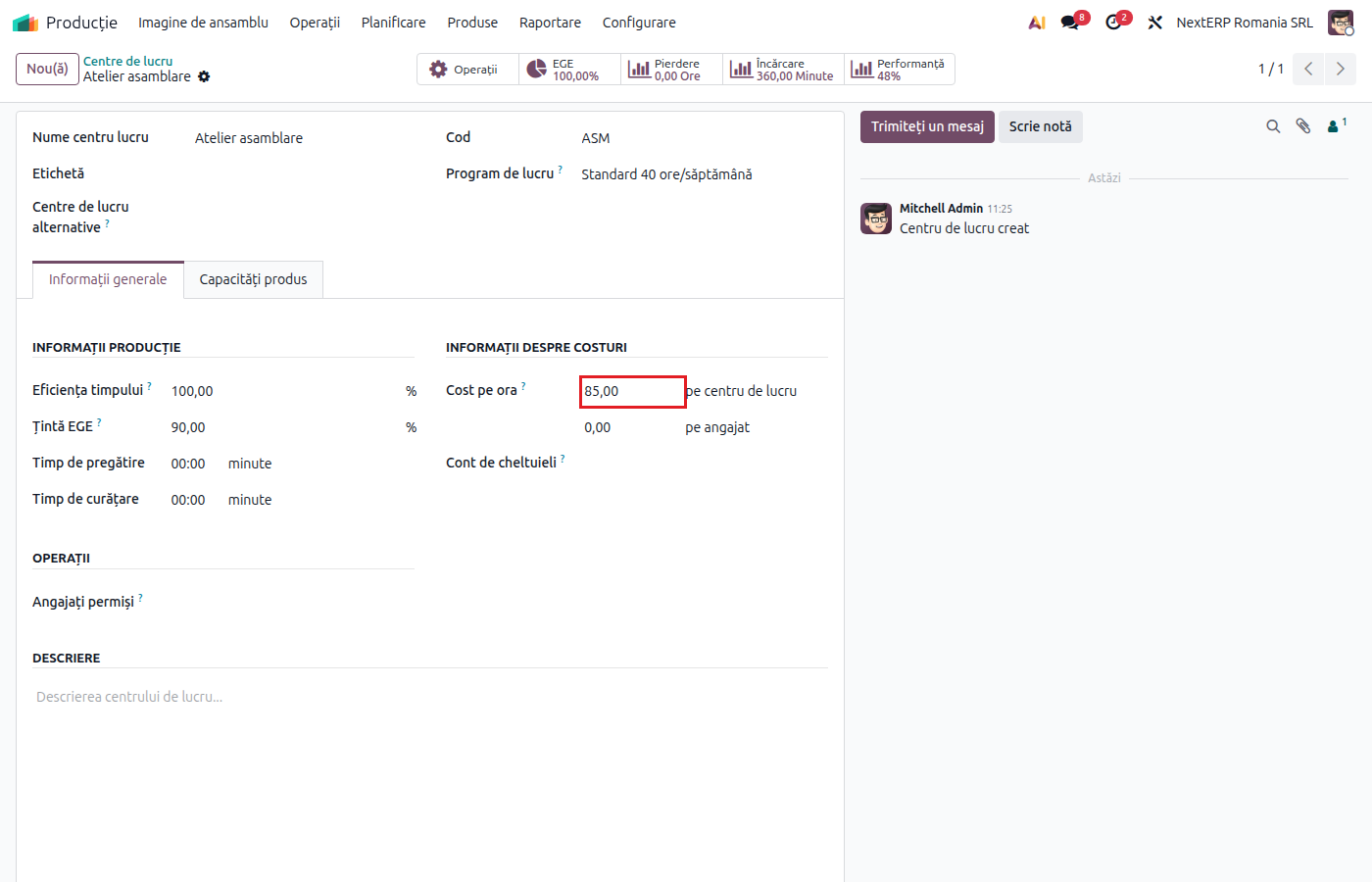
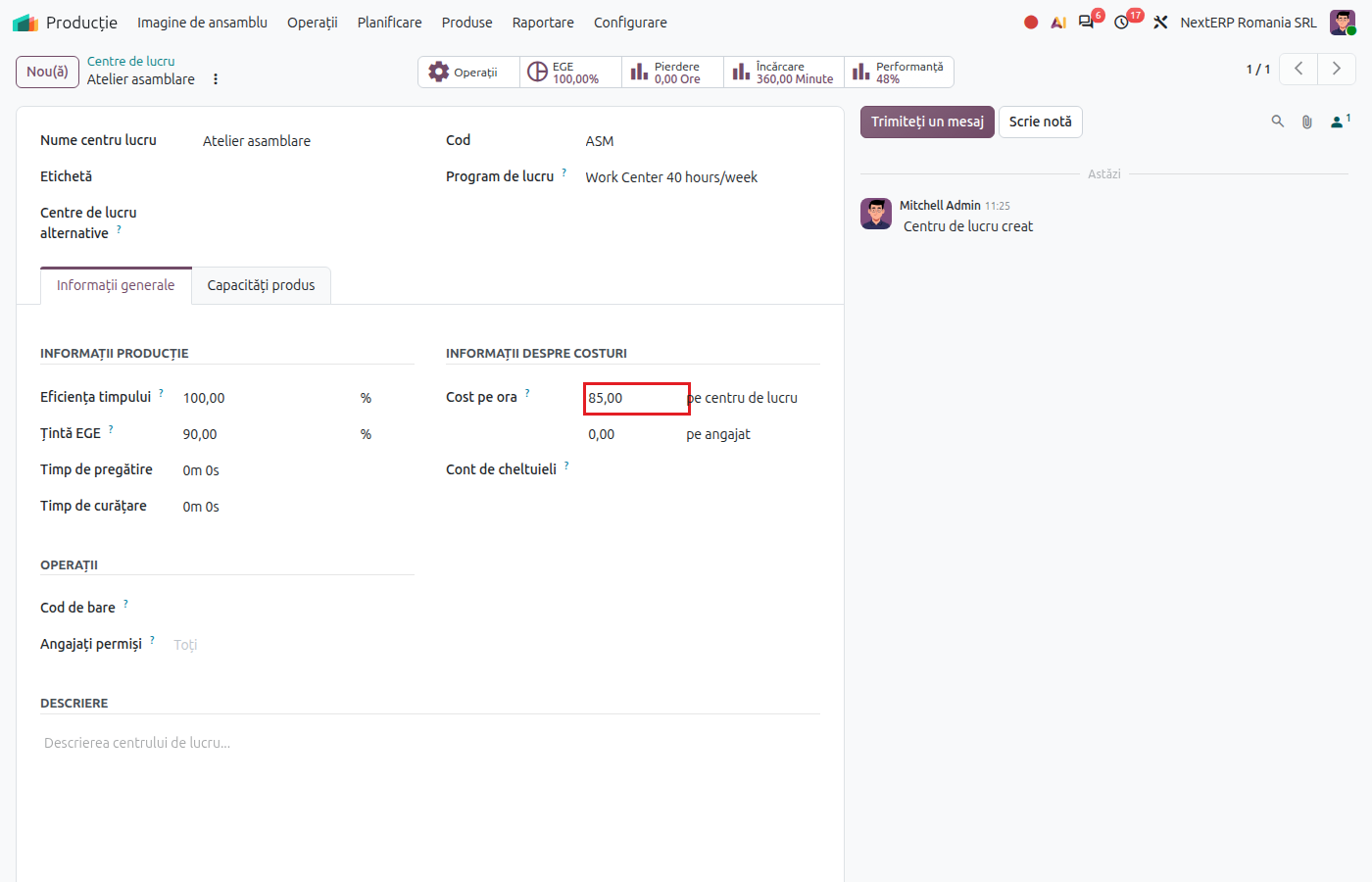
In Manufacturing › Configuration › Work Centers, open the work center and fill in Cost per hour. Save.
3. Assign the analytic distribution
On the work center, fill in the analytic distribution if you track costs by cost center. The time worked is recorded in analytic accounting on the chosen account.
4. Work on the orders
On the manufacturing orders, start and stop the operations. The actual time multiplied by the cost per hour enters the finished product cost on completion.
Variants
Extra unit cost
For costs that do not depend on time (special packaging, third-party services per unit), the manufacturing order has the Extra Unit Cost field, added to the cost of each unit produced.
Finished product with standard cost
With standard cost, the product enters stock at the standard price, regardless of the time worked. The cost per hour is only used to calculate the price from the bill of materials.
Common mistakes
- Cost per hour left at zero. The finished product only carries material cost. Fill in the cost on all work centers.
- Operations not stopped. Time keeps running until stopped and inflates the cost. Stop the operation when the work is done.
- Cost per hour not updated. After salary increases, product costs stay undervalued. Review the hourly cost periodically.
For the accountant: accounting entries
Example: 2 hours on a work center at 50 lei per hour and components of 500 lei.
The cost of the time (2 × 50 = 100 lei) has no separate entry: it is included in the value of the finished product.
| DEBIT | CREDIT |
|---|---|
| 345 — 600 | 711 — 600 |
The actual expenses (salaries, utilities, depreciation) are already in class 6, from payroll and from bills. Through 711, the profit and loss account neutralizes the part capitalized in stock. The difference between the hourly cost used and the actual costs of the month remains in the result; review the hourly cost if the difference is large.
Management accounting by cost center (class 9) is not generated by Odoo; for analysis by center, use the analytic distribution.