Manufacturing · Article 01
Configuration
Applies to Odoo 19 · 20
To manufacture in Odoo, you need a bill of materials for each product (which components go into it and in what quantity) and, if you track working time, work centers with their operations. This is also where the accounts are set: components are expensed to 601, and the finished product enters 345 with 711 as the counterpart.
When to use
- You start manufacturing in Odoo.
- You add a new product that you manufacture.
- You want to track time per operation and labour cost.
- The same production also yields a by-product.
Before you start
- The Manufacturing app is installed.
- The product categories have their stock accounts: see the Inventory chapter, article Configuration.
Steps in Odoo
1. Choose the manufacturing options
In Manufacturing › Configuration › Settings, tick Work Orders if you track operations and time per work center, and By-Products if manufacturing yields by-products. Save.
2. Configure the categories
The raw materials category has Stock Valuation Account 301 and expense account 601. The finished products category has Stock Valuation Account 345 and, as expense account, 711. Both have Costing Method FIFO or average cost, so that the finished product receives the actual production cost.
3. Create the work centers
In Manufacturing › Configuration › Work Centers, click New. Fill in the name and Cost per hour (labour and overhead per operating hour). See Work center costs.
4. Create the bill of materials
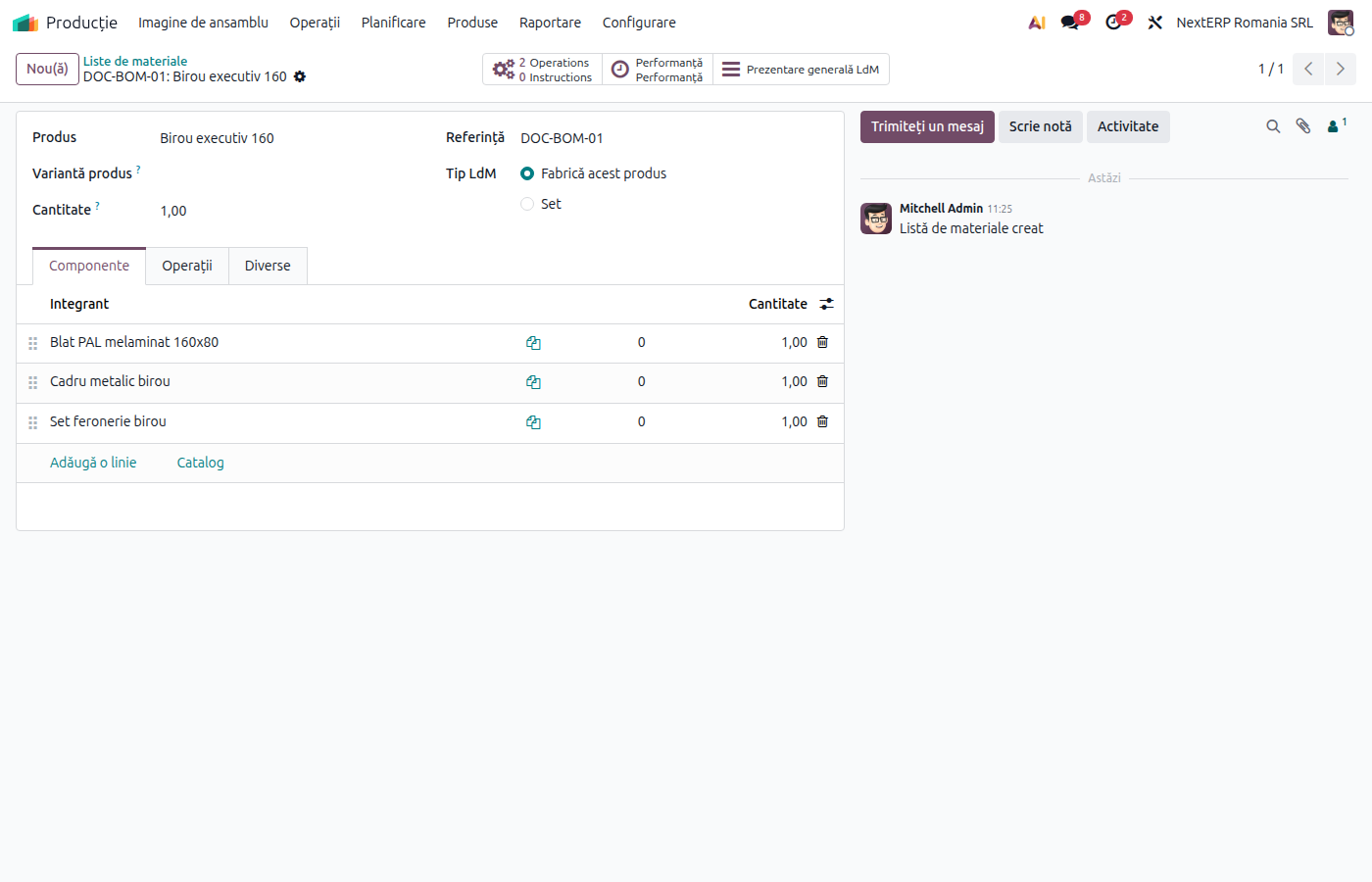
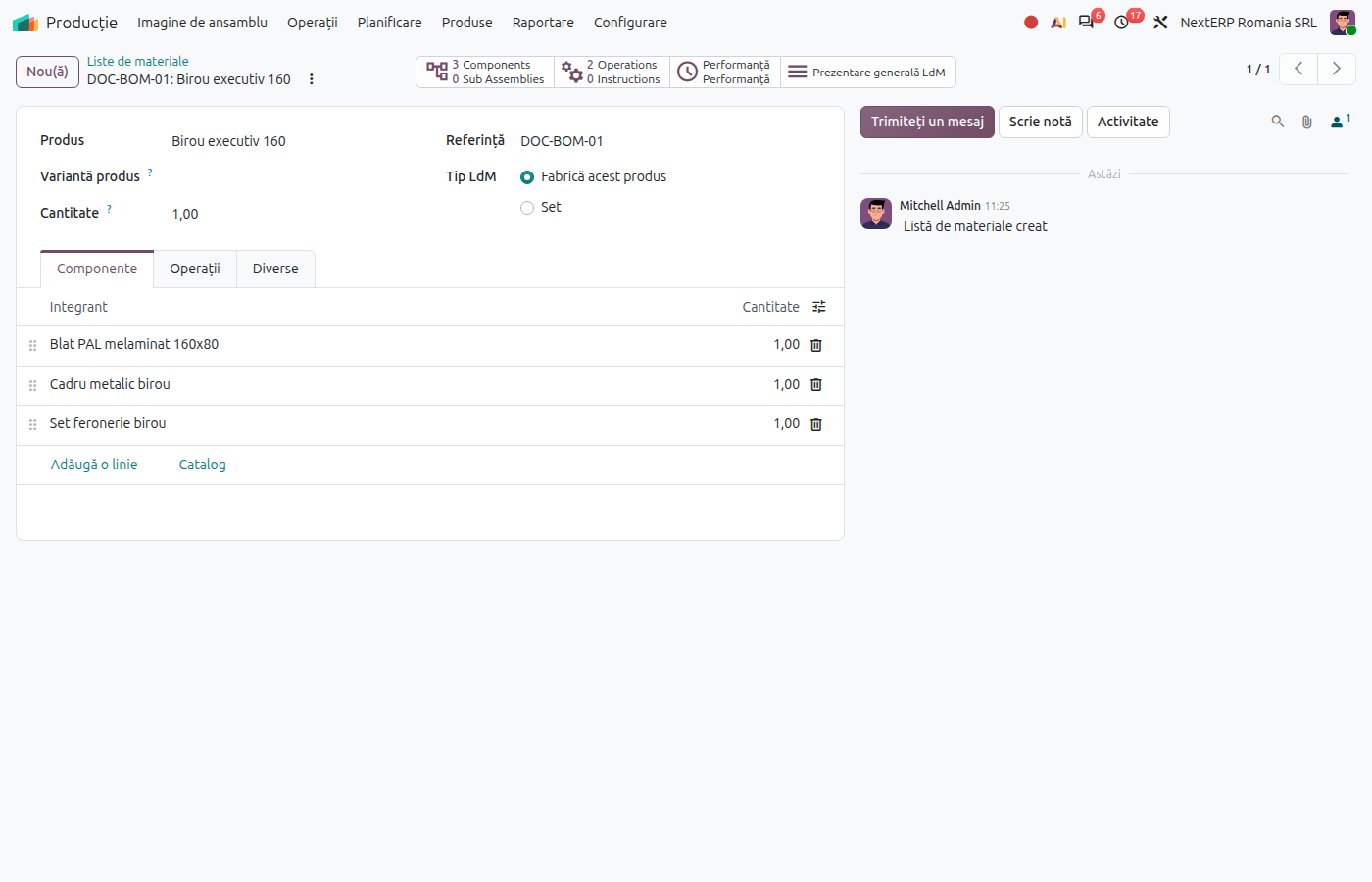
In Manufacturing › Products › Bills of Materials, click New. Choose the finished product and the quantity the bill is for, then in the Components tab add each component with its quantity.
5. Add the operations
In the Operations tab of the bill of materials, add the operations: name, work center and standard duration. The duration multiplied by the work center's cost per hour gives the planned labour cost.
Variants
Kit instead of a manufactured product
If the product only groups other products for sale, without manufacturing, choose the BoM type Kit. Odoo does not create a manufacturing order: the components leave stock directly on delivery.
By-products
With By-Products ticked, the bill of materials has a By-products tab: see Scrap and by-products.
Product price from the bill of materials
On the product, the Compute Price from BoM button fills in the product cost from components and operations. It is useful for products with standard cost and for quoting.
Common mistakes
- Finished product with expense account 607 or 601. Production is recorded as 345 = 607 instead of 345 = 711. Set 711 on the finished products category.
- Work center without cost per hour. Labour is not included in the product cost. Fill in Cost per hour.
- Bill of materials for a different quantity. If the bill is for 10 units, the component quantities are for 10. Check the quantity in the bill header.
For the accountant: accounts
| Category | Stock account | Expense account |
|---|---|---|
| Raw materials | 301 | 601 |
| Consumables | 302x | 602x |
| Semi-finished products | 341 | 711 |
| Finished products | 345 | 711 |
| Residual products | 346 | 711 |
In the Romanian localization, the expense account of the finished product's category is the counterpart both of the receipt from production and of the outflow on delivery: 345 = 711 when produced, 711 = 345 when delivered. Components are expensed to the expense account of their own category (601 = 301).