Manufacturing · Article 03
Work in progress at month end
Applies to Odoo 19 · 20
At month end there may be manufacturing orders that have started but are not completed: components have been picked for the work and hours have been worked on the work centers, but the finished product does not exist yet. Odoo can record this work in progress on account 331 with an entry dated at closing, which it reverses automatically the next day. When the order is completed, the usual production entries are made as normal.
When to use
- At month-end closing you have manufacturing orders in progress.
- The manufacturing cycle is longer than one month.
- You want the balance sheet to show work in progress at its value.
Before you start
- The accounts are filled in under Accounting › Configuration › Settings: Production WIP Account (331) and Production WIP Overhead Account (for example 711). This setting is available in Odoo Enterprise.
- On the orders in progress, the components used are marked as picked and the time is recorded on the operations: see Manufacturing order.
- The user has accountant access rights.
Steps in Odoo
1. Select the orders in progress
In Manufacturing › Operations › Manufacturing Orders, filter the orders in progress and tick those that belong to work in progress.
2. Open the work in progress entry
From the Actions menu (gear icon), choose Post WIP Accounting Entry.
3. Check the date and lines
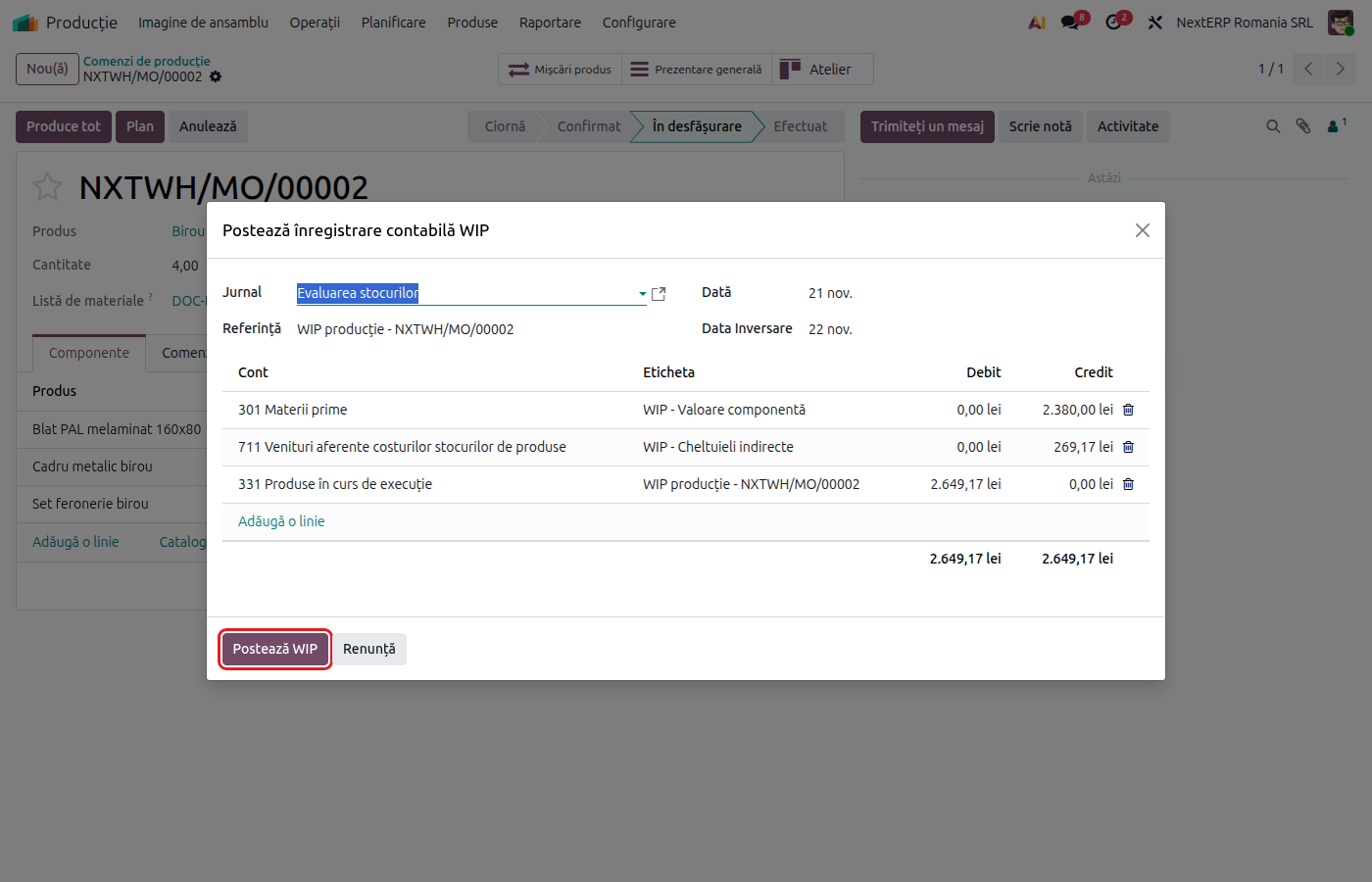
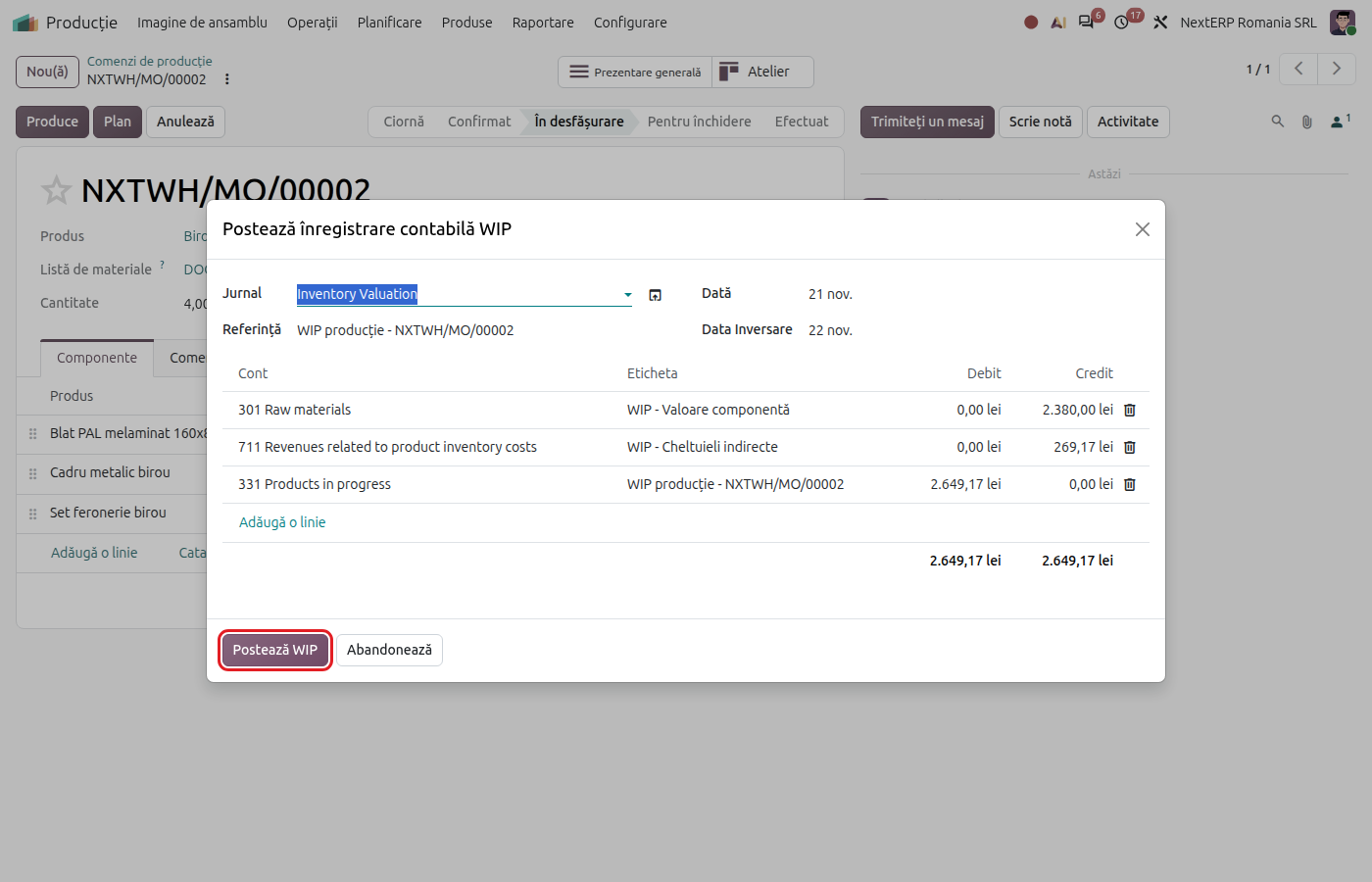
Fill in the journal and the date (last day of the month); the reversal date is filled in automatically with the following day. The lines show the value of the picked components, on their stock accounts, the cost of the time worked, on the overhead account, and the total on the work in progress account. Correct the lines if your accounting policy requires it.
4. Post
Click Post WIP. Odoo records the entry on the chosen date and its reversal on the reversal date. The entries are visible on the manufacturing order, under the WIP button.
Variants
Orders completed the following month
Do nothing special: the reversal on the first day of the month cancels the work in progress entry, and completing the order makes the usual entries (601 = 301 and 345 = 711).
No orders selected
If you open the entry without orders, you can fill in the lines manually, as a journal entry with automatic reversal.
Common mistakes
- Accounts not filled in the settings. The lines appear without an account and the entry cannot be posted. Fill in the accounts in the settings.
- Components not marked as picked. They are not included in the work in progress value. Mark the components used before closing.
- Entry made twice for the same month. Each posting has its own reversal, but two postings double the balance of 331 at month end. Check the WIP button on the order before posting.
For the accountant: accounting entries, legislation
Example: on 30 November, an order in progress has picked components of 500 lei and labour of 100 lei.
On 30 November:
| DEBIT | CREDIT |
|---|---|
| 331 — 600 | 301 — 500 |
| 711 — 100 |
On 1 December — the automatic reversal:
| DEBIT | CREDIT |
|---|---|
| 301 — 500 | 331 — 600 |
| 711 — 100 |
The component value is calculated at the current cost of the product (or of the lot, for products valued by lot), not from the FIFO layers. Labour is the time recorded up to the entry date, multiplied by the work center's cost per hour.
If you prefer the textbook entry 331 = 711 for the whole value, correct the component line in the wizard before posting (credit account 711).
Legal framework
OMFP 1802/2014 (the order approving the Romanian accounting regulations) — work in progress is measured at production cost and recorded in account 331 at the end of the period, with cancellation at the start of the following period.