Manufacturing · Article 06
Cost report
Applies to Odoo 19 · 20
For each manufacturing order, Odoo shows the planned cost from the bill of materials next to the actual accumulated cost: components consumed and time worked. The differences tell you where more material was consumed or more work was done than planned. For products, the same comparison is made from the bill of materials, before manufacturing.
When to use
- You check the cost of an order after completion.
- You look for the cause of a production cost higher than estimated.
- You calculate the cost of a new product before quoting.
- You periodically review bills of materials and operation durations.
Before you start
- The product has a bill of materials and the work centers have a cost per hour: see Configuration.
- The manufacturing order is confirmed or completed.
Steps in Odoo
1. Open the order
In Manufacturing › Operations › Manufacturing Orders, open the order.
2. Open the order overview
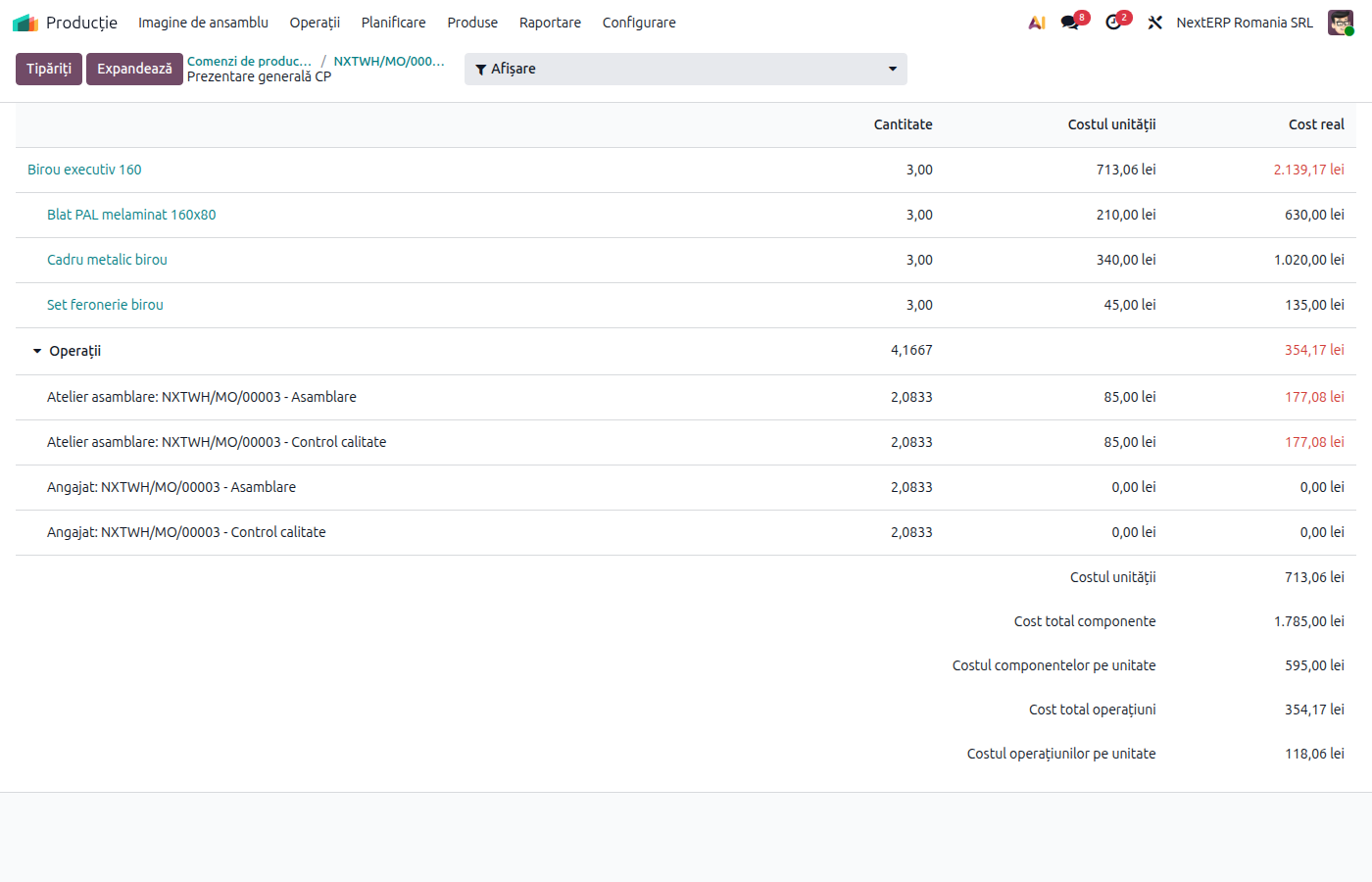
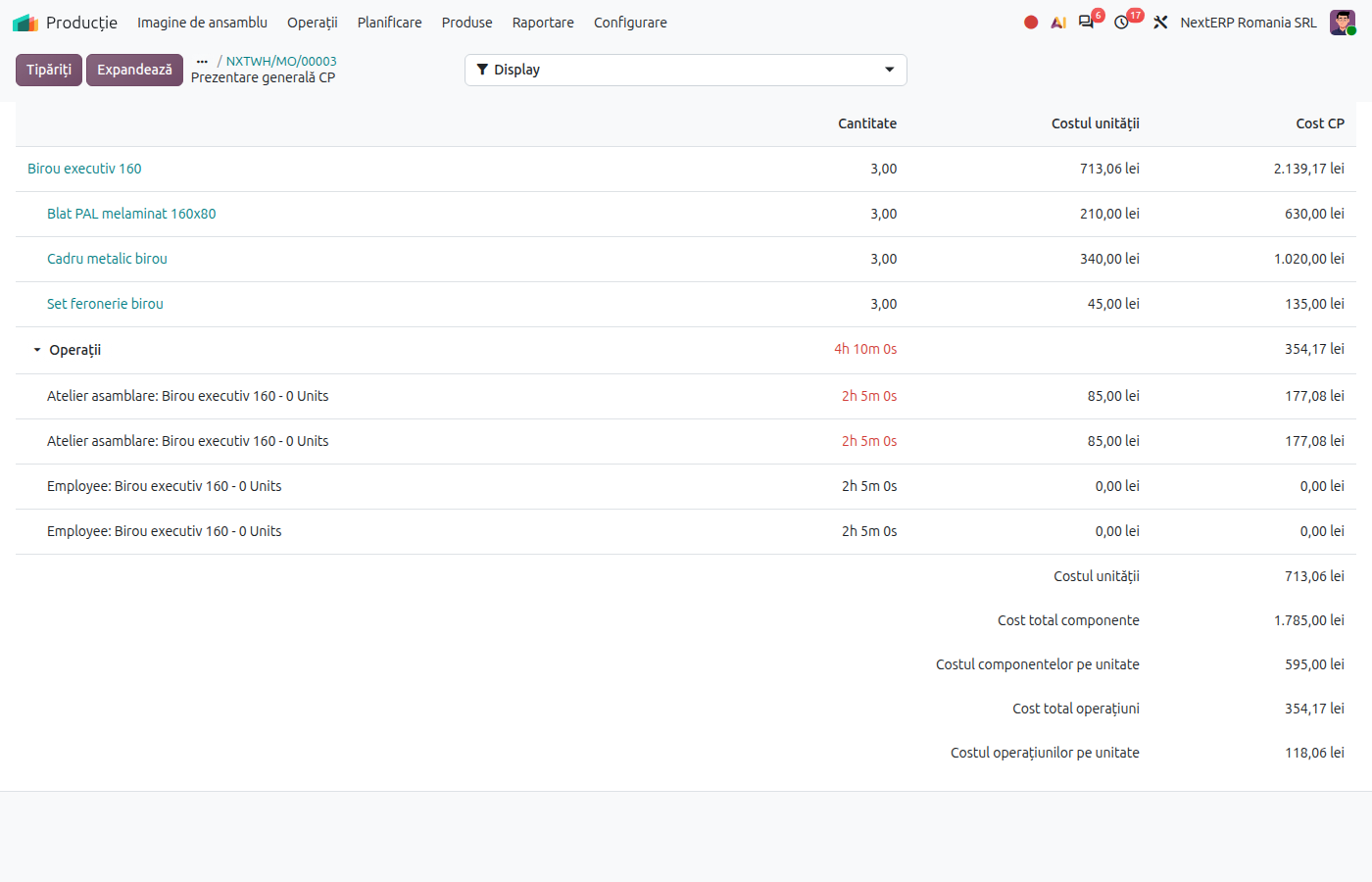
Click the Overview button at the top of the order. The table with the order's components, operations and by-products opens.
3. Compare the cost columns
The BoM Cost column shows the cost according to the bill of materials, MO Cost the cost according to replenishments and product costs, and Real Cost the actual accumulated cost. Values above the estimate are highlighted.
4. Check the unit cost
At the end of the table, Odoo shows the average unit cost of components, of operations and the total. For a completed order, this is the cost at which the product entered stock.
Variants
Estimated cost of a product
In Manufacturing › Products › Bills of Materials, open the bill and click BoM Overview. You see the cost of each component and of the operations for the chosen quantity, before manufacturing.
Updating the product cost
On the product, the Compute Price from BoM button sets the cost calculated from the bill of materials on the product. Use it for products with standard cost.
Common mistakes
- Real cost without labour. The operations were not started and stopped, or the work center has no cost per hour. See Work center costs.
- Outdated BoM cost. The component cost in the bill comes from the products' current cost. Check component costs before comparing.
- Comparing open orders. The real cost grows until completion. Compare completed orders.
For the accountant: link to the accounting entries
The real cost of a completed order is the value at which the finished product enters stock (345 = 711). For a finished product with the FIFO method, it becomes the cost layer from which subsequent deliveries are removed.
Variances between planned and real cost are not recorded separately (there is no price difference account for manufacturing in this flow): they are already included in the value of the finished product.