Start here · Article 03
Chart of accounts, journals and taxes
Applies to Odoo 19 · 20
Once the company's country is Romania, Odoo loads the Romanian chart of accounts, the VAT taxes, the fiscal positions and the basic journals. This article shows what is installed and what to check before the first invoice: your own sub-accounts, the invoice series and the default taxes.
When to use
- You have set up the company and the first operations are coming.
- You want to add your own sub-accounts (for example 5121.01 for each bank).
- You issue invoices on several series.
- You check that the default taxes on products and services are correct.
Before you start
- The company has Romania as its country: see Company setup.
- You have administrator rights in accounting.
Steps in Odoo
1. Check the chart of accounts
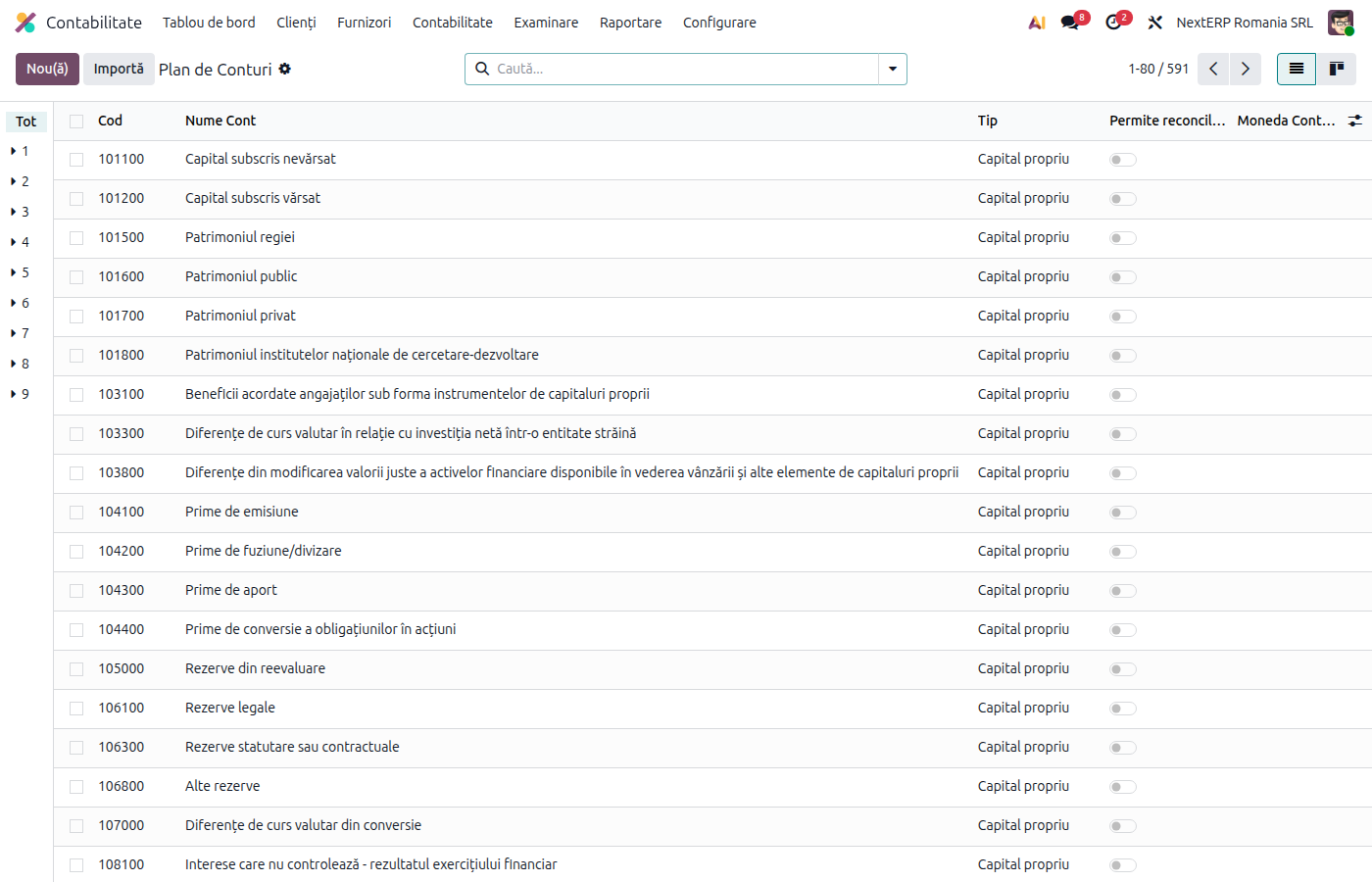
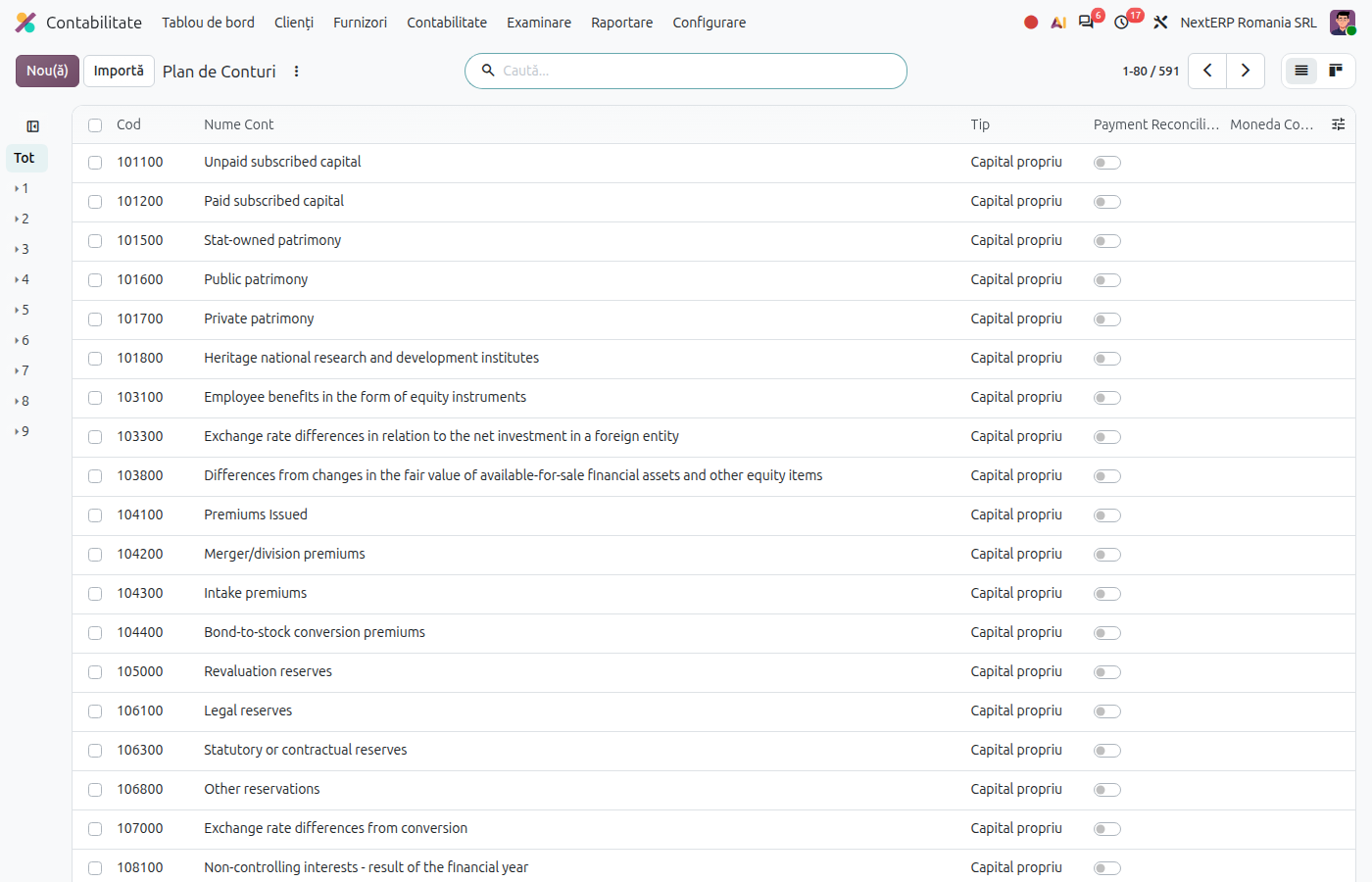
Accounting › Configuration › Accounting › Chart of Accounts. Accounts have 6-digit codes (for example 401100 for 4011). Add the sub-accounts you need with New, with the code, the name and the type of the synthetic account.
2. Check the taxes
Accounting › Configuration › Accounting › Taxes. The active taxes are those with the rates in force (21% and 11%, plus 0% and the exemptions), separate for goods ("G") and services ("S"). Taxes with old rates (19%, 9%, 5%) are archived; activate them only for corrections on old periods.
3. Choose the default taxes
Accounting › Configuration › Settings, Default Taxes section: choose the sales and purchase tax for goods (usually 21% G). For services, fill in Default Services Taxes (usually 21% S). New products take their taxes from here.
4. Check the fiscal positions
Accounting › Configuration › Accounting › Fiscal Positions. The Romanian chart brings, among others, National Regime (VAT), Reverse Tax Regime, VAT collection system (for cash-basis VAT), Intra-Community Scheme (VAT) and Extra-Community Regime. The fiscal position of the customer or supplier automatically replaces the tax on the invoice.
5. Check the journals and series
Accounting › Configuration › Accounting › Journals. The chart creates the sales, purchase, miscellaneous, bank and cash journals. The sales journal prefix gives the invoice series; for each additional series, create a separate sales journal. Bank accounts and cash registers are added as described in the Receipts, payments and bank chapter, Configuration article.
Variants
Invoice series with its own numbering
On the journal, the Romania - Sequence Journal field allows a custom numbering sequence instead of the default Odoo numbering (for example, to continue the series from the old system).
Company with cash-basis VAT
The cash-basis VAT fiscal positions and taxes exist in the chart; activating the regime on the company is described in the Month-end closing chapter, Cash-basis VAT article.
Common mistakes
- New accounts created without a type. The new account must have the type of the synthetic account (receivable, payable, bank, income, expense), otherwise it does not appear where it should in reports and returns.
- Goods tax on services. Services with the "G" tax appear on a different line in D300 (Decont de TVA, the VAT return) and D394 (the domestic sales and purchases informative return).
- Old taxes reactivated for new invoices. The 19%, 9% and 5% rates are archived; new invoices use 21% or 11%.
- Series changed on a journal with invoices. Invoice numbering must be continuous; for a new series create a new journal.
For the accountant: what the Romanian chart contains
Legal framework
- OMFP 1802/2014 (the Romanian accounting regulations) — the general chart of accounts.
- Codul fiscal (Legea 227/2015) (the Romanian Fiscal Code), art. 291 — the VAT rates; art. 319 — invoice numbering in one or more continuous series.
Taxes in the chart
| Tax suffix | When it is used |
|---|---|
| G / S | goods / services, domestic |
| R | reverse charge |
| EU G / EU S | intra-Community acquisitions of goods / services |
| EX G / EX S | export of goods / services |
| ND 50% | 50% deductible VAT (for example passenger cars) |
| EXEMPT, NT | exempt / non-taxable operations |
The taxes carry the tags of the D300 lines, from which the return is filled in. The tax treatment per type of customer and supplier is in the Sales and invoicing and Purchases chapters, in the reference articles on tax treatment.
The company's default accounts
| Role | Account |
|---|---|
| Customers | 4111 |
| Suppliers | 4011 |
| Unfavourable / favourable exchange differences | 6651 / 7651 |
| Unidentified bank transactions | 5125 |
| Early payment discount: loss / gain | 6092 / 709 |