Special activities · Article 02
Excise - flows by authorization type
Applies to Odoo 19 · 20
Excise duty becomes chargeable at a precise moment, which depends on the authorization: at receipt for the registered consignee, the certified consignee and the importer, and on leaving the warehouse for the authorised warehousekeeper. Odoo follows the same rule: excise is calculated on the stock move, never on the invoice. When the move is validated, the entry 635 = 446 is recorded and posted automatically, and if the goods stay in stock, the landed cost that includes the excise in the value of the goods is prepared.
When to use
- You receive excise goods from another EU state as a registered or certified consignee.
- You import excise goods from outside the EU.
- You release goods from the tax warehouse, to the duty-paid warehouse or directly to the customer.
Before you start
- The authorizations, the excise categories of the products, the rates and, for a warehouse, the location regimes are configured: see Excise - configuration and authorizations.
- Excise products are tracked by lots, so that excise is recorded on each lot.
Steps in Odoo: receipt under an authorization
Applies to Registered Consignee, Certified Consignee and Importer.
1. Choose the authorization on the purchase order
On the purchase order for the excise products, fill in Excise Authorization in the order header, then confirm the order. The authorization is copied to the receipt.
2. Validate the receipt
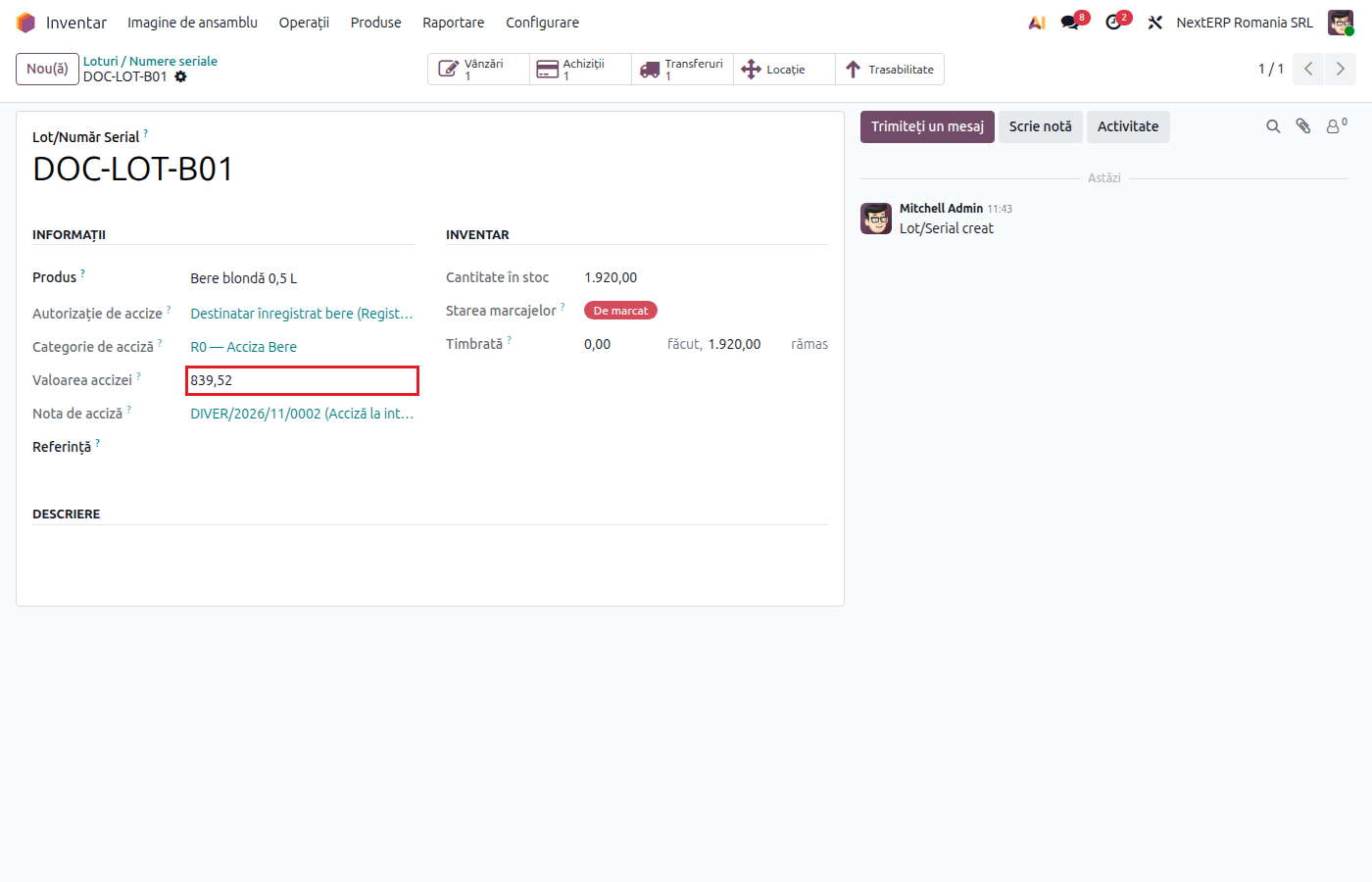
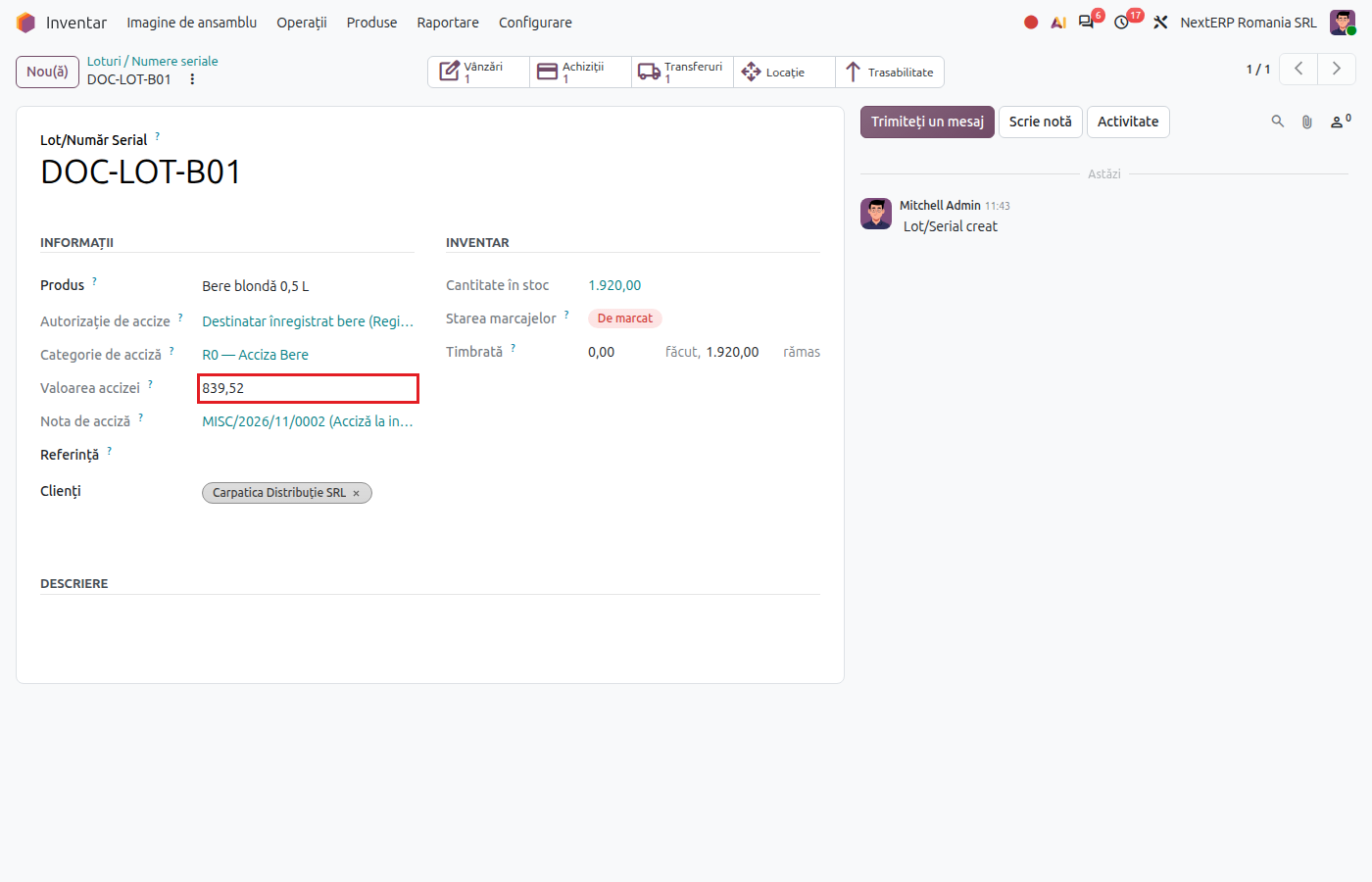
When the goods arrive, validate the receipt as usual. Odoo calculates excise by category, records and posts the entry 635 = 446 with the receipt date, and records on each lot the authorization, the entry and the excise amount.
3. Validate the landed cost
Odoo creates a draft landed cost for the receipt, with the calculated excise. Open it from Inventory › Operations › Adjustments › Landed Costs, check the amount and click Validate. Only then does the excise enter the stock value.
Steps in Odoo: release from the tax warehouse
Applies to the authorised warehousekeeper.
4. Create the release for consumption transfer
Create a transfer from the location with the Tax Warehouse (suspended) regime to a location with Free Circulation (duty-paid), or deliver directly to the customer from the warehouse location.
5. Validate the transfer
On validation, Odoo records and posts the entry 635 = 446 for the released quantity. If the goods stayed in stock (internal transfer), the landed cost is created too; validate it as in step 3. On direct delivery to the customer there is no landed cost: the excise stays as an expense and is recovered through the sales price.
Variants
Goods returned to the warehouse
A move from free circulation back to a location under duty suspension automatically generates the reversal of the excise: the same accounts, with negative amounts.
Transfer between two locations of the warehouse
The goods remain under duty suspension; no excise is generated.
Domestic supplier
On receipts with a Domestic Supplier (no authorization) authorization or without an authorization, no excise is generated: the excise was paid by the supplier.
Production in the warehouse and non-harmonized excise duties
They have no dedicated automatic flow. Odoo treats any entry into a location under duty suspension as goods returned to the warehouse and generates the excise reversal, and the consumption of excise raw materials from the warehouse as a release for consumption. If you produce in the warehouse, check the excise entries generated by receipts and manufacturing orders. For sugary drinks and nicotine products manufactured and sold in Romania, the excise on sale is recorded manually.
Common mistakes
- Order without an authorization. The receipt does not generate excise. Fill in the authorization before the receipt; for a receipt already validated, record the entry manually.
- Landed cost not validated. The stock stays without excise in its value, and account 635 keeps a debit balance. Validate the draft landed costs.
- Missing excise entry without any message. A configuration problem does not stop the stock move, so the transfer is validated without an entry. At month end, check that each receipt under an authorization and each release from the warehouse has its excise entry (the Excise Entry field on the lot).
For the accountant: accounting entries
Example: intra-EU receipt, goods 10,000 lei, calculated excise 1,000 lei.
On validation of the receipt — the goods and the chargeable excise:
| DEBIT | CREDIT |
|---|---|
| 371 — 10,000 | 401 — 10,000 |
| 635 — 1,000 | 446 — 1,000 |
On validation of the landed cost — the excise enters the cost of the goods:
| DEBIT | CREDIT |
|---|---|
| 371 — 1,000 | 635 — 1,000 |
On payment of the excise, by the 25th of the following month:
| DEBIT | CREDIT |
|---|---|
| 446 — 1,000 | 5121 — 1,000 |
After the landed cost is validated, the balance of account 635 for the operation is zero. On release from the warehouse directly to the customer, the entry 635 = 446 stays as an expense.
- On an intra-EU acquisition, the VAT base includes the excise due in Romania. The excise entry is not linked to the vendor bill, so the VAT base is adjusted manually.
- Odoo does not manage the e-DA documents from EMCS and does not track the use of the guarantee.
- Legal framework: Codul fiscal (the Romanian Fiscal Code), Title VIII — the tax warehouse (art. 362–369), the registered consignee (art. 370–377), non-harmonized excise duties (art. 439–447). Excise is declared in D120 (Decont privind accizele, the excise duty return): see the chapter ANAF returns and registers, article D120 - the excise return.