Registers · Article 00
Statutory registers
Applies to Odoo 19 · 20
Legea contabilității (the Romanian Accounting Law) requires every company to keep the Registrul-jurnal (journal register), the Registrul-inventar (inventory register) and the Cartea mare (general ledger), and companies that handle cash also keep the cash register; VAT payers also keep the sales and purchase journals. Odoo generates them from posted journal entries, as PDF and spreadsheet, either on request for any period, or automatically for each month from the returns schedule. This article shows the common flow; what each register contains and which options it has is described in its own article.
Which register you need
| Register | Article |
|---|---|
| All journal entries, in chronological order | Registrul-jurnal |
| Turnover and balances of each account | Cartea mare |
| Year-end balances, after the stock count | Registrul-inventar |
| Profit tax calculation, for profit tax payers | Registrul de evidență fiscală |
| Cash or bank receipts and payments | Registrul de încasări și plăți |
| Issued invoices, with collected VAT | Jurnalul de vânzări |
| Received invoices, with deductible VAT | Jurnalul de cumpărări |
When to use
- You have closed the month and want to archive the Registrul-jurnal and the Cartea mare.
- At year end, after the stock count, you prepare the Registrul-inventar.
- You want the monthly registers to be generated on their own, without requesting them each time.
Before you start
- The entries of the period are posted; drafts do not appear in the registers.
- The company has an active NextERP subscription: the registers are generated by the NextERP declarations server; without a licence, Odoo shows a message and does not generate the file.
Steps in Odoo
1. Open the registers
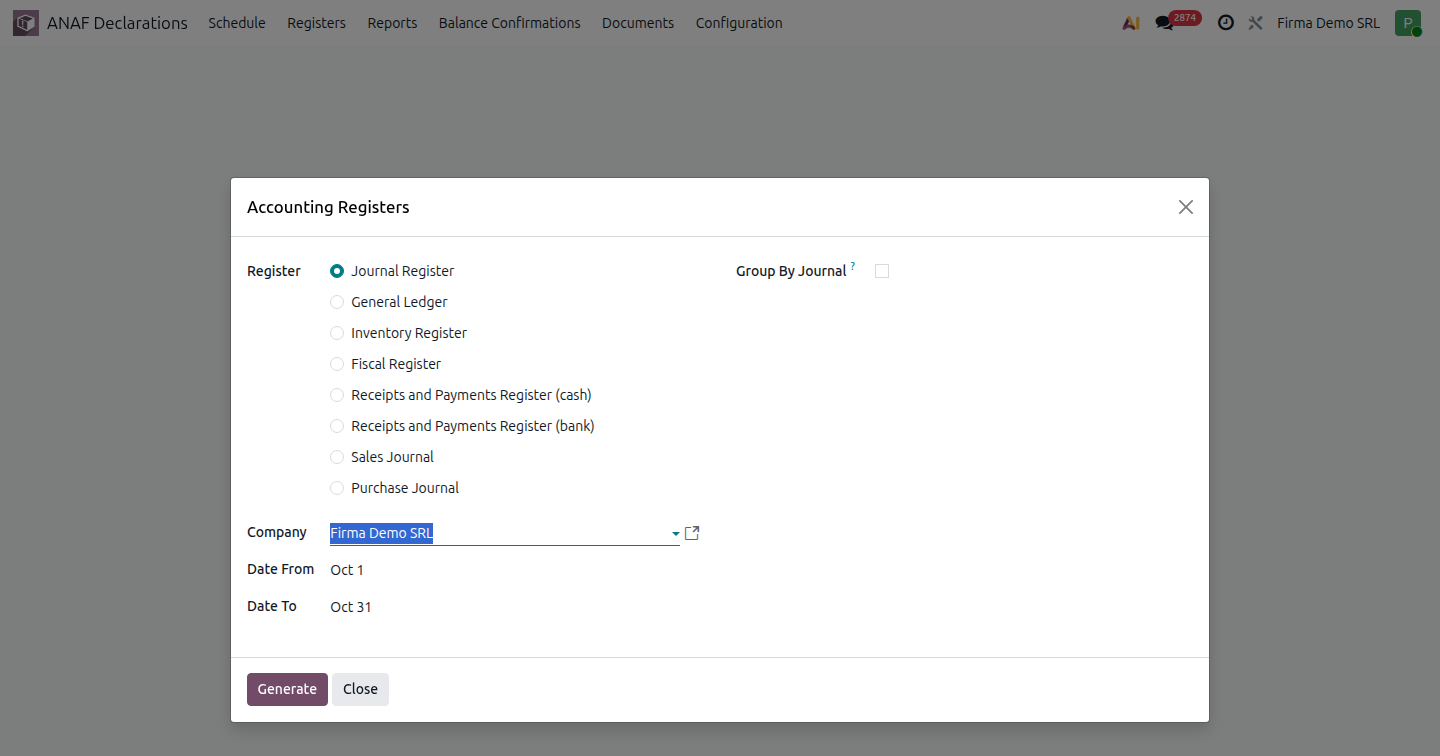
ANAF Declarations › Registers. The Accounting Register window opens.
2. Choose the register
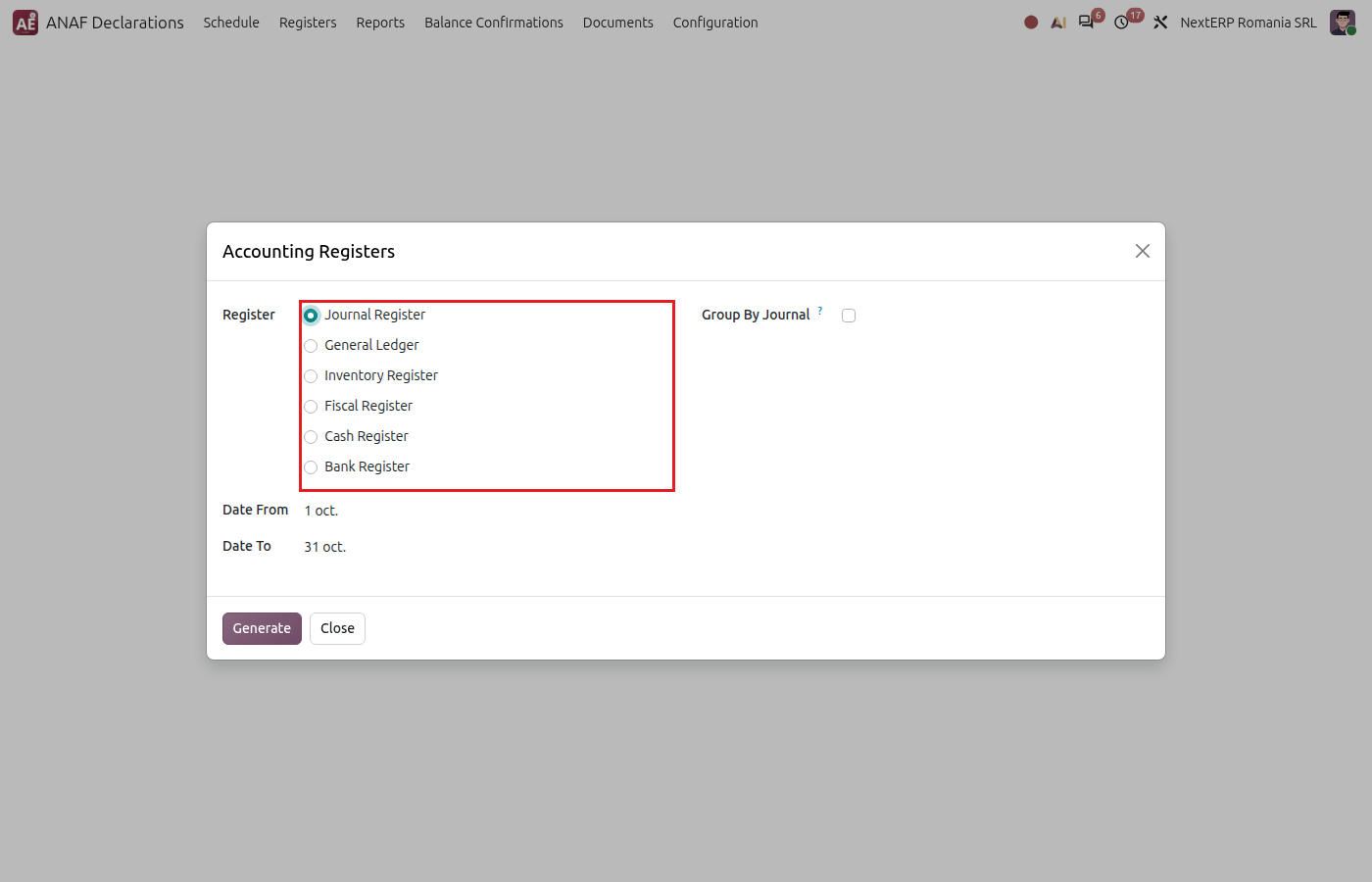
Select the register in the Register list: Journal Register, General Ledger, Inventory Register, Fiscal Register, Receipts and Payments Register (cash) or Receipts and Payments Register (bank), Sales Journal or Purchase Journal.
3. Choose the period and options
Fill in the start and end dates; the default is the previous month. The options on the right change with the register and are described in each register's article.
4. Generate the register
Click Generate. The files appear in the same window, in the Files field; click them to download.
Variants
Registers generated automatically, monthly
Registers can be added to the company's list of returns: ANAF Declarations › Configuration › General › Declarations and Registers, click New, choose Report and the register in the report list, then Confirm. Odoo creates one record per period in ANAF Declarations › Schedule and generates the register after the period ends. On the record, the Generate Report button regenerates it; generated files stay attached to the record, and completed records are found in ANAF Declarations › Documents.
Trial balance and balance statement
These are not registers and are produced from ANAF Declarations › Reports: see Trial balance and Aged balances generated as a document.
Sales and purchase journals
They are also generated from Registers, like the other registers: see Jurnalul de vânzări and Jurnalul de cumpărări.
Common mistakes
- Register generated before the month was closed. Entries posted after generation are missing. Generate the register again (on the schedule record, with Generate Report).
- Message that the company has no active NextERP licence. Registers are generated only with a subscription; check the licence key in the company's NextERP settings.
For the accountant: legal framework
| Register | Legal basis | Frequency |
|---|---|---|
| Registrul-jurnal (code 14-1-1) | Legea contabilității 82/1991, art. 20; OMFP 2634/2015 | Monthly |
| Cartea mare (code 14-1-3) | Legea contabilității 82/1991, art. 20; OMFP 2634/2015 | Monthly |
| Registrul-inventar (code 14-1-2) | Legea contabilității 82/1991, art. 20; OMFP 2634/2015; OMFP 2861/2009 | Annually, after the stock count |
| Registrul de casă (cash register, code 14-4-7A), in Odoo the receipts and payments register for cash | OMFP 2634/2015 | Daily, for entities handling cash |
| Jurnalul de vânzări and jurnalul de cumpărări (sales and purchase journals) | Codul fiscal (the Romanian Fiscal Code), art. 321; OMFP 2634/2015 | Monthly, for VAT payers |
| Registrul de evidență fiscală (tax records register) | Codul fiscal | Annually, profit tax payers |
Registers are kept for 10 years. The trial balance is prepared monthly (OMFP 1802/2014). OMFP 2634/2015 is the order on financial-accounting documents; OMFP 2861/2009 is the order on inventory counts.