Reports · Article 00
Trial balance
Applies to Odoo 19 · 20
The trial balance (balanța de verificare) shows, for each account, the opening balances, the movements and the closing balances of the period. Odoo produces it in the Romanian format, with 4 or 5 equalities, per analytic accounts, per synthetic accounts or both, as PDF and as a spreadsheet.
When to use
- Every month, after the month is closed and before the returns.
- At year end, as the basis for the Bilanț (annual financial statements).
- When you want totals per account group or class for a quick analysis.
Before you start
- The entries of the period are posted; drafts are not included in the trial balance.
- The company has an active NextERP subscription: the trial balance is generated by the NextERP team's declarations server.
Steps in Odoo
1. Open the reports
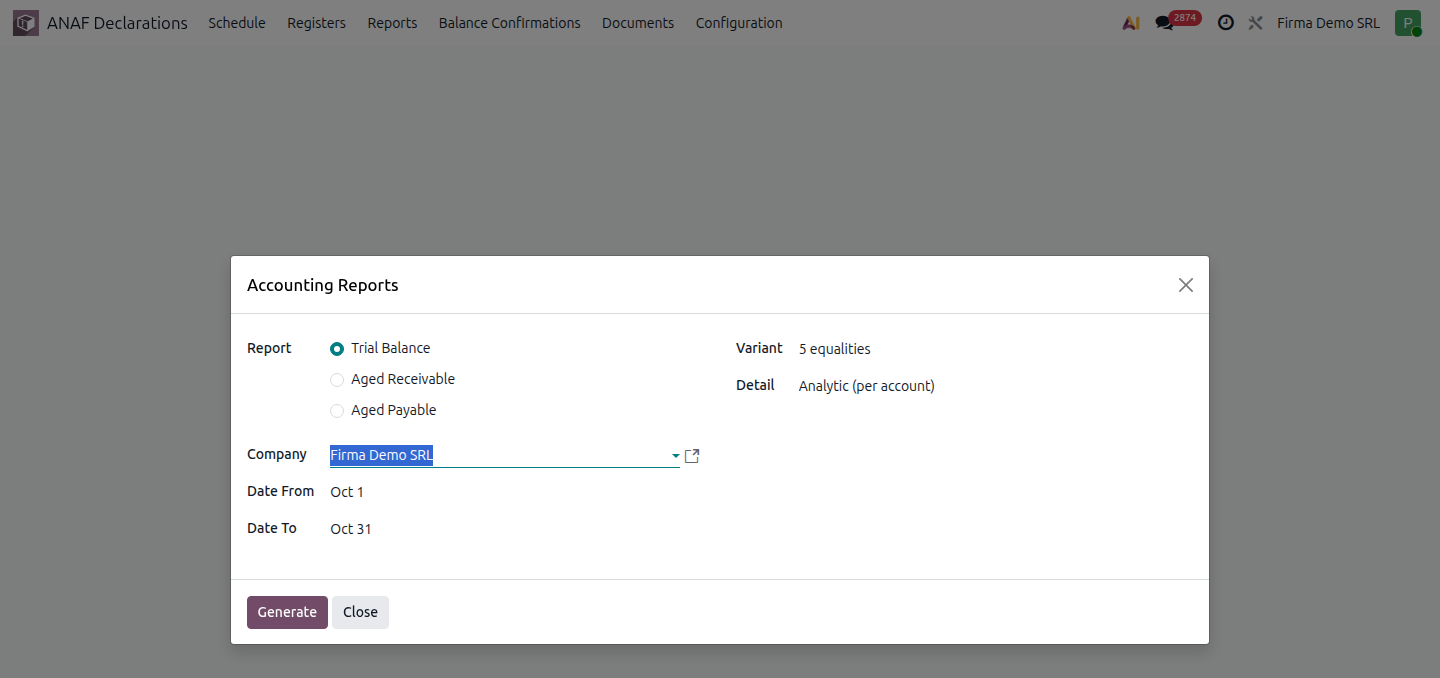
ANAF Declarations › Reports. The window with the Report list opens; select Trial Balance.
2. Choose the period
Fill in the start and end dates; the default is the previous month. Previous movements are calculated from the start of the fiscal year.
3. Choose the variant
In Variant: 4 equalities, 5 equalities (default) or 5 equalities with year opening and previous balance.
4. Choose the level of detail
In Detail choose Analytic (per account), Synthetic (per synthetic account) or Analytic and synthetic. For the synthetic variant, choose in Synthetic Level first-degree accounts (411), second-degree accounts (4111) or only totals per group (41) or per class (4).
5. Generate the trial balance
Click Generate and download the files from Files.
What it contains
| Variant | Columns |
|---|---|
| 4 equalities | Opening balances, movements of the period, total amounts, closing balances |
| 5 equalities | Opening balances of the year, previous movements, movements of the period, total amounts, closing balances |
| 5 equalities with year opening | Like the 5-equalities variant, with the year opening balance and the previous balance shown separately |
Income and expense accounts (classes 6 and 7) start from zero at the beginning of the fiscal year. Each column has a debit and a credit total; the trial balance also includes the company's branches.
Variants
- Automatic monthly generation: in ANAF Declarations › Configuration › General › Declarations and Registers add a Report line with Trial Balance and the variant you want; the trial balance is generated for each month in ANAF Declarations › Schedule. See Legal registers.
- Trial balance for the Bilanț: after the year is closed, generate the trial balance for 1 January – 31 December; see Bilanț.
Common mistakes
- The debit total differs from the credit total. This does not happen with posted entries; check whether you compared a synthetic variant with an analytic one.
- Classes 6 and 7 have a balance on 31 December. The year-end closing entries are not recorded.
For the accountant: legal framework
The trial balance is prepared monthly, under OMFP 1802/2014 (the Romanian accounting regulations), and checks the equality between the debit and credit totals of each column. The closing balances of the trial balance must match those in the Cartea mare (general ledger) and, for balance-sheet accounts, those in the Registrul-inventar (inventory register) at the same date.