e-Factura, e-Transport and SPV · Article 03
Receiving vendor bills
Applies to Odoo 19 · 20
The invoices that suppliers send to e-Factura (the Romanian national e-invoicing system) reach the company's SPV (Spațiul Privat Virtual, the taxpayer's private online space at ANAF). Odoo retrieves them from there and creates a draft vendor bill for each one, with the XML file and the PDF attached. The accountant checks the draft and confirms it; Odoo never confirms a received bill by itself.
When to use
- You retrieve the invoices received in SPV every day.
- You look for an invoice that the supplier says it has sent.
- You want to see all SPV messages: invoices received, invoices sent, errors.
Before you start
- The company is connected to SPV, as in Connecting to SPV.
- In Accounting › Configuration › Settings, Romanian E-Factura block, the purchase journal in which retrieved bills are created is selected (Import Vendor Bills in). By default, Odoo uses the first purchase journal.
- For product recognition, the supplier's codes are entered on the product, in the vendor list.
Steps in Odoo
1. Synchronize with ANAF
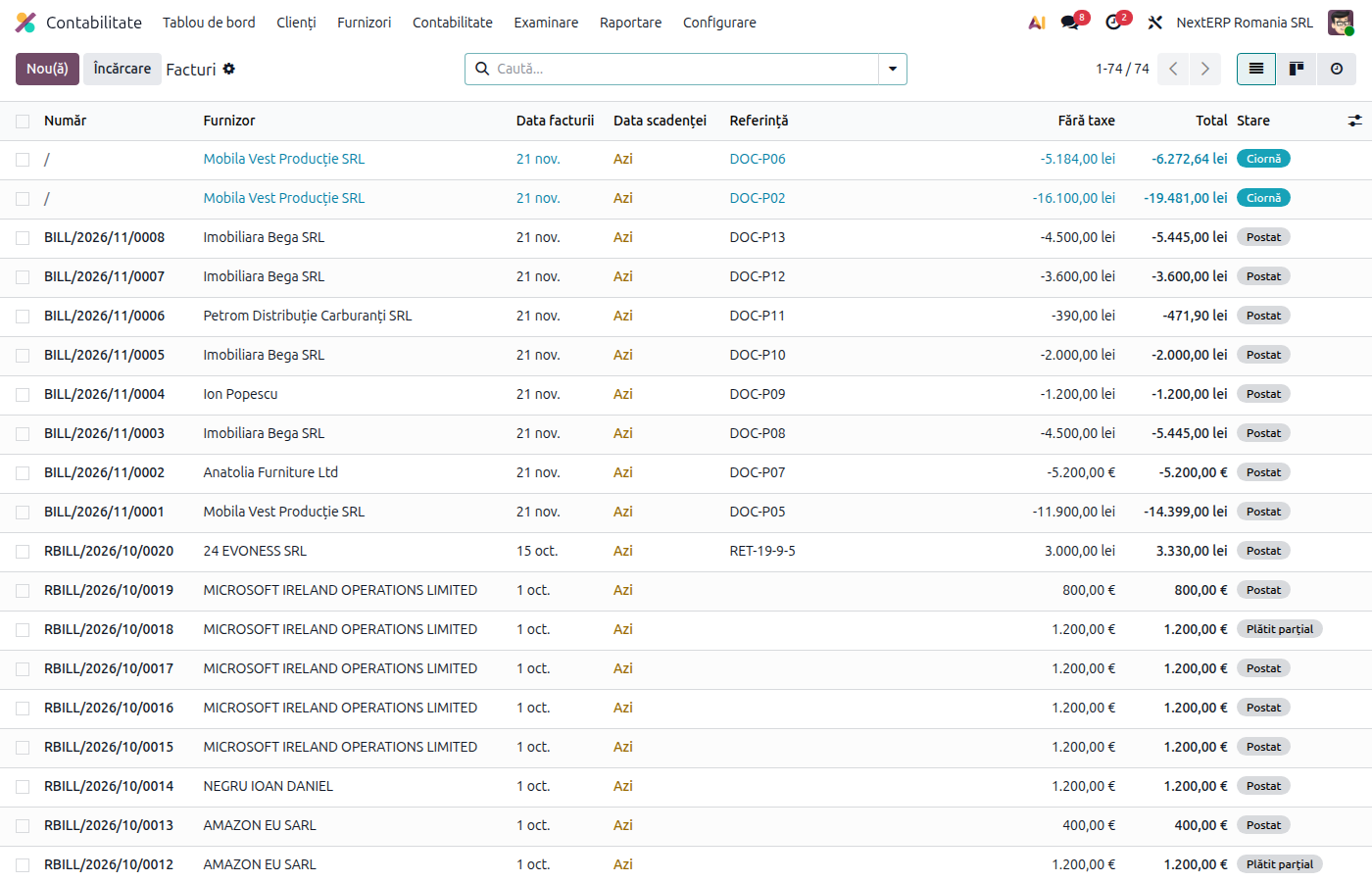
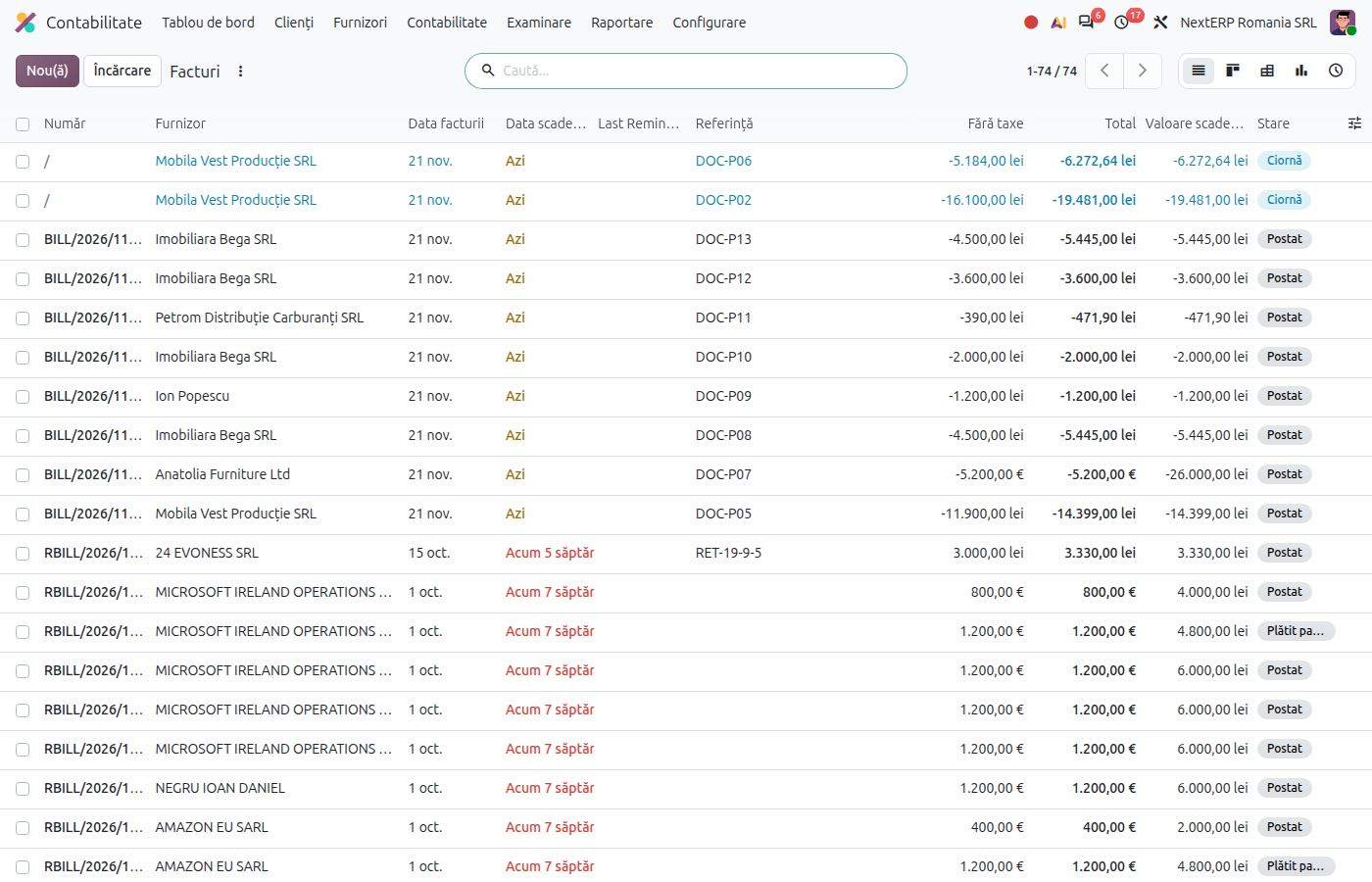
In the Accounting › Vendors › Bills list, choose Synchronize with ANAF from the gear menu. Odoo queries the SPV messages of the last days (60 by default) and creates drafts for the new invoices. Synchronization also runs automatically, every day.
Odoo 20
Odoo opens a window where you choose the date from which invoices are retrieved (at most 60 days back); click Synchronize.
2. Open the draft
Each received invoice appears as a draft, with the supplier found by CUI (the Romanian tax identification number; if it does not exist, Odoo creates it from the XML data), with the lines read from the XML and with the PDF attached.
3. Check the lines
Check the supplier, the products, the expense account and the taxes. The product is searched first by the supplier code in the XML; the code stays on the line, in Vendor Code.
4. Link the bill to the order
If the goods come on a purchase order, link the bill to the order, so that it matches the receipt. The steps are in the Purchases chapter.
5. Confirm the bill
After checking, click Confirm. The bill enters the accounting records with the supplier's number and date.
Variants
Bill entered manually before synchronization
If an untransmitted vendor bill with the same CUI, the same total and the same date already exists, Odoo completes it with the XML instead of creating a new one. Messages already retrieved are not retrieved a second time.
All SPV messages
In Accounting › Accounting › SPV › Messages SPV you see all SPV messages: invoices received, invoices sent, errors and other messages. The list is useful when you look for an invoice that does not appear among the drafts.
Common mistakes
- Drafts confirmed without checking. Check the proposed expense account and taxes every time, especially for new suppliers.
- Duplicate bill. A bill entered manually with another date or another total is not recognized during synchronization. Delete the duplicate draft or the manual bill, not both.
- Wrong journal. Bills are created in the journal chosen in the settings; change it there, not on each bill.
- Synchronization stopped. If no new invoices appear, check the access token and the scheduled action E-Factura: Synchronize with ANAF.
For the accountant: legal framework, returns
Legal framework
- OUG 120/2021 (Government Emergency Ordinance 120/2021) — the invoice received through e-Factura is the original invoice for the buyer.
- Codul fiscal (Legea 227/2015) (the Romanian Fiscal Code, Law 227/2015), art. 299 — exercising the right of deduction based on the invoice.
Journal entries
Retrieval creates only drafts, without journal entries. The entry appears when the bill is confirmed, as for any vendor bill (see the Purchases chapter).
Link to ANAF returns
| Return | What it takes |
|---|---|
| D300 | deductible VAT, after the bill is confirmed (D300 is the VAT return) |
| D394 | the bill, under the supplier's CUI (D394 is the domestic supplies and acquisitions statement) |
| D406 (SAF-T) | the bill and its journal entry (D406 is the Romanian Standard Audit File for Tax) |